Author: roshan

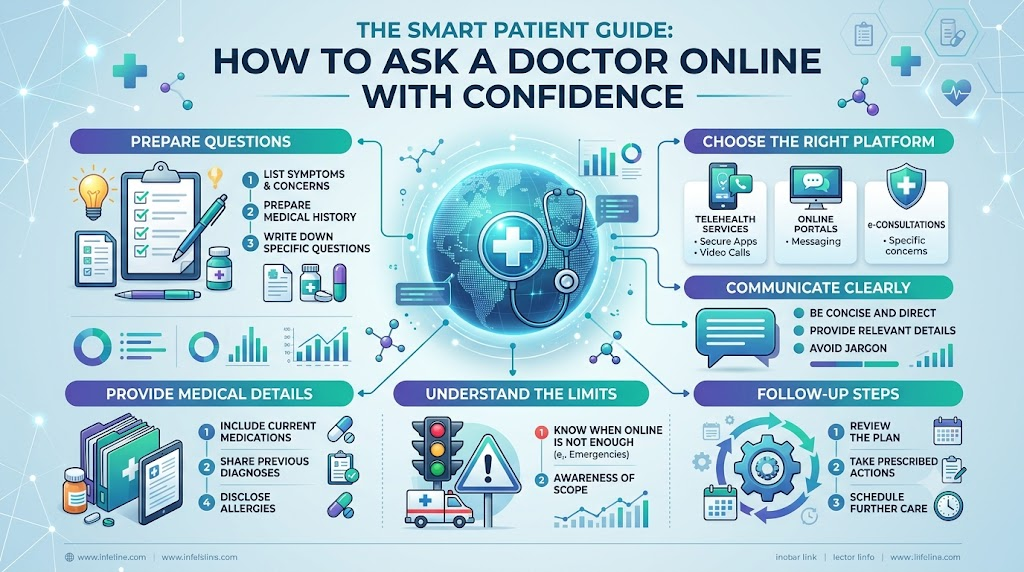
  • The Smart Patient Guide: How to Ask a Doctor Online with Confidence

    Recognizing an unfamiliar physical sensation, an ongoing headache, or an ambiguous test result can leave you wondering where to turn first. Booking an instant clinic visit is not always feasible, yet turning to unverified web searches can lead to needless alarm. For non-emergency medical situations, deciding to ask a doctor online provides a balanced, secure avenue to review symptoms with qualified practitioners and identify sensible healthcare steps from home.This educational guide explores how telehealth communications work, examines various virtual specialties, details appointment preparation, and highlights scenarios where physical hospital evaluation remains indispensable.

    What Does It Mean to Ask a Doctor Online?

    To ask a doctor online involves connecting with an accredited clinician via protected digital tools—such as text platforms, phone calls, or video conferencing. Rather than attempting to replace hands-on clinics entirely, digital triage serves as an initial advisory step that clarifies confusing health scenarios.

    How Online Doctor Consultation Works

    A virtual medical session pairs a patient with an authorized practitioner using a private digital interface. You detail your main health complaints, describe previous medical conditions, and outline ongoing treatments. The healthcare provider analyzes the presentation, asks clarifying questions, and shares evidence-based suggestions to help you decide on appropriate follow-up actions.

    What You Can Discuss With a Doctor

    Virtual appointments handle a broad range of non-urgent medical inquiries:

    • General wellness discussions regarding nutrition, sleep, and preventative routines
    • Questions regarding prescription guidelines, timing, and potential side effects
    • Translation of complex terms on radiology or laboratory reports
    • Initial symptom discussions to determine whether an in-person visit is needed
    • Practical strategies for tracking stable, long-term health metrics

    When Online Consultation May Be Useful

    Virtual medical guidance is especially helpful for individuals balancing busy work schedules, people living far from regional healthcare hubs, or anyone needing non-urgent advice outside regular clinic hours. It also offers a streamlined channel for follow-up questions after previous clinic visits.

    When In-Person Care May Be Necessary

    Remote consultations have defined clinical boundaries. Any condition requiring hands-on examination, deep wound care, internal pelvic checks, sample collection, or emergency stabilization requires a direct visit to a clinic or emergency department.

    Online Doctor Consultation

    A standard online doctor consultation follows an organized step-by-step workflow designed to protect patient safety:

    1. Selecting the Field of Medicine: You identify the clinical domain matching your primary symptom, such as general medicine, pediatrics, or skin care.
    2. Documenting Your Health Background: You explain when symptoms started, how intense they are, and any past conditions that might be relevant.
    3. Sharing Diagnostic Documents: Where relevant, you securely upload previous blood panels, scan summaries, or clinical notes.
    4. Interactive Discussion: You speak directly with the healthcare provider, discussing potential root causes and clarifying uncertainties.
    5. Formulating an Action Plan: The physician suggests actionable next steps, such as self-monitoring, non-pharmacological care, or scheduling diagnostic tests.

    An online appointment emphasizes structured health education and guidance; it does not promise an immediate prescription or complete diagnosis.

    Talk to a Doctor Online

    Patients increasingly choose to talk to a doctor online to simplify their healthcare management:

    • Eliminating Transit Barriers: Digital consultations eliminate traffic delays, parking hassles, and crowded clinic waiting areas.
    • Accessibility for Decreased Mobility: Patients dealing with joint pain, physical disabilities, or fatigue can access clinical input without traveling.
    • Streamlined Follow-Ups: Discussing routine progress, dietary adjustments, or minor wellness changes is often simpler online.

    However, remote care cannot replace hands-on diagnostic checks, such as testing reflexes or listening to heart and breath sounds with a stethoscope.

    24/7 Online Doctor Consultation

    Medical questions frequently surface outside standard business hours. A 24/7 online doctor consultation refers to virtual platforms that offer medical guidance during evenings, weekends, and holidays.

    Where 24/7 consultation is available, it delivers reassurance for late-night worries and mild symptoms. However, operational coverage depends on doctor availability and local telehealth regulations. Patients must check specific service schedules and remember that severe overnight symptoms always require emergency department evaluation.

    Online Doctor Chat

    An online doctor chat enables patients to communicate with healthcare providers using text messaging. This approach is beneficial for:

    • Inquiring about non-urgent symptoms or medication instructions
    • Communicating when spoken conversations are inconvenient or noisy
    • Keeping a written record of clinical recommendations for future reference
    • Sharing concise summaries of past medical history

    While text-based discussions offer convenience, they are not suitable for severe, shifting, or complex conditions that necessitate visual or physical examination.

    Online Medical Second Opinion

    Facing a major medical diagnosis or an elective surgery recommendation can cause uncertainty. Requesting an online medical second opinion allows an independent specialist to evaluate your case records, imaging results, and treatment plan.

    An online second opinion helps you:

    • Review the medical reasoning behind proposed procedures
    • Discover alternative, evidence-based management options
    • Decode complex pathology findings in clear language
    • Formulate meaningful questions for your primary treating doctor

    A second opinion does not replace your primary doctor; it simply helps you make well-informed healthcare decisions.

    Online General Physician Consultation

    General practitioners manage a broad spectrum of everyday health issues. An online general physician consultation is commonly utilized for:

    • Mild respiratory complaints (coughs, mild sore throats, congestion)
    • Low-grade seasonal fevers and general body aches
    • Mild digestive upset, heartburn, or dietary questions
    • Understanding routine blood pressure logs or glucose trends
    • General fatigue and preventative wellness planning

    A primary care physician evaluates your symptom history, suggests supportive lifestyle measures, and tells you whether physical testing is needed.

    Online Dermatologist Consultation

    Skin and scalp concerns are well-suited for virtual evaluation. An online dermatologist consultation can assist with:

    • Managing mild to moderate facial acne
    • Addressing localized dry patches, mild rashes, and redness
    • Evaluating general itching or seasonal skin reactions
    • Discussing preliminary concerns regarding hair shedding or scalp flaking
    • Reviewing gentle skincare routines for reactive skin

    Clear photographs and video feeds give dermatologists helpful visual context. However, changing moles, dark skin spots, severe blistering, or conditions requiring biopsies require an in-person dermatology visit.

    Online Gynecologist Consultation

    Women’s health issues often involve sensitive personal topics that are easier to discuss from home. An online gynecologist consultation provides a confidential space to discuss:

    • Irregular periods and menstrual cramping
    • Common lifestyle considerations for managing PCOS
    • Perimenopause symptoms, including sleep changes and hot flashes
    • General reproductive health and family planning concepts
    • Non-urgent pregnancy guidance and wellness questions

    Routine screenings like Pap smears, physical pelvic evaluations, obstetric scans, and acute pelvic pain require in-person clinical assessment.

    Online Pediatrician Consultation

    When a child feels unwell, parents need clear, calm guidance. An online pediatrician consultation supports families with:

    • Home-care strategies for mild colds and coughs
    • Guidance on infant feeding, weaning, and general nutrition
    • Clarification regarding typical developmental milestones and sleep habits
    • Advice on mild, non-spreading diaper rashes

    Children can deteriorate rapidly when ill. If a child develops a high fever, severe lethargy, breathing difficulties, persistent vomiting, or dehydration, seek emergency care immediately.

    Benefits of Online Medical Guidance

    Virtual medical guidance provides several distinct advantages for managing non-urgent health needs:

    • Broader Access: Connect with experienced clinicians regardless of your physical distance from major medical centers.
    • Time Efficiency: Eliminate travel and waiting room delays, making it easier to balance health needs with work and family life.
    • Informed Decision-Making: Receive clear medical advice on whether symptoms can be managed at home or need clinic testing.
    • Organized Record Reviews: Take the time to systematically walk through diagnostic findings with an expert.
    • Access to Multiple Disciplines: Consult with general practitioners and various specialists on a single platform.

    Limitations of Online Doctor Consultation

    Understanding the limitations of virtual care is essential for patient safety:

    • No Physical Examination: Clinicians cannot palpate the abdomen, listen to chest sounds, or assess reflexes remotely.
    • No Direct Testing: Blood draws, urine analyses, cultures, X-rays, and scans cannot be performed through a screen.
    • Inappropriate for Emergencies: Acute, severe, or worsening symptoms cannot be treated over the internet.
    • Technical Constraints: Poor lighting, low-resolution cameras, or unstable internet connections can hinder visual assessments.

    How to Prepare Before You Ask a Doctor Online

    Being organized ensures a focused and effective virtual consultation. Use this preparation checklist:

    Write Down Your Main Symptoms

    Note your main complaints clearly, describing their nature (e.g., sharp, throbbing, dull, or intermittent).

    Note When Symptoms Started

    Document the exact timeline—when the issue started, how often it occurs, and whether it is improving or worsening.

    Prepare Relevant Medical History

    List your existing medical conditions, past hospitalizations, and major surgeries.

    Keep Current Medicines and Allergies Information Ready

    Write down all current prescription drugs, supplements, over-the-counter medications, and known drug allergies.

    Keep Relevant Reports Available

    Have digital copies or clear photos of recent lab results, scan reports, or clinical summaries ready to share.

    Prepare Specific Questions

    List 3–5 core questions you want answered during your appointment so you cover all your concerns.

    Use a Private and Secure Environment

    Choose a quiet, well-lit, private room where you can discuss your health without interruptions.

    Be Honest About Your Symptoms

    Share complete, accurate details about your lifestyle, health habits, and symptoms so your doctor can provide appropriate advice.

    Online Consultation vs In-Person Consultation

    The table below outlines key differences between remote and clinic-based care:

    FactorOnline ConsultationIn-Person Consultation
    ConvenienceHigh; consult from home or workRequires transit, parking, and waiting room time
    Physical ExaminationVisual only; no hands-on assessmentComplete hands-on physical exam available
    Medical History DiscussionDetailed and comprehensiveDetailed and comprehensive
    Diagnostic TestingRequires an external lab/imaging referralCan often be coordinated on-site
    Follow-Up QuestionsFast and convenient for routine updatesRequires booking a dedicated clinic appointment
    Emergency CareNot appropriate for acute emergenciesAppropriate via hospital emergency departments

    Privacy and Patient Information

    Safeguarding your medical data is critical when using online healthcare services:

    • Connect using secure, private internet networks rather than public Wi-Fi hotspots.
    • Upload medical files and personal details only through encrypted, authenticated platforms.
    • Never share sensitive personal health details or images on open online message boards.
    • Use strong passwords for your healthcare accounts and log out after completing your session.

    When Online Consultation Is Not Enough

    Remote platforms are designed strictly for non-critical medical questions. You must bypass online consultations and seek immediate emergency care if you experience:

    • Sudden, severe chest pain, pressure, or tightness
    • Acute breathing difficulty or severe shortness of breath
    • Symptoms of stroke, including sudden facial drooping, one-sided weakness, or speech difficulties
    • Heavy, uncontrolled bleeding or severe physical trauma
    • Sudden fainting, loss of consciousness, or severe confusion
    • Severe allergic reactions involving facial swelling or airway constriction
    • Sudden, debilitating headaches unlike any experienced before

    How AskDoctorLive Can Support the Online Healthcare Journey

    Managing everyday health concerns is far easier with direct access to professional medical perspectives. AskDoctorLive provides a secure digital platform where patients can connect with qualified healthcare professionals for timely guidance.

    Whether you need an online general physician consultation for everyday health queries, an online dermatologist consultation for skin issues, an online gynecologist consultation for reproductive health, or an online pediatrician consultation for parenting guidance, the platform helps you take positive steps toward better health. Patients can book an online doctor consultation, use online doctor chat for concise guidance, or request an online medical second opinion to better understand complex medical decisions—all while understanding when an in-person visit is the safest choice.

    Authoritative Health Resources

    For verified medical guidance and public health information, consult recognized institutions:

    • World Health Organization (WHO) – International health guidelines and disease prevention advice.
    • Centers for Disease Control and Prevention (CDC) – Reliable symptom overviews and public health updates.
    • National Health Service (NHS) – Comprehensive clinical guides and condition overviews.

    Frequently Asked Questions

    1. How should a patient prepare before they ask a doctor online?A patient should write down their primary symptoms, record when the issue began, assemble a complete list of ongoing prescriptions, and upload relevant lab results to secure platforms. Preparing these records beforehand allows the clinician to provide clear, personalized health guidance.
    2. What role does an online doctor consultation play in preventive health?
      An online doctor consultation helps patients review lifestyle choices, discuss routine screening recommendations, interpret wellness metrics, and determine whether emerging physical sensations require physical diagnostic evaluations.
    3. How does deciding to talk to a doctor online benefit patients with chronic fatigue?
      Choosing to talk to a doctor online allows individuals managing chronic fatigue or limited physical endurance to receive medical guidance without the physical strain of traveling to a medical clinic.
    4. What coverage should patients expect from a 24/7 online doctor consultation service?
      A 24/7 online doctor consultation service provides non-urgent medical triage and advice during non-standard hours, helping patients decide whether their symptoms can wait until morning or require urgent clinical care.
    5. Which non-urgent scenarios work best for an online doctor chat?An online doctor chat is suitable for clarifying medication side-effect profiles, reviewing basic home-care tips, checking dietary advice, and obtaining quick educational feedback on minor wellness questions.
    6. How does an online medical second opinion assist individuals facing elective surgery?
      An online medical second opinion provides an independent evaluation of diagnostic reports and surgical proposals, helping patients understand conservative treatment alternatives before proceeding with planned operations.
    7. What symptoms are commonly evaluated during an online general physician consultation?
      An online general physician consultation commonly reviews mild upper respiratory congestion, low-grade fevers, mild gastrointestinal upset, routine blood pressure logs, and persistent mild fatigue.
    8. How do patients share visual information during an online dermatologist consultation?
      Patients upload clear, well-lit, high-resolution photographs and participate in video assessments during an online dermatologist consultation, allowing specialists to evaluate superficial rashes, mild acne, and general skin irritation.
    9. What reproductive wellness topics can be addressed in an online gynecologist consultation?
      An online gynecologist consultation provides a private setting to discuss irregular menstrual patterns, perimenopause transitions, hormonal acne, contraceptive options, and general reproductive wellness concepts.
    10. When should caregivers schedule an online pediatrician consultation for non-urgent child wellness?
      Caregivers should utilize an online pediatrician consultation for mild diaper irritation, guidance on introducing solid foods, routine developmental milestone queries, and non-severe childhood cold symptoms.
    11. Why can diagnostic physical palpation not occur during virtual appointments?
      Diagnostic physical palpation requires direct physical touch to evaluate organ size, muscle tenderness, and tissue resistance, making hands-on clinic visits necessary for detailed physical assessments.
    12. Which critical warning signs mandate immediate emergency room care?
      Immediate emergency care is vital for sudden chest pressure, acute shortness of breath, sudden facial drooping, severe uncontrolled blood loss, and sudden fainting or altered mental states.

    Conclusion

    Digital healthcare provides a flexible, organized method to address non-emergency medical questions and receive professional clinical direction. Choosing to ask a doctor online empowers patients to clarify symptoms, request an online medical second opinion, and consult specialists across primary care, dermatology, gynecology, and pediatrics from home.While virtual care enhances access, it does not replace hands-on physical exams, laboratory analyses, or emergency medical services. Maintaining clear communication with healthcare professionals ensures safe, effective, and balanced healthcare management.
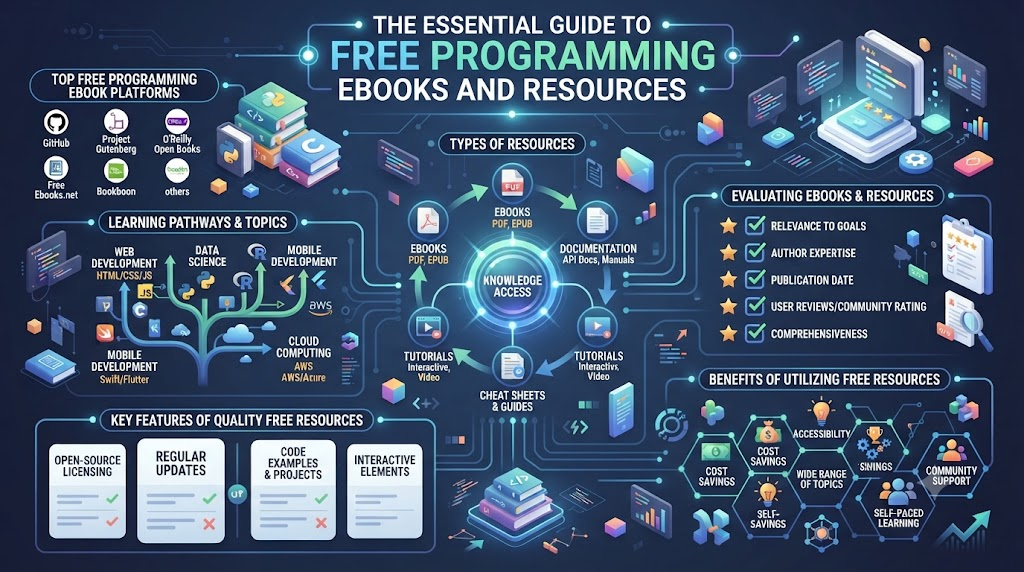
  • The Essential Guide to Free Programming Ebooks and Resources

    Learning software development, infrastructure management, or artificial intelligence can feel like navigating an endless ocean of information. New learners and experienced professionals often face significant barriers, such as fragmented online tutorials, paywalled courses, and outdated learning paths. Finding comprehensive, well-structured material that covers complex engineering topics from start to finish without breaking the bank is a common challenge.Technical ebooks serve as structured, comprehensive learning tools that guide readers through foundational theories and practical applications. Accessing reliable FreeEbooks.xyz allows learners to build deep expertise systematically without financial burden.

    WHAT ARE FREE PROGRAMMING EBOOKS?

    Free programming ebooks are comprehensive digital publications designed to teach programming languages, software design patterns, framework architecture, and development paradigms. Unlike short video clips or surface-level articles, a book provides a cohesive educational narrative written by experienced engineers or educators.

    What Programming Ebooks Usually Teach

    Programming ebooks cover a wide spectrum of concepts:

    • Syntax and Semantics: Deep dives into core mechanics of languages like Python, Java, Go, or Rust.
    • Architecture: Principles like Object-Oriented Programming (OOP), Functional Programming, and SOLID design principles.
    • System Design: How to write clean, maintainable, scalable, and testable codebases.

    Why Ebooks Are Useful for Developers

    Books force deep comprehension. When reading an ebook, developers process information at their own pace, re-reading complex logical statements and analyzing code samples line-by-line without video scrubbing friction.

    Books vs Short Online Tutorials

    Short online tutorials excel at quick problem-solving, such as fixing a specific error or learning a syntax trick. However, they lack context. Books build conceptual scaffolding, showing how isolated concepts fit into larger enterprise architectures.

    Learning at Your Own Pace

    Video courses dictate the speed of instruction, but technical books let you pause, run local code experiments, and digest complex math or system diagrams whenever necessary.

    Building a Personal Technical Library

    Curating a personal reference library of Free Programming Ebooks ensures you always have trusted offline references available when tackling difficult real-world engineering bugs.

    FREE TECHNOLOGY EBOOKS

    Beyond core language syntax, modern engineers need a broad perspective on the broader technology ecosystem. Utilizing Free Technology Ebooks exposes developers to interrelated fields like data engineering, automation systems, and emerging hardware-software integration trends.

    Selecting the right technology book depends heavily on your immediate career objectives. A front-end engineer may want to explore backend distributed systems, while a system administrator might benefit from reading about API integration patterns. Selecting resources tailored to your baseline skill level ensures steady growth without overwhelm.

    FREE COMPUTER SCIENCE EBOOKS

    Frameworks and libraries come and go, but core computer science concepts remain relevant for decades. Studying Free Computer Science Ebooks helps developers understand what happens beneath high-level abstractions.

    Key foundational subjects include:

    • Algorithms & Data Structures: Understanding time and space complexity ($O(n)$, $O(\log n)$), trees, graphs, and sorting.
    • Databases: Relational database normalization, ACID compliance, index optimization, and non-relational storage strategies.
    • Operating Systems & Networking: Thread concurrency, process scheduling, memory allocation, TCP/IP protocols, and HTTP/HTTPS architecture.

    A firm grasp of computer science principles allows engineers to debug production issues efficiently and adapt to new technologies seamlessly.

    FREE AI EBOOKS

    Artificial intelligence is reshaping software development. Free AI Ebooks provide learners with clear entry points into both classical AI models and modern machine intelligence.

    Core topics covered in these resources include:

    • Generative AI & LLMs: Transformer architectures, tokenization, fine-tuning, and prompt engineering.
    • AI Agents: Designing autonomous agent workflows, tools integration, and memory retention strategies.
    • Natural Language Processing (NLP): Text vectorization, semantic search, vector databases, and sentiment analysis.

    Understanding these fundamentals allows developers to integrate AI capability into modern software responsibly.

    FREE MACHINE LEARNING EBOOKS

    Machine Learning (ML) requires balancing mathematical theory with practical implementation. Through Free Machine Learning Ebooks, engineers can learn to transform raw data into predictive intelligence.

    Key learning areas:

    • Data Preparation & Cleaning: Feature engineering using Python libraries like NumPy and Pandas.
    • Model Building: Linear regression, decision trees, random forests, and deep neural networks.
    • MLOps: Transitioning models from Jupyter notebooks into production containerized environments with continuous tracking.

    Combining mathematical concepts with hands-on projects ensures ML theory translates into practical applications.

    FREE DEVOPS EBOOKS

    Modern engineering relies heavily on automated delivery pipelines and reliable infrastructure. Reading Free DevOps Ebooks helps software teams deliver code faster and more safely.

    Key DevOps domains include:

    • Version Control & CI/CD: Advanced Git workflows, automated testing pipelines, and Jenkins deployment strategies.
    • Infrastructure as Code (IaC): Managing environments reproducibly using declarative tools like Terraform and Ansible.
    • Monitoring & Observability: Setting up telemetry, logs, metrics, and alerts to maintain high system reliability.

    DevOps books teach engineers to think about software across its entire operational lifecycle.

    FREE CLOUD COMPUTING EBOOKS

    Cloud platforms power modern scalable applications. Free Cloud Computing Ebooks explain how to build, deploy, and manage cloud-native environments.

    Essential cloud topics cover:

    • Cloud Architecture: Decoupled microservices, event-driven designs, and serverless computing models.
    • Multi-Cloud Strategies: Designing workloads across platform providers like AWS, Azure, and Google Cloud Platform.
    • Networking & Security: Virtual Private Clouds (VPCs), IAM roles, security groups, and cloud compliance framework models.

    Studying architecture books helps developers build cloud implementations that avoid costly over-provisioning.

    FREE CYBERSECURITY EBOOKS

    Security should be integrated into every stage of the software lifecycle. Free Cybersecurity Ebooks focus on defensive programming practices and secure system engineering.

    Educational security topics include:

    • Application Security: Preventing common web vulnerabilities such as SQL injection, Cross-Site Scripting (XSS), and CSRF.
    • DevSecOps: Integrating automated vulnerability scanning directly into continuous delivery pipelines.
    • Cloud Security & Identity: Zero-trust architecture, robust encryption techniques, and least-privilege IAM policies.

    Focusing on security education protects applications against threats while preserving data integrity.

    FREE KUBERNETES EBOOKS

    Container orchestration has become the standard for running distributed applications at scale. Free Kubernetes Ebooks help developers and operations teams manage container deployments efficiently.

    Key areas of study:

    • Kubernetes Fundamentals: Understanding Pods, Services, Deployments, ReplicaSets, and ConfigMaps.
    • Cluster Management: Configuring ingress controllers, persistent storage volumes, and network policy security.
    • Observability & Helm: Packaging applications using Helm charts while setting up Prometheus and Grafana for monitoring.

    Reading about Kubernetes patterns helps engineers run containerized applications reliably in production environments.

    FREE AWS EBOOKS

    As a leading cloud platform, Amazon Web Services powers a vast portion of web infrastructure. Free AWS Ebooks help learners master core cloud infrastructure services.

    Core learning topics include:

    • Compute & Containers: Deploying scalable compute using EC2, Lambda, ECS, and EKS.
    • Storage & Databases: Configuring S3 bucket policies, DynamoDB, and Amazon RDS instance types.
    • AWS Architecture: Designing highly available, fault-tolerant systems mapped to the AWS Well-Architected Framework.

    Structured reading gives developers the theoretical foundation needed to succeed when using hands-on AWS console labs.

    HOW TO CHOOSE THE RIGHT TECHNICAL EBOOK

    Selecting the wrong technical book can lead to frustration or wasted effort. Following a logical evaluation framework keeps your study aligned with your goals.

    Identify Your Current Skill Level

    Be honest about your baseline knowledge. Beginners should pick books with explicit code explanations, while experienced developers should target advanced architectural references.

    Define Your Learning Goal

    Determine what you want to build or accomplish after reading the book. Choose titles that map directly to your target outcome.

    Check the Book’s Technical Depth

    Skim table-of-contents listings to evaluate whether the book provides concrete implementations or merely high-level theoretical overviews.

    Review the Topics Covered

    Ensure the contents reflect modern toolchains and paradigms rather than deprecated versions or legacy practices.

    Look for Practical Examples

    Prioritize books featuring end-to-end projects, step-by-step code samples, and architectural diagrams over purely theoretical texts.

    Check Publication or Update Information

    For fast-evolving topics like Cloud or AI, check update frequency. However, remember classic computer science texts covering algorithms or operating systems remain valuable regardless of publication age.

    Compare Multiple Resources

    Cross-reference two or three different titles on the same topic to gain balanced perspective on complex topics.

    Combine Reading With Hands-On Practice

    Never read a technical book like a novel. Keep your editor or cloud console open to test code snippets as you read.

    BEGINNER VS INTERMEDIATE VS ADVANCED LEARNING

    Matching your study material to your experience level prevents burnout and promotes consistent skill growth.

    Learning LevelRecommended FocusPractical Output
    BeginnerBasic syntax, fundamentals, core logic, terminology, basic debuggingSmall CLI scripts, simple HTML/JS pages, basic unit tests
    IntermediateFramework integration, REST APIs, database design, Docker, testing patternsFull-stack Web Apps, CRUD microservices, automated pipelines
    AdvancedDistributed systems, system design, performance tuning, DevSecOps, KubernetesMulti-region deployment, custom operator builds, high-throughput scaling

    Moving smoothly across these levels requires building solid conceptual foundations before jumping into complex system architectures.

    HOW TO BUILD A SELF-STUDY PLAN USING EBOOKS

    A structured self-study plan ensures you complete what you start and retain key information long-term.

    Step 1: Choose One Core Technology

    Pick one language or tool at a time (e.g., Python, Kubernetes, or Docker). Avoid splitting focus across multiple complex domains simultaneously.

    Step 2: Select One Structured Ebook

    Find one well-reviewed, comprehensive book covering your target technology from start to finish.

    Step 3: Create a Weekly Reading Schedule

    Commit to reading 15–20 pages per day or 1 chapter per week, keeping your schedule consistent and manageable.

    Step 4: Practice Each Important Concept

    Type out code examples manually instead of copying and pasting to build muscle memory and catch subtle syntax details.

    Step 5: Build Small Projects

    After finishing a chapter, build a tiny application using the concepts covered to reinforce your understanding.

    Step 6: Document Your Learning

    Write concise summaries, publish blog posts, or maintain personal Markdown study notes to consolidate learning.

    Step 7: Move to Advanced Topics

    Once comfortable with the basics, move to advanced operational, security, or architectural topics within that domain.

    BENEFITS OF USING FREE TECHNICAL EBOOKS

    Learning from technical books offers distinct advantages for developers at any career stage:

    • Cost-Effective Education: Reduces financial barriers, allowing anyone with an internet connection to learn advanced technical skills.
    • Structured Learning: Offers carefully designed educational paths created by industry experts.
    • Self-Paced Mastery: Read as fast or slow as your schedule and comprehension allow.
    • Deep Reference Utility: Keep technical books open on your workstation for easy lookup during development.
    • Comprehensive Depth: Books provide thorough context and theoretical foundations that short articles often omit.

    While paid courses and bootcamps have their place, curated free ebooks provide equal depth for disciplined self-starters.

    COMMON MISTAKES WHEN LEARNING FROM EBOOKS

    Avoiding common self-study pitfalls will save you time and accelerate your skill development:

    • Downloading Too Many Books: Collecting hundreds of PDFs without reading them causes choice overload. Solution: Keep only one book active per topic.
    • Passive Reading: Reading code samples without running them locally leads to low retention. Solution: Run and alter code as you read.
    • Ignoring Fundamentals: Skipping basic computer science principles to rush into advanced frameworks creates long-term skill gaps. Solution: Spend time mastering core concepts first.
    • Relying Solely on Outdated Info: Using legacy syntax or old library versions leads to broken code. Solution: Verify code against current official documentation.
    • Learning Everything at Once: Attempting AI, Cloud, and Web Development concurrently leads to burnout. Solution: Focus on one skill path at a time.

    EBOOKS + DOCUMENTATION + HANDS-ON PRACTICE

    No single educational source is sufficient on its own. An effective learning strategy combines multiple complementary tools:

    +-------------------------------------------------------+
    |                 HIGH-LEVEL CONCEPTS                   |
    |            (Free Programming Ebooks)                  |
    +---------------------------+---------------------------+
                                |
                                v
    +-------------------------------------------------------+
    |               SPECIFIC API SYNTAX & UP-TO-DATE API    |
    |               (Official Technical Documentation)      |
    +---------------------------+---------------------------+
                                |
                                v
    +-------------------------------------------------------+
    |               REAL-WORLD APPLICATION                  |
    |          (Local Code Experiments & Projects)          |
    +-------------------------------------------------------+
    
    • Ebooks provide structural overview, architectural background, and contextual reasoning.
    • Official Documentation provides exact API reference details, syntax updates, and edge-case behaviors.
    • Hands-on Projects cement concepts through real troubleshooting and implementation experience.

    Check documentation platforms like the Official Python Documentation or Kubernetes Documentation alongside your reading for current technical implementation details.

    LEARNING PATH BY TECHNOLOGY

    Use these streamlined roadmaps to guide your learning progression across key tech disciplines:

    • Programming:Basic Syntax $\rightarrow$ Data Structures & Algorithms $\rightarrow$ Design Patterns $\rightarrow$ End-to-End Application Projects
    • AI & Data Science:Python & Math Basics $\rightarrow$ Data Analysis $\rightarrow$ Machine Learning Models $\rightarrow$ Deep Learning & LLMs
    • DevOps:Linux & Command Line $\rightarrow$ Git Version Control $\rightarrow$ Docker Containerization $\rightarrow$ CI/CD Pipelines $\rightarrow$ Infrastructure as Code
    • Cloud Infrastructure:Networking & OS Basics $\rightarrow$ Core Cloud Compute/Storage $\rightarrow$ IAM Security $\rightarrow$ Distributed Cloud Architecture
    • Cybersecurity:Networking Fundamentals $\rightarrow$ Application Security Basics $\rightarrow$ Cloud Security $\rightarrow$ Automated DevSecOps Integration
    • AWS Mastery:Cloud Concepts $\rightarrow$ Core Services (EC2/S3/VPC) $\rightarrow$ IAM & Security $\rightarrow$ Well-Architected Framework Practice

    FREEEBOOKS.XYZ RESOURCE FIT

    Finding targeted technical literature shouldn’t require endless searching across unorganized web pages. FreeEbooks.xyz functions as an educational repository designed to help learners quickly find free, high-value learning materials organized by category.

    Learners can explore specific technical areas tailored to their immediate focus:

    • Free Programming Ebooks: Languages, syntax, algorithms, and application architecture.
    • Free Technology Ebooks: Industry overviews, software design patterns, and hardware-software ecosystems.
    • Free Computer Science Ebooks: Operating systems, database engines, and networking fundamentals.
    • Free AI Ebooks & Free Machine Learning Ebooks: Neural networks, data processing, and LLM implementations.
    • Free DevOps Ebooks & Free Kubernetes Ebooks: Continuous integration, infrastructure automation, and container management.
    • Free Cloud Computing Ebooks & Free AWS Ebooks: Cloud deployment patterns, network design, and serverless architectures.
    • Free Cybersecurity Ebooks: Defensive coding, threat analysis, and zero-trust cloud configuration.

    Using curated categories helps self-taught learners find resources matched to their skill level and career path easily.

    RESPONSIBLE EBOOK AND CONTENT ACCESS

    Accessing digital learning resources responsibly protects open education ecosystems and respects author intellectual property:

    • Respect Copyright: Always access books through legally authorized, public-domain, or open-access distributions.
    • Check Licensing Terms: Review open-source licenses (such as Creative Commons or MIT) to understand usage rights.
    • Support Authors: When a free book provides value, consider supporting the author by buying physical copies, leaving reviews, or starring their code repositories.
    • Avoid Unauthorized Re-distribution: Do not upload copyrighted materials to unauthorized file-sharing channels.

    FREQUENTLY ASKED QUESTIONS

    1. What are Free Programming Ebooks?
      Free Programming Ebooks are digital publications covering programming languages, software design patterns, and development practices available at no financial cost to readers. They offer structured instruction for learners at all experience levels.
    2. Are Free Technology Ebooks up to date with current industry tools?
      Many Free Technology Ebooks are updated regularly by open-source communities and tech authors. For fast-changing tools, combine ebook reading with official documentation to ensure you have the latest API details.
    3. Can I learn fundamental computer science concepts using Free Computer Science Ebooks?
      Yes. Core concepts like algorithms, data structures, and database principles remain stable over time. Free Computer Science Ebooks provide strong theoretical foundations that apply across modern frameworks.
    4. How do Free AI Ebooks benefit beginners in machine intelligence?
      Free AI Ebooks break down complex topics—like machine learning algorithms, deep learning models, and prompt engineering—into structured, accessible lessons. They help learners grasp theoretical concepts alongside practical code examples.
    5. Should I use Free Machine Learning Ebooks if I lack a heavy math background?
      Yes. Many Free Machine Learning Ebooks focus on practical implementation using Python libraries like Scikit-Learn and PyTorch before diving deep into advanced mathematical formulas.
    6. How do Free DevOps Ebooks assist engineers in modern software delivery?
      Free DevOps Ebooks explain automation, continuous integration pipelines, containerization, and infrastructure management. They teach engineers how to streamline software delivery cycles and improve deployment reliability.
    7. Are Free Cloud Computing Ebooks helpful for multi-cloud learning?
      Yes. Free Cloud Computing Ebooks cover general architecture patterns as well as specific platform implementations (AWS, Azure, Google Cloud), helping engineers design resilient, cloud-agnostic architectures.
    8. Can reading Free Cybersecurity Ebooks make my applications more secure?
      Free Cybersecurity Ebooks teach defensive coding, secure system configuration, and threat modeling. Applying these practices helps developers protect applications against common security vulnerabilities.
    9. Why should I read Free Kubernetes Ebooks instead of short container tutorials?
      Kubernetes involves complex orchestration concepts like network policies, persistent volumes, and custom resources. Free Kubernetes Ebooks provide cohesive explanations that help you manage production-grade clusters reliably.
    10. How can Free AWS Ebooks assist in preparing for AWS learning paths?
      Free AWS Ebooks explain core services like EC2, S3, Lambda, and VPC configuration in detail. Studying these texts gives developers solid conceptual knowledge to complement practical, hands-on console labs.
    11. How do I choose the best technical ebook for my current skill level?
      Review the book’s prerequisites, table of contents, and sample code snippets. Choose titles that closely match your current knowledge and offer concrete, project-focused examples aligned with your goals.
    12. Can I become a professional developer relying solely on tech ebooks?
      Reading ebooks builds deep conceptual knowledge, but becoming a professional developer requires writing real code. Use ebooks alongside active coding projects, version control, and practical debugging to build job-ready skills.

    CONCLUSION

    Mastering modern software engineering, cloud architecture, and artificial intelligence requires consistent effort and well-structured study. Finding reliable learning resources shouldn’t be limited by paywalls or unorganized tutorials. Utilizing high-quality Free Programming Ebooks allows developers, students, and IT professionals to build deep expertise systematically without financial friction.Ebooks offer unmatched depth, helping you understand foundational principles and system design patterns that outlast temporary technology trends.

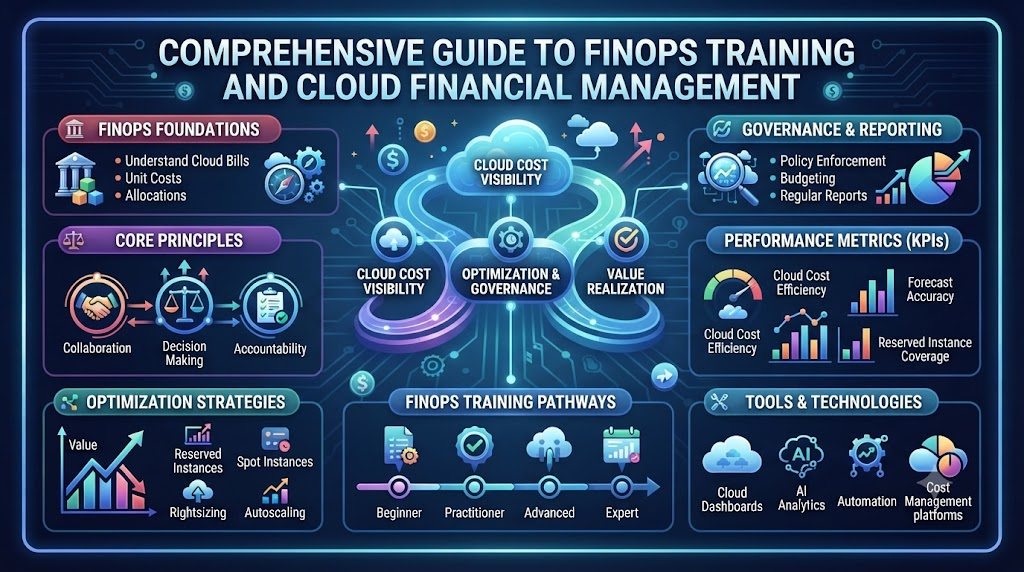
  • Comprehensive Guide to FinOps Training and Cloud Financial Management

    As organizations scale their cloud footprint, cloud costs can quickly spiral out of control. What begins as a flexible operational expense often transforms into unpredictable monthly invoices, surprising financial leaders and frustrating engineering teams. Without clear cross-functional alignment, managing multi-cloud expenditures becomes a reactive game of firefighting.This challenge highlights the growing demand for modern FinOps Training, which bridges the knowledge gap between technical delivery and financial stewardship. FinOps, or Cloud Financial Management, brings financial accountability to the variable spend model of the cloud. By establishing a shared culture of cost awareness, organizations empower engineering, finance, and business leadership to make informed decisions that maximize value without sacrificing performance.

    What Is FinOps?

    FinOps is an evolving cloud financial management discipline and cultural practice that enables organizations to get maximum business value by driving data-driven spending decisions. Rather than treating cloud billing as a static expense reviewed quarterly, FinOps fosters continuous operational accountability.

           ┌───────────────────────────────────────────┐
           │                 INFORM                    │
           │     Visibility, Allocation & Tagging      │
           └─────────────────────┬─────────────────────┘
                                 │
                                 ▼
           ┌───────────────────────────────────────────┐
           │                OPTIMIZE                   │
           │    Rightsizing, Commitments & Waste       │
           └─────────────────────┬─────────────────────┘
                                 │
                                 ▼
           ┌───────────────────────────────────────────┐
           │                 OPERATE                   │
           │   Continuous Governance & Automation      │
           └───────────────────────────────────────────┘
    

    Definition and Framework

    FinOps combines people, processes, and technology. It encourages cross-functional teams—Engineering, Finance, Operations, and Procurement—to collaborate dynamically. The core lifecycle consists of three distinct phases:

    • Inform: Giving teams real-time visibility into their cloud spend through accurate tagging, dashboarding, and cost allocation.
    • Optimize: Identifying opportunities to reduce waste, rightsize resources, and leverage commitment models like Savings Plans or Reserved Instances.
    • Operate: Continuously tracking operational metrics against business goals and integrating financial governance into automated workflows.

    The Value of Shared Accountability

    Historically, finance set budgets while engineering provisioned infrastructure independently. FinOps aligns these priorities. Engineers gain visibility into the financial impact of their architectural decisions, while finance professionals gain context around why certain workloads require specific compute configurations.

    What Is FinOps Training?

    Understanding the technical mechanics of cloud infrastructure is quite different from managing its financial lifecycle. Structured learning programs address this divide by teaching practitioners how to balance cost, velocity, and quality.

    Purpose and Skill Development

    The primary objective of this educational path is to translate raw cloud billing metrics into actionable business intelligence. Key competencies developed include:

    • Analyzing granular cloud billing files across AWS, Azure, and Google Cloud Platform.
    • Implementing robust metadata strategies and cost allocation models.
    • Balancing spot instances, reserved capacity, and pay-as-you-go workloads.
    • Detecting cost anomalies before they impact monthly budgets.

    Who Should Learn FinOps?

    Cloud financial management benefits multiple organizational roles:

    • Cloud Engineers & DevOps Professionals: Learn to architect cost-aware infrastructure and automate governance.
    • Systems Architects: Design scalable systems that balance high availability with financial efficiency.
    • Finance & Procurement Specialists: Understand cloud billing structures and improve forecasting precision.
    • Engineering Managers & Directors: Drive cross-team accountability and align infrastructure costs with revenue metrics.

    FinOps Certification

    A professional certification validates a practitioner’s understanding of cloud financial concepts, terminology, and operational frameworks. Standardized programs offered by bodies such as the FinOps Foundation assess foundational knowledge across the entire cloud financial lifecycle.

    Preparing for certification helps individuals master core concepts such as showback vs. chargeback models, amortized costs, commitment management, and cross-functional team alignment. While earning a credential demonstrates conceptual understanding and dedication to industry best practices, practical application remains essential for addressing real-world multi-cloud complexities.

    FinOps Course

    A well-rounded FinOps Course transitions theoretical knowledge into hands-on execution. Effective programs focus on real-world scenarios rather than simplified billing overviews.

    Key Topics in a Practical Curriculum

    • Billing Fundamentals: Decoding complex invoice structures, data transfer costs, and regional pricing differences.
    • Cost Allocation & Tagging: Building governance policies to ensure every cloud resource is mapped to a cost center or product team.
    • Budgeting & Forecasting: Constructing predictive models based on historical trends, seasonal demand, and upcoming product rollouts.
    • Waste Identification: Spotting unattached storage volumes, idle compute instances, and legacy snapshots.

    Hands-on lab environments provide students with exposure to real cloud billing exports, teaching them how to build custom reporting metrics.

    FinOps Certification Training

    Structured certification training combines conceptual framework preparation with practical implementation techniques. These programs ensure candidates do not simply memorize terminology for an exam, but understand how to execute governance policies within active cloud environments.

    Participants analyze sample cloud invoices, evaluate commitment purchasing strategies, and design operational workflows that reduce friction between engineering and finance departments. This approach prepares teams to apply standards effectively within their specific operational environments.

    Corporate FinOps Training

    For enterprises operating at scale, individual skill building must be complemented by organizational enablement. Tailored enterprise programs help transition entire departments from reactive cost cutting to proactive financial management.

    ┌─────────────────────────────────────────────────────────────┐
    │                 ENTERPRISE FINOPS ALIGNMENT                 │
    ├──────────────────────────────┬──────────────────────────────┤
    │       ENGINEERING & DEVOPS   │     FINANCE & PROCUREMENT    │
    │  • Resource Optimization     │  • Predictable Forecasting   │
    │  • Tagging Enforcement       │  • Unit Economics Tracking   │
    │  • Cost-Aware Architecture   │  • Showback / Chargeback     │
    └──────────────────────────────┴──────────────────────────────┘
    

    Driving Enterprise Maturity

    Corporate training brings cross-functional cohorts together. When cloud architects and financial managers learn together, they establish a common vocabulary. Custom workshops can address the organization’s actual cloud architecture, tagging compliance issues, and multi-account governance policies, fostering immediate operational improvement.

    FinOps Online Training

    Modern distributed teams require flexible learning options. Interactive online training delivers comprehensive instruction through live webinars, self-paced modules, and cloud laboratory environments.

    The effectiveness of online learning depends on practical application. High-quality programs pair video instruction with real-world dataset analysis, interactive querying exercises, and instructor feedback, allowing remote engineering and finance teams to build expertise alongside their regular duties.

    FinOps Training in India

    India has established itself as a global hub for cloud operations, platform engineering, and enterprise digital transformation. As multinational technology centers and domestic enterprises expand their infrastructure on platforms like AWS, Microsoft Azure, and Google Cloud, managing variable costs has become a operational priority.

    Demand for cloud financial management skills in the region spans offshore development centers, global capability centers (GCCs), and fast-growing technology startups. Tech professionals in India who combine technical implementation skills with financial literacy are uniquely positioned to lead cross-functional optimization initiatives across global organizations.

    FinOps Practitioner Training

    Practitioner-focused education targets professionals responsible for day-to-day cloud governance and cost visibility. This track concentrates on building foundational frameworks across team workflows.

    Key Focus Areas

    • Establishing reliable visibility through automated dashboards.
    • Implementing showback systems that report expenditure to product leads without complex chargeback mechanics.
    • Setting up threshold-based budget alerts and monitoring anomalies.
    • Calculating unit economics to measure cloud spend relative to customer growth or transaction volume.

    This training equips practitioners to foster a culture of financial awareness within product development cycles.

    FinOps Engineer Training

    While practitioners focus on process and governance, FinOps Engineers handle the technical mechanics of implementation. Engineer-focused learning emphasizes technical automation, programmatic governance, and architectural optimization.

    Technical Skills Covered

    • Writing automated remediation scripts using Infrastructure as Code (IaC) tools like Terraform or CloudFormation.
    • Configuring policy enforcement engines to terminate unallocated or non-compliant resources.
    • Deploying cost allocation tools inside container orchestration platforms like Kubernetes via projects supported by the Cloud Native Computing Foundation (CNCF).
    • Automating scheduling policies for non-production development environments.

    By integrating financial governance directly into CI/CD pipelines, engineers prevent wasteful deployment habits before code reaches production.

    Cloud Cost Optimization Training

    Cost optimization is an active process of refining resource utilization while maintaining performance, security, and reliability requirements. Specialized instruction focuses on systemic waste elimination and capacity planning.

    ┌─────────────────────────────────────────────────────────────┐
    │                 OPTIMIZATION LEVERS                         │
    ├─────────────────────────────────────────────────────────────┤
    │  1. Compute Rightsizing (Adjust CPU/Memory allocations)     │
    │  2. Commitment Strategy (Savings Plans & Reserved Capacity) │
    │  3. Storage Lifecycle Rules (Transition idle data to Cold)  │
    │  4. Automated Scheduling (Shutdown non-prod off-hours)      │
    └─────────────────────────────────────────────────────────────┘
    

    Optimization training focuses on evaluating performance telemetry alongside pricing structures. Teams learn to analyze CPU, memory, and network throughput data to rightsize instances safely. They also learn how to build commitment purchase strategies that combine Savings Plans and Reserved Instances to maximize discount coverage without overcommitting.

    AWS, Azure, and Google Cloud FinOps

    Each major cloud provider offers specialized tools and billing structures. Understanding these platform-specific capabilities is crucial for multi-cloud governance.

    Cloud ProviderNative Visibility & ManagementKey Discount MechanismsContainer & Metric Tools
    Amazon Web Services (AWS)AWS Cost Explorer, AWS BudgetsSavings Plans, Reserved Instances (RIs)AWS Cost Categories, Compute Optimizer
    Microsoft AzureAzure Cost ManagementAzure Reservations, Savings PlansAzure Advisor, Cost Analysis
    Google Cloud Platform (GCP)Cloud Billing Reports, BudgetsCommitted Use Contracts (CUDs)GCP Cost Table, Recommender Engine

    Note: Native cloud provider feature sets and pricing structures evolve frequently. Always consult official vendor documentation for current operational specifications.

    FinOps Core Practices

    Implementing FinOps successfully across an enterprise requires mastering several foundational practices:

    • Cost Visibility: Exposing raw spend data through clear, actionable dashboards accessible to all engineering teams.
    • Cost Allocation: Applying strict metadata and tagging policies so every running instance maps to an owner and environment.
    • Showback and Chargeback: Informing teams of their infrastructure costs (showback) or directly billing their business unit budgets (chargeback).
    • Budgeting & Forecasting: Utilizing historical trends and planned deployment roadmaps to project future expenditures accurately.
    • Anomaly Detection: Setting up real-time monitoring to catch sudden spend spikes caused by misconfigured code or runaway jobs.
    • Continuous Improvement: Regularly reviewing architectural performance to refine commitments and eliminate emerging waste.

    FinOps Tools and Technologies

    While tools cannot replace cross-functional culture, they automate the collection and analysis of cost metrics at scale.

    ┌─────────────────────────────────────────────────────────────┐
    │                     FINOPS TOOL ECOSYSTEM                   │
    ├─────────────────────────────────────────────────────────────┤
    │  NATIVE CLOUD TOOLS    │ Cost Explorer, Azure Cost          │
    │                        │ Management, GCP Billing            │
    ├────────────────────────┼────────────────────────────────────┤
    │  SPECIALIZED PLATFORMS │ Apptio Cloudability, Vantage,      │
    │                        │ CloudZero, Kubecost                │
    ├────────────────────────┼────────────────────────────────────┤
    │  AUTOMATION & IAC      │ Terraform, AWS Config, Open-source │
    │                        │ policy engines                     │
    └────────────────────────┴────────────────────────────────────┘
    

    Native platform management consoles, detailed in official docs from AWS Documentation, Azure Documentation, and Google Cloud Documentation, offer built-in visibility. Third-party commercial platforms and open-source tools provide deeper cross-cloud aggregation and Kubernetes container-level visibility. Modern practitioners learn to pair native utilities with specialized software to support their operational scale.

    FinOps Implementation Process

    Transitioning an enterprise to an efficient cloud management model works best when following a deliberate step-by-step framework:

    1. Establish Cloud Cost Visibility: Centralize billing data and build foundational dashboards to make spending visible across teams.
    2. Define Ownership and Allocation: Implement standardized tagging standards across all accounts, mapping resources directly to product owners.
    3. Set Budgets and Forecasts: Establish baseline spending caps and build collaborative forecasting models between finance and tech leads.
    4. Identify Waste: Perform initial audits to isolate unattached storage, unutilized compute instances, and redundant services.
    5. Implement Optimization: Execute rightsizing plans, apply non-production scheduling rules, and purchase commitment plans.
    6. Automate Cost Controls: Integrate policy enforcement tools directly into IaC configurations and CI/CD pipelines to block untagged resources.
    7. Monitor and Improve Continuously: Hold regular cross-functional cost reviews to analyze unit metrics and adjust strategies as workloads evolve.

    Common FinOps Mistakes

    Even well-intentioned cloud management initiatives can stall due to predictable missteps:

    • Treating FinOps as purely a finance function: Isolating engineers from cost visibility creates friction and prevents meaningful optimization at the architectural level.
    • Focusing exclusively on cost cutting: Over-indexing on cost reduction can impair system performance, reliability, and engineering velocity.
    • Neglecting metadata and tagging hygiene: Incomplete tagging prevents accurate cost mapping, leaving large portions of cloud spend unallocated.
    • Relying entirely on tools over process: Software platforms provide insights, but organizational change requires human collaboration and accountability.
    • Ignoring anomaly monitoring: Failing to configure real-time spend alerts allows minor technical errors to turn into major monthly billing surprises.

    Benefits of FinOps Training

    Investing in structured cloud cost management skills yields tangible advantages for both organizations and individual professionals:

    • Enhanced Financial Predictability: Improved forecasting accuracy reduces end-of-month budget surprises for leadership.
    • Optimized Resource Allocation: Eliminating idle infrastructure releases budget for higher-value product innovation.
    • Stronger Cross-Departmental Collaboration: Shared financial metrics foster alignment between engineering, finance, and executive leadership.
    • Architectural Efficiency: Engineers gain the skills to build high-performance systems that remain cost-effective at scale.
    • Career Advancement: Technical and financial professionals gain specialized capabilities highly sought after in modern enterprise environments.

    How to Choose FinOps Training

    Selecting an educational path requires evaluating several key elements to ensure the program meets your goals:

    • Curriculum Breadth: Verify that the coursework covers fundamental principles, multi-cloud platforms, allocation strategies, and technical optimization hands-on.
    • Practical Lab Work: Prioritize training options that utilize real billing exports, interactive querying tools, and scenario-based problem solving.
    • Role-Specific Focus: Choose programs offering tailored learning paths, whether you need high-level governance training or deep engineering automation skills.
    • Instructor Capability: Ensure courses are designed and taught by experienced industry practitioners who have managed enterprise cloud budgets directly.

    FinOpsSchool.com Service Fit

    FinOpsSchool.com offers practical, career-focused education programs tailored to meet diverse learning requirements across the cloud ecosystem:

    • FinOps Practitioner Training: Designed for professionals seeking foundational knowledge in cost visibility, allocation, and cross-functional governance.
    • FinOps Engineer Training: Focused on technical automation, rightsizing strategies, IaC policy enforcement, and Kubernetes cost management.
    • Corporate FinOps Training: Customized team programs built around enterprise multi-cloud architectures, real billing workflows, and internal governance standards.
    • Cloud Cost Optimization Training: Specialized modules diving deep into commitment models, anomaly detection, and resource lifecycle automation.

    Whether you are an engineer looking to build cost-aware infrastructure or a team lead seeking enterprise cross-functional alignment, these specialized courses provide actionable, practical skills.

    Frequently Asked Questions

    1. What is FinOps Training?
      FinOps Training is an educational framework that teaches tech and finance professionals how to collaborate on cloud cost management. It covers visibility, cost allocation, budgeting, and optimization across cloud infrastructure.
    2. Why is FinOps Certification valuable for cloud professionals?
      A certification validates an individual’s grasp of cloud financial management principles, core terminology, and lifecycle concepts. It demonstrates competency in connecting engineering operational decisions with business value.
    3. What topics are covered in a complete FinOps Course?
      A comprehensive course covers cloud billing structures, tagging strategies, showback/chargeback models, rightsizing, commitment discounts, anomaly monitoring, and cross-team governance frameworks.
    4. How does FinOps Certification Training help career development?
      This training bridges technical architecture with financial intelligence, enabling engineers and finance managers to drive operational efficiency and assume leadership roles in cloud-driven enterprises.
    5. What are the benefits of Corporate FinOps Training for enterprises?
      Corporate programs align engineering, finance, and procurement teams around shared financial metrics. Custom curricula address an enterprise’s specific multi-cloud footprint, tagging rules, and cost governance policies.
    6. What should students expect from FinOps Online Training?Quality online programs deliver flexible, remote learning through instructor-led sessions, scenario-based lab exercises, real cloud billing data analysis, and interactive query practice.
    7. Why is there growing demand for FinOps Training in India?
      With the rapid expansion of global capability centers, cloud operations, and software development teams in India, organizations require professionals who can balance cloud scale with financial discipline.
    8. Who should enroll in FinOps Practitioner Training?
      This track is ideal for cloud engineers, finance analysts, platform leads, and tech managers who need a strong foundation in visibility, allocation, and cross-functional financial workflows.
    9. How does FinOps Engineer Training differ from general training?Engineer training focuses heavily on technical execution, including infrastructure automation, policy enforcement code, rightsizing metrics, container cost allocation, and CI/CD cost checks.
    10. What skills are emphasized in Cloud Cost Optimization Training?
      This specialized learning focuses on identifying infrastructure waste, rightsizing compute resources, building commitment purchasing strategies, and setting up automated lifecycle rules.
    11. Which tools are used during practical cloud cost management?Practitioners utilize native vendor tools like AWS Cost Explorer and Azure Cost Management, open-source container utilities like Kubecost, and commercial enterprise cost platforms.
    12. What are the core stages of the cloud financial management lifecycle?
      The lifecycle consists of three continuous phases: Inform (visibility and allocation), Optimize (waste reduction and commitment management), and Operate (ongoing governance and automated controls).

    Conclusion

    Managing modern cloud infrastructure requires a balance between technical speed and financial control. Unchecked resource provisioning can hurt operating margins, while rigid financial controls risk slowing down software delivery. Implementing FinOps solves this challenge by embedding financial awareness directly into engineering workflows and granting finance teams clear context around infrastructure decisions.By investing in practical FinOps Training, individual professionals and enterprise teams learn to build robust cost allocation models, safely optimize resources, and automate continuous governance.

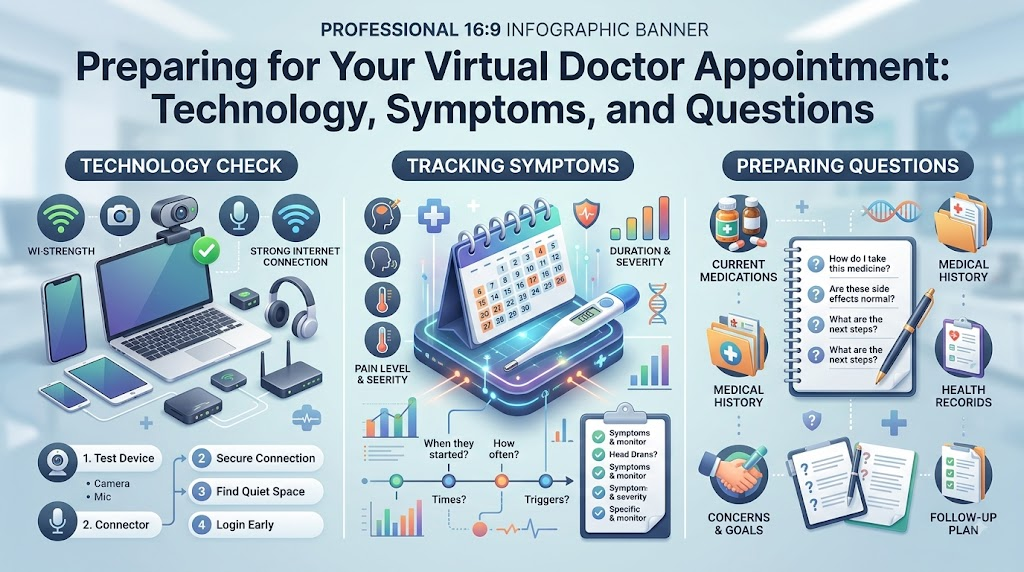
  • Preparing for Your Virtual Doctor Appointment: Technology, Symptoms, and Questions

    Introduction

    Telehealth and telemedicine have transformed modern clinical care by enabling patients to consult licensed healthcare professionals from the comfort of their home or workplace. Whether you are discussing routine lab results, checking in for a chronic condition follow-up, or seeking advice on a minor illness, virtual visits offer significant convenience and accessibility.Educational platforms like MYDOCTORSNOW help patients research healthcare topics, explore consultation options, and understand the wide spectrum of clinical services available today. Using structured preparation guidelines allows patients to partner effectively with their physicians and make every minute of their virtual consultation count.

    What Is a Telehealth Consultation?

    A telehealth consultation is a remote clinical encounter between a patient and a licensed healthcare professional using telecommunications technology. As outlined by the U.S. Department of Health and Human Services (HHS), telehealth encompasses a broad range of technologies and modalities designed to deliver clinical care at a distance.

    Common Telehealth Formats:

    • Synchronous Video Consultations: Real-time, interactive audiovisual appointments conducted via secure, HIPAA-compliant medical video platforms.
    • Audio-Only (Telephone) Appointments: Real-time voice conversations used when video access is technically unavailable or when a visual assessment is clinically unnecessary.
    • Asynchronous Secure Messaging (Store-and-Forward): Transmitting photos, symptom logs, or medical records through encrypted patient portals for clinical review and response.
    • Remote Patient Monitoring (RPM): Using digital medical devices (such as cellular blood pressure cuffs or continuous glucose monitors) that automatically transmit clinical readings to your healthcare team.

    During a virtual appointment, a clinician can take a detailed medical history, evaluate visible symptoms, review diagnostic reports, discuss therapeutic options, adjust existing medications, and determine whether in-person care or testing is needed.

    When Is Telehealth Most Useful?

    Telehealth serves as a convenient, effective point of care for a wide range of non-emergency medical needs:

                          ┌───────────────────────────────────────┐
                          │    Common Uses for Virtual Care       │
                          └──────────────────┬────────────────────┘
                                             │
         ┌──────────────────┬────────────────┼────────────────┬──────────────────┐
         ▼                  ▼                ▼                ▼                  ▼
    ┌──────────┐     ┌─────────────┐  ┌─────────────┐  ┌─────────────┐    ┌─────────────┐
    │ Chronic  │     │ Review of   │  │ Behavioral  │  │ Minor Acute │    │ Prescription│
    │ Disease  │     │ Lab & Imaging│ │ & Mental    │  │ Illnesses   │    │ Titration & │
    │ Check-ins│     │ Reports     │  │ Health Care │  │ (Colds/Rash)│    │ Maintenance │
    └──────────┘     └─────────────┘  └─────────────┘  └─────────────┘    └─────────────┘
    
    • Routine Chronic Condition Follow-Ups: Regular management visits for stable hypertension, hypothyroidism, Type 2 diabetes, or mild asthma.
    • Diagnostic Test Reviews: Reviewing recent routine blood panels, cholesterol profiles, or screening radiology reports.
    • Mental and Behavioral Health: Individual therapy, psychiatric follow-ups, cognitive behavioral counseling, and medication management.
    • Minor Acute Conditions: Initial triage and guidance for mild upper respiratory symptoms, seasonal allergies, uncomplicated insect bites, or mild skin rashes.
    • Post-Procedure Checks: Routine check-ins after minor outpatient procedures to review recovery milestones and discuss wound care.
    • Preventive Counseling: Guidance on smoking cessation, dietary modifications, sleep hygiene, and general lifestyle adjustments.

    When Telehealth Is Not Appropriate: Recognizing Emergencies

    While virtual consultations offer immense convenience, they cannot replace emergency medical services or acute physical examinations.

    🚨 DO NOT SCHEDULE A ROUTINE TELEHEALTH VISIT FOR EMERGENCY SYMPTOMS 🚨
    
    Seek immediate emergency medical care (call emergency services or visit the nearest 
    emergency room) if you experience:
    • Acute, crushing chest pain, pressure, or tightness radiating to the arm/jaw.
    • Severe shortness of breath, respiratory distress, or choking.
    • Sudden onset of weakness, numbness, facial drooping, or speech difficulty (Stroke signs).
    • Sudden loss of consciousness, fainting, or acute severe confusion.
    • Uncontrolled bleeding or major traumatic injury.
    • Signs of severe anaphylaxis (swelling of lips, tongue, throat, or wheezing).
    • Sudden, severe abdominal pain or coughing/vomiting blood.
    

    If your symptoms are severe, rapidly worsening, or potentially life-threatening, seek emergency care immediately rather than waiting for a virtual appointment.

    Comprehensive Telehealth Consultation Checklist

    Use this printable checklist to prepare for your appointment:

    • Appointment Details: Date, exact time, and timezone confirmed.
    • Device Ready: Smartphone, tablet, or computer fully charged or plugged in.
    • Software Updated: Necessary video app or web browser installed and updated.
    • Connection Tested: Wi-Fi or cellular data verified for stability.
    • Audio & Video Checked: Camera lens wiped clean; microphone and speakers tested.
    • Quiet Location: Private room selected with minimal background noise.
    • Lighting Arranged: Light source positioned in front of your face, not behind.
    • Symptom Log Ready: Timeline, severity, and triggers written down.
    • Medication List Compiled: Names, dosages, and frequencies documented.
    • Medical Records Accessible: Recent lab tests, imaging, or specialist notes nearby.
    • Vitals Recorded: Recent blood pressure, pulse, temperature, or weight noted if available.
    • Questions Written Down: Top 3 to 5 priorities listed clearly.
    • Notepad & Pen at Hand: Ready to write down instructions and next steps.
    • ID & Insurance Card: Available if verification is requested.
    • Backup Plan Known: Clinic phone number saved in case the digital link drops.

    How to Organize Your Symptoms Before the Visit

    During a telehealth visit, your verbal description of your symptoms is the clinician’s primary diagnostic tool. Organizing your thoughts beforehand ensures you communicate the key clinical details accurately.

    ┌─────────────────────────────────────────────────────────────────────────────┐
    │                    The "OLD CHARTS" Symptom Framework                       │
    ├───────────────────────────────────┬─────────────────────────────────────────┤
    │ Onset (When did it start?)        │ • Exact day, time, or sudden vs gradual │
    ├───────────────────────────────────┼─────────────────────────────────────────┤
    │ Location (Where is it?)           │ • Precise anatomical area & radiation   │
    ├───────────────────────────────────┼─────────────────────────────────────────┤
    │ Duration (How long does it last?) │ • Constant, intermittent, or in waves   │
    ├───────────────────────────────────┼─────────────────────────────────────────┤
    │ Character (What does it feel like?)│ • Sharp, dull, throbbing, burning, etc. │
    ├───────────────────────────────────┼─────────────────────────────────────────┤
    │ Aggravating / Relieving Factors   │ • What makes it better or worse?        │
    ├───────────────────────────────────┼─────────────────────────────────────────┤
    │ Radiation (Does it spread?)       │ • Moves from back to groin, neck, etc.  │
    ├───────────────────────────────────┼─────────────────────────────────────────┤
    │ Timing (When does it occur?)      │ • Worse in morning, night, after meals  │
    ├───────────────────────────────────┼─────────────────────────────────────────┤
    │ Severity (Scale of 1 to 10)       │ • Impact on daily activities and sleep  │
    └───────────────────────────────────┴─────────────────────────────────────────┘
    

    Be prepared to share any home remedies or over-the-counter medications you have tried and whether they provided temporary relief.

    Compiling an Accurate Medication List

    Medication reconciliation is an essential component of every clinical encounter. Having an organized, up-to-date medication list prevents drug interactions and ensures safe prescribing:

    • Prescription Medications: Note the exact brand/generic name, strength (e.g., 20 mg), dosage form (tablet, capsule, inhaler), and how many times per day you take it.
    • Over-the-Counter Drugs: Include pain relievers, allergy pills, antacids, or sleep aids you take regularly or intermittently.
    • Dietary & Herbal Supplements: Note all daily multivitamins, mineral supplements (e.g., iron, calcium), and botanical extracts (e.g., St. John’s Wort, Ashwagandha), as these can interact with prescription drugs.
    • Known Allergies & Adverse Reactions: List any allergies to medications (e.g., penicillin, sulfa), foods, or latex, noting the specific reaction you experienced (e.g., hives, facial swelling, nausea).

    Tip: If you do not have time to write out a list, gather your actual medication bottles in a small basket next to your computer or phone so you can read labels directly to your doctor.

    Gathering Medical Records and Recent Test Results

    Having relevant clinical documentation at your fingertips saves valuable consultation time and provides necessary context for your provider:

    • Recent Laboratory Panels: Blood tests, lipid panels, HbA1c readings, or urinalysis completed within the last 6 to 12 months.
    • Radiology & Imaging Reports: Summary reports from recent X-rays, ultrasounds, CT scans, or MRIs.
    • Specialist Consultation Letters: Summary notes from previous visits with cardiologists, endocrinologists, dermatologists, or surgeons.
    • Hospital Discharge Summaries: Documentation from any recent emergency room visits or inpatient stays.

    If your telehealth platform allows document uploads prior to the call, upload these files through the secure patient portal several hours before your scheduled appointment time.

    Preparing Your Past Medical and Family History

    Your personal health background and family history provide essential clues that help your clinician evaluate your current symptoms:

    • Past Medical Diagnoses: Chronic conditions such as asthma, high blood pressure, diabetes, acid reflux, or thyroid disease.
    • Surgical History: Previous surgeries, hospitalizations, or major procedures, including approximate dates.
    • Family Medical History: Major health conditions affecting first-degree relatives (parents, siblings, children), such as early cardiovascular disease, stroke, diabetes, or cancer.
    • Lifestyle Factors: Regular physical activity habits, dietary patterns, occupational exposures, and current or past tobacco, alcohol, or recreational substance use.

    Testing Your Technology and Connectivity

    Technical glitches can disrupt a consultation and waste valuable appointment time. Complete a thorough technology check 15 to 30 minutes before your scheduled start time:

    ┌─────────────────────────────────────────────────────────────────────────────┐
    │                         Technical Setup Checklist                           │
    ├──────────────────────┬────────────────────────┬─────────────────────────────┤
    │ Hardware             │ Software & Network     │ Environment                 │
    ├──────────────────────┼────────────────────────┼─────────────────────────────┤
    │ • Charge device to   │ • Connect to reliable  │ • Set up in a well-lit space│
    │   >50% or plug in    │   high-speed Wi-Fi     │ • Place light in front of   │
    │ • Clean camera lens  │ • Update browser or app│   your face, not behind     │
    │ • Test microphone &  │ • Close background apps│ • Minimize background noise │
    │   external headset   │ • Allow audio/video    │ • Position device securely  │
    │ • Use laptop/stand   │   device permissions   │   on a table (avoid shaking)│
    └──────────────────────┴────────────────────────┴─────────────────────────────┘
    
    • Device Stability: Set your laptop, tablet, or smartphone on a solid table or desk stand rather than holding it in your hand to prevent camera shaking.
    • Camera Angle & Framing: Position your camera at eye level so your head, neck, and upper shoulders are clearly visible in the video frame.
    • Audio Optimization: Using a pair of wired or wireless headphones with a built-in microphone significantly reduces room echo, feedback, and background noise.
    • Backup Phone Plan: Ensure your current mobile phone number is on file with the clinic so your provider can call you directly if the video platform disconnects.

    Choosing a Private and Secure Location

    Medical discussions often involve sensitive, personal information. Choosing the right environment protects your privacy and helps you focus on the conversation:

    • Select a Quiet, Private Room: Choose a closed room where family members, roommates, or coworkers cannot overhear your conversation.
    • Avoid Public Spaces: Never conduct a telehealth consultation from coffee shops, public transit, shared office spaces, or while driving a vehicle.
    • Manage Distractions: Mute television sets, turn off loud appliances, close windows facing noisy traffic, and arrange care for active pets during your call.
    • Ensure Adequate Lighting: Face a window or lamp so your face is brightly and evenly illuminated, which is essential if your clinician needs to inspect your throat, skin, or eyes.

    Preparing Your Clinical Questions

    Writing down your primary questions in advance ensures you cover your most important concerns without forgetting key details.

    15 Practical Questions to Consider Asking:

    1. What do you suspect is causing my current symptoms?
    2. Is a virtual evaluation sufficient for my symptoms, or do I need an in-person physical exam?
    3. Are there any diagnostic laboratory tests, cultures, or imaging studies I should complete?
    4. What specific warning signs or symptoms should prompt me to seek urgent in-person medical care?
    5. What treatment options do you recommend, and what are their potential benefits and side effects?
    6. How soon should I reasonably expect to see an improvement in my symptoms?
    7. Do I need to adjust or stop any of my current prescription or over-the-counter medications?
    8. Are there specific lifestyle, dietary, or activity modifications that will help my recovery?
    9. What parameters (e.g., blood pressure, temperature, glucose) should I track at home?
    10. Do I need a formal referral to a medical specialist for further evaluation?
    11. How will I receive my prescription, and which pharmacy will it be sent to?
    12. When and how should we schedule a follow-up consultation to assess my progress?
    13. How can I reach your office if my symptoms do not improve as expected?
    14. Will a summary of today’s clinical notes be available in my secure patient portal?
    15. If my condition worsens over the weekend, what specific steps should I take?

    What to Expect During the Virtual Visit

    Understanding the flow of a standard telehealth consultation helps you feel comfortable and prepared throughout the call:

    ┌─────────────────────────────────────────────────────────────────────────────┐
    │                      Typical Telehealth Consultation Flow                   │
    └──────────────────────────────────────┬──────────────────────────────────────┘
                                           ▼
      [Step 1] Virtual Check-In: Click link, verify identity, & confirm location.
                                           ▼
      [Step 2] Clinical Interview: Discuss chief complaint & symptom history.
                                           ▼
      [Step 3] History & Medication Review: Confirm current drugs & allergies.
                                           ▼
      [Step 4] Visual & Guided Assessment: Inspect visible signs / self-exam.
                                           ▼
      [Step 5] Assessment & Discussion: Doctor explains diagnosis & findings.
                                           ▼
      [Step 6] Treatment Plan & Wrap-Up: Review prescriptions, tests, & follow-up.
    
    1. Virtual Check-In: Logging into the portal, testing device permissions, and confirming your identity and current physical address (required for clinical licensing and emergency safety).
    2. Clinical Interview: Explaining your main reason for the visit, describing symptom onset, and answering diagnostic questions.
    3. Medical & Medication Review: Confirming your current prescription list, allergies, and recent health changes.
    4. Visual & Functional Assessment: The doctor may inspect visible skin lesions, observe your breathing pattern, look at your throat, or guide you through simple mobility checks.
    5. Assessment & Plan Formulation: The clinician shares their clinical impressions, explains treatment options, and discusses potential diagnoses.
    6. Wrap-Up & Follow-Up: Reviewing prescriptions sent electronically, scheduling necessary lab work, and confirming follow-up timelines.

    What a Clinician Can and Cannot Assess Remotely

    Understanding the boundaries of virtual medicine helps set realistic expectations for your visit:

    Clinical AreaWhat Telehealth Can AccomplishWhat Requires In-Person Care
    Physical ExaminationVisual inspection of skin rashes, external eye redness, throat appearance, range of motion.Auscultation of heart/lung sounds, abdominal palpation, internal ear (otoscopic) exam, pelvic/rectal exams.
    Diagnostics & VitalsReview of patient-reported home blood pressure, blood glucose, temperature, pulse oximetry.In-office ECG, immediate blood draws, formal spirometry, high-resolution radiology imaging.
    Therapeutics & CarePrescribing non-controlled medications, refilling maintenance therapies, lifestyle counseling.Injections, wound debridement, joint aspirations, suturing, physical physical therapy maneuvers.
    Triage & Follow-UpAssessing symptom progression, monitoring treatment response, determining need for specialist care.Managing acute unstable vital signs, severe trauma, acute surgical emergencies.

    Privacy, Security, and Data Protection

    Protecting personal health information is an essential part of telemedicine. Reputable healthcare providers use secure platforms to safeguard patient data:

    • Use Dedicated Medical Portals: Connect exclusively through the official, encrypted telehealth platforms provided by your clinic or hospital system rather than unencrypted consumer messaging apps.
    • Secure Your Device: Ensure your smartphone, tablet, or laptop is protected with a secure password, PIN, or biometric lock, and keep operating systems updated with the latest security patches.
    • Avoid Unsecured Public Wi-Fi: Conduct virtual medical visits over a secure, password-protected home network or encrypted cellular connection rather than open public Wi-Fi networks.
    • Guard Login Credentials: Never share your patient portal usernames or passwords with unauthorized individuals.

    Preparing Children or Older Adults for Telehealth

    Assisting family members requires tailored preparation to ensure a smooth, low-stress appointment:

    ┌─────────────────────────────────────────────────────────────────────────────┐
    │                         Special Population Guidance                         │
    ├───────────────────────────────────┬─────────────────────────────────────────┤
    │ For Pediatric Visits (Children)   │ • Ensure a parent or legal guardian is  │
    │                                   │   present throughout the visit          │
    │                                   │ • Have favorite quiet toys nearby to    │
    │                                   │   keep the child calm and engaged       │
    │                                   │ • Note recent body weight (essential for│
    │                                   │   accurate pediatric medication dosing) │
    ├───────────────────────────────────┼─────────────────────────────────────────┤
    │ For Geriatric Visits (Seniors)    │ • Have a trusted caregiver or family    │
    │                                   │   member assist with technology         │
    │                                   │ • Use a larger screen (tablet or laptop)│
    │                                   │   and ensure hearing aids are in place  │
    │                                   │ • Keep a clear, printed list of current │
    │                                   │   medications directly in front of them │
    └───────────────────────────────────┴─────────────────────────────────────────┘
    

    Obtaining Home Health Measurements

    If you own home monitoring devices, gathering your readings right before your appointment provides valuable clinical context for your physician:

    • Body Temperature: Take your temperature with a reliable digital thermometer if you feel feverish or unwell.
    • Blood Pressure and Resting Heart Rate: Rest quietly in a seated position for 5 minutes before taking a reading with an upper-arm automated blood pressure cuff.
    • Body Weight: Weigh yourself in the morning using a reliable scale, especially if managing conditions like heart failure or kidney disease.
    • Blood Glucose: Check your fasting or post-meal blood sugar levels if you are managing diabetes.
    • Pulse Oximetry: Measure your blood oxygen saturation ($SpO_2$) if you have a finger pulse oximeter and are discussing respiratory symptoms.

    Note: Only report readings obtained from reliable, validated home devices. You do not need to purchase specialized medical equipment unless specifically advised by your doctor.

    Tips for Clear and Effective Communication

    Effective communication is key to getting the most out of your virtual visit:

    • Be Direct and Specific: State your primary health concern in the first two minutes of the consultation so your doctor understands your main priority.
    • Speak Clearly and at a Normal Pace: Digital audio can compress speech; speaking at a moderate pace helps ensure the provider hears all details clearly.
    • Do Not Withhold Information: Be honest about medication adherence, lifestyle habits, and symptoms, even if uncomfortable.
    • Clarify Unfamiliar Medical Terms: If your clinician uses medical jargon or gives complex instructions, ask them to explain or repeat the information in simpler terms.
    • Summarize the Action Plan: Before the call ends, briefly summarize your understanding: “So, I will start this new medication tomorrow morning, schedule my blood test for next Thursday, and book a follow-up visit in three weeks. Is that correct?”

    What to Do After Your Telehealth Consultation

    A successful telehealth encounter concludes with structured post-visit actions:

    ┌─────────────────────────────────────────────────────────────────────────────┐
    │                        Post-Consultation Action Plan                        │
    └──────────────────────────────────────┬──────────────────────────────────────┘
                                           ▼
      [Step 1] Review and organize your handwritten or digital consultation notes.
                                           ▼
      [Step 2] Confirm prescriptions have been routed to your preferred pharmacy.
                                           ▼
      [Step 3] Schedule required lab work, diagnostic imaging, or in-person visits.
                                           ▼
      [Step 4] Access the patient portal to review and download the clinical summary.
                                           ▼
      [Step 5] Monitor your symptoms and contact the clinic if your health changes.
    

    How to Choose a Telehealth Provider

    When selecting a virtual healthcare provider or platform, consider these core markers of clinical quality:

    • Verified Medical Credentials: The platform is staffed by board-certified physicians, nurse practitioners, or physician assistants licensed in your jurisdiction.
    • Secure, HIPAA-Compliant Technology: The service uses encrypted, dedicated medical video and messaging systems.
    • Clear Clinical Transition Pathways: The provider maintains established protocols to refer patients for in-person physical examinations, diagnostic testing, or emergency care when needed.
    • Transparent Pricing & Billing: The service provides upfront clarity regarding consultation fees, accepted insurance plans, and follow-up policies.
    • Easy Access to Medical Records: You receive comprehensive clinical summaries that can be easily shared with your primary care doctor.

    Understanding Telehealth Costs and Insurance Coverage

    Telehealth pricing varies based on provider type, clinical specialty, and insurance coverage:

    • Insurance Coverage & Parity: Many commercial insurance plans, Medicare, and Medicaid programs cover telehealth consultations for eligible clinical indications, often with standard co-payments or deductibles.
    • Self-Pay / Cash Fees: Many digital health platforms offer flat, upfront self-pay rates for virtual consultations.
    • Separate Laboratory & Imaging Costs: Fees for diagnostic blood panels, swabs, or imaging ordered during a telehealth call are billed separately by the performing lab or imaging center.
    • Prescription Medication Costs: Prescription costs are handled through your local pharmacy and prescription benefit plan.

    Always verify your virtual visit coverage, co-pay obligations, and network status with your health insurance provider prior to your appointment.

    Common Telehealth Mistakes to Avoid

    • Joining Without Testing Technology: Logging in at the exact appointment time without checking camera, microphone, or app permissions.
    • Taking the Call in a Distracting Location: Attempting to conduct a consultation while driving, shopping, or in a noisy public space.
    • Forgetting Medication Details: Guessing medication names and strengths instead of having an organized list or bottles on hand.
    • Underestimating Symptoms: Minimizing severe or rapidly worsening symptoms that truly warrant emergency or in-person care.
    • Poor Camera Positioning & Lighting: Sitting with your back to a bright window, leaving your face in shadow.
    • Failing to Take Notes: Relying solely on memory rather than jotting down important medication adjustments and follow-up timelines.
    • Not Asking for Clarification: Ending the call without fully understanding your diagnosis, treatment plan, or next steps.

    Myths vs. Facts About Telehealth

    MythFact
    Myth: Telehealth can replace all in-person medical appointments.Fact: Virtual visits are effective for many non-emergency concerns, but hands-on exams, procedures, and emergencies require in-person care.
    Myth: You do not need to prepare for a virtual visit like an in-person visit.Fact: Preparing your symptom timeline, medication list, and questions makes your virtual visit significantly more productive.
    Myth: Doctors cannot evaluate any physical signs over video.Fact: Clinicians can visually evaluate skin rashes, eye redness, throat appearance, breathing patterns, and range of motion.
    Myth: A telehealth consultation guarantees a final prescription.Fact: Prescribing decisions depend on clinical judgment; if a condition cannot be safely diagnosed remotely, an in-person visit will be recommended.
    Myth: You can safely wait for a scheduled telehealth visit during a medical emergency.Fact: Potentially life-threatening symptoms (e.g., severe chest pain, stroke signs) require immediate emergency room care.
    Myth: Telehealth is too complicated for older adults to use.Fact: With large screens, simple interfaces, and caregiver support, older adults can easily participate in virtual healthcare.
    Myth: If technical issues interrupt the call, your appointment is lost.Fact: Providers maintain backup phone numbers and customer support to quickly reconnect and complete your consultation.

    How MYDOCTORSNOW.COM Can Support Your Health Journey

    Navigating the modern healthcare system and selecting the right care format can feel overwhelming. MYDOCTORSNOW.COM provides clear, evidence-based educational resources to help patients:

    • Explore Healthcare Options: Learn about different medical specialties, virtual healthcare services, and in-person care models.
    • Understand Clinical Procedures: Read accessible guides on diagnostic tests, preventive health screenings, and chronic disease management.
    • Prepare for Consultations: Utilize structured clinical checklists and question sets to make every doctor visit informative and productive.
    • Know When to Seek In-Person Care: Understand the differences between routine, urgent, and emergency medical care.

    Platform Note: MYDOCTORSNOW.COM is an educational healthcare platform designed for patient research. The website does not provide direct medical diagnoses, emergency care, or prescription services. All clinical decisions should be made in direct consultation with a qualified, licensed healthcare professional.

    Frequently Asked Questions (FAQs)

    1.How do I prepare for a telehealth consultation?

    Prepare by writing down your symptoms and timeline, gathering your complete medication list, compiling recent test results, testing your camera and microphone, choosing a quiet and private room, and listing your main questions.

    2.What should I have ready for a virtual doctor visit?

    Have your smartphone, tablet, or computer (fully charged), an updated list of all medications and supplements, a pen and paper for notes, your photo ID, insurance details, and recent home vital readings (like blood pressure or temperature).

    3.Do I need to prepare my medical records?

    Having recent laboratory reports, imaging summaries, or specialist notes nearby is very helpful. If your provider’s platform allows pre-visit uploads, upload relevant records a few hours before your appointment.

    4.Should I make a medication list before telehealth?

    Yes, having an accurate list of all prescription medications, over-the-counter drugs, vitamins, and supplements—including exact doses and frequencies—is essential for safe medication management and preventing drug interactions.

    5.What should I tell my doctor during a telehealth visit?

    Clearly state your main symptom, when it started, its severity on a scale of 1 to 10, what makes it better or worse, any treatments you have tried, and any relevant past medical history or medication changes.

    6.Do I need a camera for telehealth?

    While some appointments (such as routine follow-ups or counseling) can be conducted by phone, a working camera is strongly recommended so your doctor can visually assess your general appearance, skin, throat, or breathing.

    7.What should I do if my internet connection fails?

    If your video freezes or disconnects, wait a moment to see if it reconnects, refresh your browser or app, and keep your phone nearby so the clinic can call you directly on your backup number.

    8.Can a doctor diagnose everything through telehealth?

    No. Telehealth is ideal for minor acute issues, chronic disease follow-ups, and lab reviews, but conditions requiring hands-on physical palpation, stethoscope auscultation, internal ear exams, or specialized imaging require an in-person visit.

    9.Can children use telehealth?

    Yes, pediatric telehealth is widely used for minor illnesses, rashes, and follow-ups. A parent or legal guardian must be present during the appointment, and knowing the child’s recent body weight is essential for accurate medication dosing.

    10.Can older adults use telehealth?

    Yes. Older adults can participate in virtual care using user-friendly devices, large screens, good lighting, and assistance from a family member or caregiver if needed.

    11.Is telehealth private and secure?

    Yes, reputable healthcare providers use dedicated, HIPAA-compliant, encrypted video platforms to protect patient confidentiality. You should also ensure you are in a private room and connected to a secure, password-protected network.

    12.What should I do after a telehealth consultation?

    Review your notes, confirm that any prescribed medications were sent to your pharmacy, schedule any recommended in-person tests or follow-up visits, and access your patient portal to review the clinical summary.

    13.When should I choose an in-person appointment instead?

    Choose an in-person appointment if you have severe or worsening pain, require a hands-on physical examination (like abdominal or ear exams), need diagnostic swabs or imaging, or require procedural care like stitches or injections.

    14.Can telehealth be used for follow-up appointments?

    Yes, telehealth is well-suited for follow-up visits to review routine lab results, discuss how well a new medication is working, monitor chronic conditions, or check in on recovery progress.

    15.How can MYDOCTORSNOW.COM help me prepare for healthcare consultations?

    MYDOCTORSNOW.COM provides patient education guides, preparation checklists, and overviews of healthcare services to help you organize your medical information and make the most of every clinical appointment.

    Conclusion

    Telehealth is a valuable, modern tool that bridges the gap between patients and healthcare professionals, providing convenient access to clinical care. The key to a successful virtual visit is treating it with the same care and organization as an in-person appointment—complemented by a reliable technical setup and a quiet, private setting.

  • Pediatric Health Care Essentials: What Every Parent Needs to Know About Well-Child Visits

    Introduction

    Caring for a child’s health is one of the most rewarding—and sometimes overwhelming—responsibilities a parent or caregiver faces. From the very first days of infancy through the dynamic years of childhood and the transformation of adolescence, a child’s body and mind undergo rapid, continuous change. Because children are not simply “small adults,” their medical care requires a specialized approach tailored to every stage of physical, emotional, and cognitive growth.Navigating healthcare resources can feel complex. Platforms like Mydoctorsnow serve as educational starting points to help parents learn about preventive care, explore general health topics, and prepare informed questions for their child’s dedicated healthcare team.

    What Is Pediatric Healthcare?

    Pediatric healthcare is the branch of medicine dedicated to the physical, mental, emotional, and social well-being of infants, children, and young adults (typically from birth through age 18 or 21, depending on regional healthcare frameworks).

    ┌─────────────────────────────────────────────────────────────────┐
    │                 CORE COMPONENTS OF PEDIATRIC CARE               │
    ├─────────────────────────────────────────────────────────────────┤
    │ • PREVENTIVE MEDICINE     (Vaccinations, routine screenings)    │
    │ • GROWTH & DEVELOPMENT    (Tracking physical & cognitive progress)│
    │ • ACUTE ILLNESS CARE      (Managing fevers, infections, injuries)│
    │ • CHRONIC DISEASE CARE    (Managing asthma, allergies, diabetes)│
    │ • NUTRITIONAL GUIDANCE    (Promoting healthy dietary habits)    │
    │ • MENTAL & EMOTIONAL CARE (Behavioral, social, & stress support) │
    │ • PARENT & FAMILY ADVICE  (Safety, sleep, & parenting guidance)  │
    └─────────────────────────────────────────────────────────────────┘
    

    How Pediatric Care Differs from Adult Medicine

    Children undergo distinct physiological changes at every phase of life. Their metabolic rates, immune responses, organ maturity, and psychological needs differ significantly from those of adults.

    • Evolving Physiology: Pediatric providers are specially trained to recognize subtle signs of illness in bodies that are still growing and maturing.
    • Developmental Context: Symptoms like fatigue, irritability, or appetite changes carry different clinical meanings in a 6-month-old infant, a 6-year-old child, and a 16-year-old adolescent.
    • Family-Centered Approach: Pediatric care inherently involves the whole family. Healthcare decisions, habit building, and safety planning are made collaboratively between the clinician, the parent or guardian, and the child as they mature.

    Why Are Regular Pediatric Checkups Important?

    Routine well-child checkups serve as the proactive foundation of child health management. Rather than waiting for a child to become sick, scheduled checkups establish a health baseline and allow clinicians to catch subtle issues before they become complex problems.

                      ┌──────────────────────────────────────────┐
                      │   Primary Goals of Well-Child Visits     │
                      └─────────────────────┬────────────────────┘
                                            │
          ┌──────────────────┬──────────────┴───────────────┬──────────────────┐
          ▼                  ▼                              ▼                  ▼
    ┌───────────┐    ┌──────────────┐              ┌───────────────┐    ┌──────────────┐
    │ Early     │    │ Immunization │              │ Development & │    │ Open Parent- │
    │ Detection │    │ Protection   │              │ Growth Checks │    │ Doctor Focus │
    └───────────┘    └──────────────┘              └───────────────┘    └──────────────┘
    
    • Preventive Protection: Ensures children receive age-appropriate immunizations to shield them against preventable, serious infectious diseases.
    • Early Intervention: Identifies potential vision, hearing, speech, or motor delays early, when therapeutic interventions are often most effective.
    • Long-Term Health Tracking: Uses standardized growth curves (height, weight, head circumference, and body mass index) to confirm steady, healthy development.
    • Parental Support and Reassurance: Gives caregivers a dedicated, non-judgmental space to discuss nutrition, sleeping patterns, behavioral shifts, and school progress.

    What Happens During a Well-Child Visit?

    A routine well-child checkup is a structured, comprehensive exam divided into several distinct components.

    ┌────────────────────────────────────────────────────────────────────────┐
    │                      STRUCTURE OF A WELL-CHILD VISIT                   │
    ├────────────────────────────────────────────────────────────────────────┤
    │ 1. Growth Measurements (Height/Length, Weight, Head Circumference, BMI) │
    │ 2. Complete Physical Examination (Eyes, Ears, Heart, Lungs, Abdomen)   │
    │ 3. Developmental & Behavioral Review (Milestones, Speech, Social Skill) │
    │ 4. Immunization Assessment & Update (Age-appropriate vaccinations)     │
    │ 5. Guidance & Parent Consultation (Safety, Sleep, Feeding, Behavior)   │
    └────────────────────────────────────────────────────────────────────────┘
    

    1. Growth Check

    The care team measures physical dimensions and plots them on age- and sex-standardized growth charts.

    • Infants and Toddlers: Length, weight, and head circumference (which tracks brain growth).
    • Older Children & Teens: Height, weight, and Body Mass Index (BMI).
    • Focus on Trends: Pediatricians evaluate the overall pattern of growth over time rather than just a single number on a scale.

    2. Complete Physical Examination

    The clinician examines the child from head to toe to assess systemic health:

    • Vital Signs: Checking pulse, respiration rate, and blood pressure (typically starting around age 3).
    • Head, Eyes, and Ears: Inspecting the eardrums, testing pupil responses, and evaluating dental eruption or jaw alignment.
    • Chest and Heart: Listening to heart rhythms (checking for murmurs) and breath sounds.
    • Abdomen and Musculoskeletal System: Palpating internal organs, inspecting posture, spine alignment (screening for scoliosis in older children), and gait.

    3. Developmental Review

    The provider observes and asks about age-appropriate skills across key areas: motor coordination, language, problem-solving, and social-emotional behavior.

    4. Immunization Review

    Vaccination history is cross-referenced with national or regional health guidelines to keep immunizations up to date.

    5. Parent Consultation

    This dedicated conversation covers nutrition, sleep hygiene, screen time, home safety, and any specific questions raised by caregivers.

    Child Growth vs. Child Development

    While the terms “growth” and “development” are often paired together, they refer to two distinct aspects of a child’s progress.

    ┌─────────────────────────────────────────────────────────────────────────┐
    │                    GROWTH VS. DEVELOPMENT: KEY DIFFERENCES              │
    ├───────────────────┬─────────────────────────────────────────────────────┤
    │ Feature           │ Primary Definition & Focus                          │
    ├───────────────────┼─────────────────────────────────────────────────────┤
    │ Child Growth      │ Quantitative physical changes in size, weight, and  │
    │                   │ height over time. Measured in centimeters/kilograms.│
    ├───────────────────┼─────────────────────────────────────────────────────┤
    │ Child Development │ Qualitative acquisition of skills, behaviors, and   │
    │                   │ functional abilities (e.g., walking, talking, coding│
    │                   │ emotions, problem-solving).                         │
    └───────────────────┴─────────────────────────────────────────────────────┘
    

    Healthcare providers monitor both aspects continuously, recognizing that a child’s physical body and functional skills mature in tandem.

    Understanding Developmental Screening

    Developmental screening is a brief, formal check that uses standardized tools to see if a child is learning basic skills when expected, or if they might need extra support.

    [ Routine Developmental Observation ] ──> [ Periodic Formal Screening Tests ]
                                                          │
                                                          ▼
    [ On-Track Progress ]  ◄───────────────────  [ Clinical Evaluation ]
                                                          │
                                                          ▼
                                           [ Targeted Early Intervention ]
    

    Screening Principles:

    • Standard Recommendations: The AAP recommends formal, universal developmental screening for all children at specific checkup ages—typically at 9, 18, and 30 months—with specific screening for Autism Spectrum Disorder (ASD) at 18 and 24 months.
    • Screening vs. Diagnosis: A screening test does not provide a formal diagnosis. Instead, it highlights areas where a child might benefit from a more detailed evaluation by a specialist (such as a speech-language pathologist, occupational therapist, or developmental pediatrician).
    • Milestone Ranges: Children acquire skills within flexible time windows. Missing a single milestone on an exact date does not automatically mean a child has a developmental condition. Caregivers are encouraged to discuss progress openly with their child’s clinician.

    Childhood Immunizations: Protecting Long-Term Health

    Vaccinations are among the most thoroughly researched preventive tools in modern medicine. They protect children against serious, potentially life-threatening infectious diseases by helping the immune system safely build natural defenses.

    ┌─────────────────────────────────────────────────────────────────────────┐
    │                   KEY ROLES OF CHILDHOOD VACCINATIONS                   │
    ├───────────────────┬─────────────────────────────────────────────────────┤
    │ Objective         │ Health Benefit                                      │
    ├───────────────────┼─────────────────────────────────────────────────────┤
    │ Individual Protection│ Prevents severe disease, hospitalization, & long-  │
    │                   │ term complications from infections.                │
    ├───────────────────┼─────────────────────────────────────────────────────┤
    │ Community Immunity│ Helps protect vulnerable infants, elderly individuals,│
    │ ("Herd Protection")│ and immunocompromised children who cannot be vaccinated│
    ├───────────────────┼─────────────────────────────────────────────────────┤
    │ Disease Control   │ Reduces or eliminates infectious diseases across the│
    │                   │ broader population over time.                      │
    └───────────────────┴─────────────────────────────────────────────────────┘
    

    Following Official Guidelines

    Immunization schedules are designed by public health authorities (such as the CDC, WHO, and local ministries of health) to shield children when their immune systems are most vulnerable.

    • Follow Regional Schedules: Parents should follow the official vaccine schedule established by their country’s health authorities.
    • Catch-Up Vaccines: If a child misses a scheduled dose, pediatricians can create a safe “catch-up” schedule to bring them up to date without starting the series over.
    • Special Circumstances: Travel abroad, chronic medical conditions, or compromised immunity may require adjustments to standard immunization timing.

    Pediatric Nutrition and Healthy Habits

    Healthy eating habits built during childhood lay the foundation for lifelong physical health, bone development, and cognitive function.

                      ┌──────────────────────────────────────────┐
                      │      Pillars of Child Nutrition          │
                      └─────────────────────┬────────────────────┘
                                            │
          ┌──────────────────┬──────────────┴───────────────┬──────────────────┐
          ▼                  ▼                              ▼                  ▼
    ┌───────────┐    ┌──────────────┐              ┌───────────────┐    ┌──────────────┐
    │ Whole     │    │ Colorful     │              │ Healthy       │    │ Adequate     │
    │ Grains &  │    │ Fruits &     │              │ Proteins &    │    │ Water        │
    │ Fiber     │    │ Vegetables   │              │ Dairy/Calcium │    │ Hydration    │
    └───────────┘    └──────────────┘              └───────────────┘    └──────────────┘
    

    Nutritional Guidelines Across Age Groups:

    • Infants (0–12 Months): Breast milk or iron-fortified infant formula provides complete nutrition for the first six months. Solid foods are gradually introduced around six months, focusing on single-ingredient, iron-rich foods.
    • Toddlers & Young Children: Focus on balanced plates featuring colorful fruits, vegetables, whole grains, and healthy protein sources (such as fish, poultry, beans, and eggs). Limit pre-packaged foods high in sodium and added sugars.
    • Healthy Hydration: Plain water and milk (or unsweetened fortified plant alternatives) should be the primary beverages. Avoid sugary sodas, fruit juices with added sugar, and energy drinks.
    • Positive Food Relationships: Avoid restrictive dieting unless prescribed by a medical professional. Encourage children to listen to their natural hunger and fullness cues.

    Unique Healthcare Needs Across Age Groups

    As children grow, their healthcare focus shifts to match their physical capabilities and social environments.

    Infancy & Toddlerhood           School-Age Years                Adolescence
    ┌──────────────────┐           ┌──────────────────┐           ┌──────────────────┐
    │ Primary Focus:   │──────────>│ Primary Focus:   │──────────>│ Primary Focus:   │
    │ Safe sleep, basic│           │ School progress, │           │ Puberty, mental  │
    │ nutrition, rapid │           │ physical agility,│           │ health, autonomy,│
    │ milestone checks │           │ vision & hearing │           │ risk prevention  │
    └──────────────────┘           └──────────────────┘           └──────────────────┘
    

    Infant & Toddler Health (Birth to 3 Years)

    Focuses on frequent physical exams, tracking motor milestones (sitting, walking), establishing healthy sleep habits, monitoring feeding patterns, baby-proofing homes, and providing primary vaccinations.

    School-Age Health (4 to 11 Years)

    Concentrates on physical activity, social adaptation in school environments, screen time management, screening for vision and hearing issues, establishing morning/bedtime routines, and supporting academic growth.

    Adolescent Health (12 to 18+ Years)

    Covers pubertal physical changes, independent health habits, nutritional needs during growth spurts, emotional stress management, risk-prevention education, and private, confidential health discussions between teens and clinicians when appropriate.

    Supporting Child Mental and Emotional Health

    Childhood wellness includes emotional and psychological health just as much as physical fitness. Children can experience stress, anxiety, mood changes, and behavioral difficulties that warrant compassionate attention and professional care.

    [ Healthy Emotional Baseline ]
                  │
                  ▼
    [ Noticeable Behavioral Shifts (Anxiety, Withdrawal, Sadness) ]
                  │
                  ▼
    [ Open Communication & Family Support ]
                  │
                  ▼
    [ Consultation with Pediatrician or Behavioral Health Specialist ]
    

    Signs That May Warrant Medical Discussion:

    • Persistent Mood Shifts: Unexplained sadness, irritability, or tearfulness lasting two weeks or longer.
    • Behavioral Changes: Sudden withdrawal from friends, family, or previously enjoyed activities.
    • Academic Changes: Sudden drops in school performance, loss of concentration, or refusal to attend school.
    • Physical Symptoms of Stress: Frequent unexplained headaches, stomachaches, or changes in eating or sleeping habits.

    Pediatricians can offer initial guidance, evaluate underlying causes, and provide referrals to licensed child psychologists or counselors when needed.

    Encouraging Sleep and Physical Activity

    Restful sleep and regular movement are essential for a child’s healthy growth, brain development, and emotional balance.

    ┌─────────────────────────────────────────────────────────────────────────┐
    │                    SLEEP & ACTIVITY RECOMMENDATIONS                     │
    ├───────────────────┬─────────────────────────────────────────────────────┤
    │ Category          │ Best Practice Guidelines                            │
    ├───────────────────┼─────────────────────────────────────────────────────┤
    │ Bedtime Habits    │ Maintain a consistent, calming bedtime routine      │
    │                   │ (reading, warm bath, quiet time).                   │
    ├───────────────────┼─────────────────────────────────────────────────────┤
    │ Digital Hygiene   │ Turn off screens (TVs, tablets, phones) at least 1  │
    │                   │ hour before bedtime; keep devices out of bedrooms.  │
    ├───────────────────┼─────────────────────────────────────────────────────┤
    │ Daily Movement    │ Encourage age-appropriate active play, outdoor time, │
    │                   │ and organized sports daily.                         │
    └───────────────────┴─────────────────────────────────────────────────────┘
    

    Vision and Hearing Screening in Children

    Clear vision and sharp hearing are essential for learning, language development, and safety. Because children often adapt to gradual visual or hearing changes without complaining, routine screening is vital.

                      ┌──────────────────────────────────────────┐
                      │    Vision & Hearing Screening Impact     │
                      └─────────────────────┬────────────────────┘
                                            │
          ┌──────────────────┬──────────────┴───────────────┬──────────────────┐
          ▼                  ▼                              ▼                  ▼
    ┌───────────┐    ┌──────────────┐              ┌───────────────┐    ┌──────────────┐
    │ Early     │    │ Speech &     │              │ School &      │    │ Social       │
    │ Amblyopia │    │ Language     │              │ Classroom     │    │ Interaction  │
    │ Detection │    │ Development  │              │ Success       │    │ Support      │
    └───────────┘    └──────────────┘              └───────────────┘    └──────────────┘
    
    • Newborn Screening: Most infants undergo hearing checks shortly after birth before leaving the hospital.
    • Routine Vision & Hearing Checks: Pediatricians check eye alignment and response in infants, moving to formal chart testing and audiometry screening during preschool and school-age visits.
    • When to Seek Evaluation: Contact your provider early if your child squints, holds books unusually close, turns their head to hear, or shows delays in speech development.

    Pediatric Dental Health Essentials

    Oral health plays a direct role in overall health. Preventing tooth decay (cavities) early protects primary (“baby”) teeth, which hold space for healthy permanent teeth and support proper chewing and speech.

    ┌─────────────────────────────────────────────────────────────────────────┐
    │                     ORAL HEALTH RECOMMENDATIONS                         │
    ├───────────────────┬─────────────────────────────────────────────────────┤
    │ Stage             │ Recommended Care Practice                           │
    ├───────────────────┼─────────────────────────────────────────────────────┤
    │ Infants (Pre-teeth)│ Gently wipe gums with a soft, clean, damp cloth   │
    │                   │ after feedings.                                     │
    ├───────────────────┼─────────────────────────────────────────────────────┤
    │ First Tooth       │ Brush twice daily using a soft-bristled brush and a │
    │                   │ tiny smear of fluoride toothpaste.                 │
    ├───────────────────┼─────────────────────────────────────────────────────┤
    │ First Dental Visit│ Schedule around the child's first birthday or within │
    │                   │ 6 months of their first tooth appearing.            │
    ├───────────────────┼─────────────────────────────────────────────────────┤
    │ Children 3+ Years │ Use a pea-sized amount of fluoride toothpaste;      │
    │                   │ supervise brushing until skills are established.    │
    └───────────────────┴─────────────────────────────────────────────────────┘
    

    Managing Common Childhood Illnesses

    Common illnesses are a natural part of growing up as a child’s immune system matures. Knowing what to expect helps parents manage mild symptoms at home while knowing when to seek professional care.

    ┌─────────────────────────────────────────────────────────────────────────┐
    │                    COMMON CHILDHOOD ILLNESS OVERVIEW                    │
    ├───────────────────┬─────────────────────────────────────────────────────┤
    │ Condition         │ Key Points & Care Focus                             │
    ├───────────────────┼─────────────────────────────────────────────────────┤
    │ Fever             │ A natural body response to infection. Focus on the  │
    │                   │ child's activity level and fluid intake.            │
    ├───────────────────┼─────────────────────────────────────────────────────┤
    │ Upper Respiratory │ Viral infections causing runny nose, cough, and mild│
    │ (Coughs & Colds)  │ fever. Encourage rest, hydration, and saline drops. │
    ├───────────────────┼─────────────────────────────────────────────────────┤
    │ Ear Discomfort    │ Common in young children. Requires medical evaluation│
    │                   │ to check for middle ear fluid or infection.         │
    ├───────────────────┼─────────────────────────────────────────────────────┤
    │ Stomach Bugs      │ Viral gastroenteritis causing vomiting or diarrhea. │
    │                   │ Focus on gentle, frequent hydration to avoid fluid loss│
    └───────────────────┴─────────────────────────────────────────────────────┘
    

    Safety Reminder: Never administer over-the-counter medications, fever reducers, or cough mixtures to infants or young children without consulting your pediatrician for correct, age- and weight-appropriate guidance.

    Child Safety and Injury Prevention

    Preventive healthcare includes keeping children safe in their home, travel, and play environments.

                      ┌──────────────────────────────────────────┐
                      │    Core Injury Prevention Priorities     │
                      └─────────────────────┬────────────────────┘
                                            │
          ┌──────────────────┬──────────────┴───────────────┬──────────────────┐
          ▼                  ▼                              ▼                  ▼
    ┌───────────┐    ┌──────────────┐              ┌───────────────┐    ┌──────────────┐
    │ Safe Sleep│    │ Car Seat     │              │ Water & Pool  │    │ Home Safe-   │
    │ Environment│   │ Safety Rules │              │ Supervision   │    │ Ty & Poisons │
    └───────────┘    └──────────────┘              └───────────────┘    └──────────────┘
    
    • Safe Sleep (Infants): Follow the ABCs of safe sleep: Place infants to sleep Alone, on their Back, in a bare Crib or bassinet with a firm mattress. Avoid soft bedding, pillows, bumper pads, and stuffed toys.
    • Car Passenger Safety: Use age- and size-appropriate rear-facing car seats, forward-facing seats, and booster seats installed according to current safety regulations.
    • Poison & Chemical Safety: Store cleaning products, medications, laundry pods, and chemicals in locked cabinets out of reach of children. Keep local poison control emergency numbers accessible.
    • Water Safety: Maintain continuous, touch-distance adult supervision whenever children are in or near water, including bathtubs, home pools, lakes, and oceans.

    When Should Parents Contact a Pediatrician?

    Parents do not need to wait for a routine checkup if they are worried about their child’s health, growth, or behavior. Contact your pediatric provider if you notice any of the following concerns:

    ┌────────────────────────────────────────────────────────────────────────┐
    │                   REASONS TO CONTACT YOUR PEDIATRICIAN                 │
    ├────────────────────────────────────────────────────────────────────────┤
    │ • Persistent, high, or recurrent fevers                                │
    │ • Poor feeding, persistent vomiting, or refusal to drink fluids        │
    │ • Notable delays in speech, movement, or social engagement             │
    │ • Unexplained, persistent weight loss or sudden changes in growth      │
    │ • Recurring ear pain, sore throat, or chronic cough                    │
    │ • Significant, lasting behavioral or emotional changes                 │
    │ • Unclear skin rashes accompanied by fever or systemic symptoms         │
    └────────────────────────────────────────────────────────────────────────┘
    

    Pediatric Emergency Warning Signs

    Certain severe symptoms require immediate, urgent medical care. If your child shows any of these warning signs, seek emergency medical care (such as visiting an emergency department or calling emergency services) right away.

    ┌─────────────────────────────────────────────────────────────────────────┐
    │                      EMERGENCY WARNING SIGNS                            │
    ├─────────────────────────────────────────────────────────────────────────┤
    │ 🚨 Severe difficulty breathing (grunting, rib retraction, flaring nostrils)│
    │ 🚨 Pale, blue, or gray skin, lips, or tongue                            │
    │ 🚨 Loss of consciousness, unresponsiveness, or extreme lethargy         │
    │ 🚨 Seizures or sudden severe neurological symptoms                      │
    │ 🚨 Signs of severe dehydration (no wet diapers in 8+ hours, no tears)   │
    │ 🚨 Ingestion of toxic chemicals, button batteries, or unknown drugs     │
    │ 🚨 Major physical trauma, deep wounds, or suspected bone fractures      │
    │ 🚨 Stiff neck accompanied by high fever and sudden confusion            │
    └─────────────────────────────────────────────────────────────────────────┘
    

    How to Choose the Right Pediatric Healthcare Provider

    Finding a trustworthy, accessible pediatric healthcare provider is an important decision for your family.

    ┌────────────────────────────────────────────────────────────────────────┐
    │               PEDIATRIC PROVIDER SELECTION CHECKLIST                   │
    ├────────────────────────────────────────────────────────────────────────┤
    │  1. Professional Credentials: Board certification in pediatrics         │
    │  2. Practice Environment: Clean, child-friendly, welcoming office      │
    │  3. Location & Access: Convenient location with reasonable hours        │
    │  4. Urgent & After-Hours Care: Clear guidelines for after-hours calls  │
    │  5. Communication Style: Attentive, respectful, and clear answers       │
    │  6. Comprehensive Services: On-site screenings, vaccines, lab access    │
    │  7. Specialist Network: Established referral paths to pediatric centers │
    └────────────────────────────────────────────────────────────────────────┘
    

    Preparing for a Pediatric Visit

    A little preparation helps you get the most out of your child’s medical appointments.

                      ┌──────────────────────────────────────────┐
                      │      Steps to Prepare for a Visit        │
                      └─────────────────────┬────────────────────┘
                                            │
          ┌──────────────────┬──────────────┴───────────────┬──────────────────┐
          ▼                  ▼                              ▼                  ▼
    ┌───────────┐    ┌──────────────┐              ┌───────────────┐    ┌──────────────┐
    │ Write Down│    │ Bring Records│              │ List Current  │    │ Prepare Comfort│
    │ Questions │    │ & Vaccine Card│             │ Medications   │    │ Items for Child│
    └───────────┘    └──────────────┘              └───────────────┘    └──────────────┘
    
    • Write Questions Down: Jot down your top questions or symptoms ahead of time so you don’t forget them during the visit.
    • Bring Records: Keep an up-to-date copy of your child’s immunization record, allergy history, and any reports from specialists or schools.
    • Comfort Items: Bring a favorite toy, blanket, or book to help reassure young children during waiting times.

    Summary Checklist of Pediatric Care Essentials

    Use this quick guide to track your child’s routine healthcare needs:

    Care AreaKey Focus Practices
    Growth ChecksRegular measurement of length/height, weight, head circumference, and BMI.
    DevelopmentMonitoring movement, speech, learning, and social-emotional milestones.
    ImmunizationsKeeping up with age-appropriate vaccines according to local schedules.
    NutritionProviding balanced meals, encouraging water intake, and building healthy habits.
    Mental HealthSupporting emotional well-being, mood stability, and healthy social connections.
    Sleep & ExerciseMaintaining consistent sleep schedules and encouraging active daily play.
    Dental & VisionStarting early oral care, scheduling dental visits, and completing vision checks.
    Safety & HomePractice safe sleep, use proper car seats, and store medicines securely out of reach.

    Myths vs. Medical Facts in Pediatric Health

    ┌─────────────────────────────────────────────────────────────────────────┐
    │                            MYTHS VS. MEDICAL FACTS                      │
    ├───────────────────────────────────────────┬─────────────────────────────┤
    │ MYTH                                      │ MEDICAL FACT                │
    ├───────────────────────────────────────────┼─────────────────────────────┤
    │ "Children only need a doctor when sick."  │ "Well-child visits focus on │
    │                                           │  prevention and growth."    │
    ├───────────────────────────────────────────┼─────────────────────────────┤
    │ "Missing one milestone means a disorder." │ "Developmental ranges vary; │
    │                                           │  trends matter more."       │
    ├───────────────────────────────────────────┼─────────────────────────────┤
    │ "Vaccines are only for infants."          │ "Immunization schedules     │
    │                                           │  continue through teens."   │
    ├───────────────────────────────────────────┼─────────────────────────────┤
    │ "Children don't experience real stress."  │ "Children can experience    │
    │                                           │  anxiety and mood shifts."  │
    ├───────────────────────────────────────────┼─────────────────────────────┤
    │ "Online search replaces a pediatrician."  │ "Online info cannot replace │
    │                                           │  personalized clinical care."│
    └───────────────────────────────────────────┴─────────────────────────────┘
    

    Common Mistakes Parents Should Avoid

    1. Skipping Routine Checkups: Missing well-child visits when a child appears healthy, which skips key developmental and preventive checks.
    2. Ignoring Subtle Milestone Delays: Waiting too long to raise speech or motor concerns with a pediatrician.
    3. Delaying Recommended Vaccinations: Putting off vaccines without discussing safe schedules with a qualified provider.
    4. Self-Prescribing Medications: Giving adult medications or unverified dosages to infants and young children without medical clearance.
    5. Neglecting Early Dental Care: Delaying a child’s first dental visit until permanent teeth appear.

    How Mydoctorsnow Can Support Your Family

    Finding clear, trustworthy healthcare information is an important step in supporting your family’s health journey. Mydoctorsnow.com offers accessible educational materials designed to help parents:

    • Understand Pediatric Essentials: Learn about developmental milestones, preventive care, and well-child visits.
    • Prepare for Appointments: Access helpful question checklists to organize your visits with healthcare providers.
    • Explore Health Topics: Read practical, evidence-based articles on child nutrition, safety, and wellness.

    Frequently Asked Questions (FAQs)

    1.What does pediatric healthcare include?

    Pediatric healthcare includes preventive checkups, growth and milestone monitoring, immunizations, nutritional counseling, acute illness management, mental health support, and safety guidance for children from birth through adolescence.

    2.Why are regular pediatric checkups important?

    Routine checkups allow doctors to track growth, evaluate development, administer protective vaccines, catch potential issues early, and give parents a space to ask questions.

    3.What happens during a well-child visit?

    A well-child visit includes physical measurements (height, weight, head size), a complete physical exam, developmental checks, immunization reviews, and guidance on sleep, safety, and nutrition.

    4.How is child growth monitored?

    Growth is tracked by measuring length or height, weight, and head circumference (for infants), which are plotted on standardized growth charts to observe healthy trends over time.

    5.What is developmental screening?

    Developmental screening uses brief, standardized tools to check if a child is reaching expected motor, speech, cognitive, and social milestones for their age group.

    6.When should children receive developmental screening?

    The AAP recommends formal developmental screening at 9, 18, and 30 months, with specific autism screening at 18 and 24 months, alongside ongoing observation at every visit.

    7.Why are childhood vaccinations important?

    Vaccinations safely train a child’s immune system to protect against serious, contagious diseases, keeping individual children healthy and protecting the broader community.

    8.What should parents know about pediatric nutrition?

    Focus on balanced plates with whole foods, colorful fruits and vegetables, lean proteins, and water for hydration, while avoiding restrictive diets unless prescribed by a doctor.

    9.How important is sleep for children?

    Restful sleep is vital for brain development, physical growth, immune function, and emotional balance. Consistent bedtime routines help encourage good sleep hygiene.

    10.When should children have dental checkups?

    Children should visit a dentist around their first birthday or within six months of their first tooth erupting, followed by regular checkups recommended by their dentist.

    11.Why are vision and hearing screenings important?

    Unidentified vision or hearing issues can affect speech development, learning, and social interaction. Early screening helps identify problems when they are easiest to treat.

    12.What mental health changes should parents watch for?

    Watch for lasting changes in mood, sudden academic drops, withdrawal from friends, unexplained physical symptoms like headaches, or notable shifts in sleep or appetite.

    13.When should I contact a pediatrician?

    Contact your pediatrician for persistent fevers, feeding problems, breathing issues, developmental concerns, unusual rashes, or any symptom that worries you.

    14.What symptoms require emergency medical care for a child?

    Seek immediate emergency care for severe breathing difficulty, blue or pale skin, unresponsiveness, seizures, severe dehydration, or major physical injury.

    15.How do I choose the right pediatric healthcare provider?

    Look for board-certified pediatricians with accessible office hours, supportive communication styles, clear emergency contact options, and a child-friendly clinic environment.

    Final Conclusion

    Pediatric healthcare is a continuous journey that supports your child’s growth, development, and long-term health. By keeping up with routine well-child visits, following recommended immunization schedules, providing balanced nutrition, encouraging safe play, and staying attentive to emotional well-being, you help build a strong foundation for your child’s future.

  • DevSecOps Consulting Services: Modernize and Secure Your Software Delivery Pipeline

    Modern engineering teams face an ongoing challenge: shipping software at high speed while maintaining strong security standards. In modern cloud-native environments, traditional security reviews—often conducted right before release—create major bottlenecks. Security assessments delayed until the end of the development lifecycle frequently reveal architectural vulnerabilities or misconfigurations that require costly rework, delaying product launches and frustrating engineering teams.Integrating security directly into the software development lifecycle solves this issue. Specialized DevSecOps Consulting Services help organizations transition from reactive security models to proactive, automated security architectures. By embedding continuous security checks into CI/CD pipelines, cloud platforms, and container management platforms, companies protect their modern delivery pipelines without sacrificing deployment velocity.

    What Is DevSecOps?

    DevSecOps stands for Development, Security, and Operations. It is a cultural, procedural, and technological approach that integrates security practices throughout every phase of the software delivery lifecycle.

    +-------------------------------------------------------------------+
    |                     Continuous DevSecOps Lifecycle                 |
    |                                                                   |
    |   [Plan] -> [Code] -> [Build] -> [Test] -> [Release] -> [Deploy]  |
    |      ^                                                         |  |
    |      |--------------- [Monitor & Operate] <--------------------+  |
    |                                                                   |
    |   Embedded Controls: SAST | SCA | Secrets | DAST | IaC | CSPM    |
    +-------------------------------------------------------------------+
    

    Definition of DevSecOps

    DevSecOps embeds security controls directly into engineering workflows rather than treating security as an isolated perimeter around production environments.

    DevOps vs. DevSecOps

    Traditional DevOps focuses on rapid deployment through automation, continuous integration, and continuous delivery (CI/CD). DevSecOps enhances this model by automating security checks alongside functional code testing.

    Why Security Must Shift Left

    “Shifting left” means introducing security testing earlier in the software development lifecycle (SDLC). Identifying a vulnerability during code writing or pull request reviews costs significantly less time and resources to fix than remediating a breach in production.

    Security Throughout the SDLC

    DevSecOps ensures continuous security across all phases:

    • Planning: Threat modeling and security requirements definition.
    • Development: Static code analysis and secrets detection.
    • Testing: Dynamic security analysis and automated dependency checks.
    • Deployment: Infrastructure as Code (IaC) verification and container scanning.
    • Operations: Runtime protection, observability, and incident response.

    Role of Automation

    Automation keeps security aligned with rapid engineering cycles. Automated security gates block unsafe deployments without requiring manual review for every minor code change.

    What Are DevSecOps Consulting Services?

    DevSecOps Consulting Services provide organizations with expert guidance to design, build, and optimize secure software delivery environments. Transitioning to DevSecOps involves technical, cultural, and operational changes that require structured execution.

    Consultants evaluate current software engineering workflows, identify security risks, and implement targeted security controls across key domain areas:

    • DevSecOps Strategy: Aligning business goals, regulatory compliance, and risk tolerance with development velocity.
    • Security Integration: Embedding security gates and automated testing into existing developer tools and CI/CD platforms.
    • CI/CD Security: Securing build pipelines, code repositories, and artifact management systems against unauthorized access and tamper attacks.
    • Cloud Security: Ensuring infrastructure deployed on cloud platforms follows security posture management and principal-of-least-privilege models.
    • Application Security: Guarding custom code against vulnerabilities such as injection flaws, cross-site scripting, and insecure authentication patterns.
    • Infrastructure Security: Hardening servers, network configurations, and cloud resources using automated policy enforcement.
    • Container Security: Securing container build steps, base images, registries, and runtime environments.
    • Continuous Security Monitoring: Setting up real-time logging, telemetry, threat detection, and incident response systems.

    DevSecOps Implementation Services

    Adopting security automation requires integrating scanning technologies directly into developer tools. Professional DevSecOps Implementation Services help organizations select, configure, and automate critical security capabilities:

    • Static Application Security Testing (SAST): Scans source code for security flaws during development.
    • Dynamic Application Security Testing (DAST): Evaluates running applications for external vulnerabilities.
    • Software Composition Analysis (SCA): Scans third-party open-source libraries for known vulnerabilities and licensing risks.
    • Secrets Scanning: Detects hardcoded API keys, passwords, and tokens before code reaches central repositories.
    • Container Scanning: Identifies OS-level vulnerabilities within container images.
    • Infrastructure as Code (IaC) Security: Identifies cloud misconfigurations within Terraform, CloudFormation, or Ansible files.
    • Policy as Code: Enforces security rules across infrastructure deployments automatically using tools like Open Policy Agent (OPA).
    • Vulnerability Management: Centralizes security findings to help teams prioritize critical fixes.
    • Automated Compliance Checks: Validates systems against frameworks like ISO 27001, SOC 2, or HIPAA during routine pipeline execution.

    Practical CI/CD Pipeline Security Gate Example

    The following pipeline snippet demonstrates automated security gates in a GitLab CI pipeline, incorporating SAST, SCA, and IaC checks before deployment:

    YAML

    stages:
      - test
      - security_scan
      - deploy
    
    sast_code_scan:
      stage: security_scan
      script:
        - echo "Running Static Code Analysis..."
        - run-sast-tool --path ./src --exit-code-on-high 1
    
    dependency_sca_scan:
      stage: security_scan
      script:
        - echo "Scanning Open Source Dependencies..."
        - run-sca-tool --manifest package-lock.json --fail-on-critical
    
    iac_config_scan:
      stage: security_scan
      script:
        - echo "Checking Infrastructure as Code Templates..."
        - run-iac-scanner --directory ./terraform --severity-threshold high
    

    DevSecOps Managed Services

    Managing security pipelines and reviewing continuous vulnerability alerts can overburden internal platform engineering teams. DevSecOps Managed Services provide ongoing operational support, enabling internal teams to focus on delivering product features.

    Core Managed Services Capabilities

    • Pipeline Maintenance: Keeping security scanners, plugins, and custom validation scripts updated.
    • Vulnerability Triage & Prioritization: Filtering out false positives and assigning actionable remediation tasks to development teams.
    • Continuous Monitoring: Tracking security health metrics across cloud deployments, build servers, and application clusters.
    • Incident Response Support: Providing expert assistance during active security incidents or potential pipeline compromises.
    • Compliance Maintenance: Auditing security configurations continuously to verify ongoing compliance standards.

    Organizations usually opt for managed support when expanding into new cloud regions, migrating to microservices, or addressing internal resource limitations.

    DevSecOps Training

    Building secure software requires developer awareness and practical application security skills. DevSecOps Training programs help developers and platform engineers integrate security directly into their daily coding routines.

    Key Training Focus Areas

    • Secure SDLC Fundamentals: Learning how security controls operate at each development stage.
    • Writing Secure Code: Understanding common code vulnerabilities listed in the OWASP Top 10 and learning remediation patterns.
    • CI/CD Pipeline Security: Setting up and configuring automated security plugins within build systems.
    • Cloud & Container Basics: Configuring cloud environments securely and building minimal, secure container base images.
    • Automated Remediation: Understanding vulnerability reports and applying recommended patches effectively.

    Corporate DevSecOps Training

    Enterprises require structured upskilling tailored to cross-functional teams. Corporate DevSecOps Training aligns development, operations, platform, and security engineers under unified operational processes.

    +--------------------------------------------------------------------+
    |               Cross-Functional Engineering Alignment               |
    +-------------------+--------------------+---------------------------+
    | Software Engineeers| Platform / DevOps  | Security & Compliance     |
    | - Secure Coding   | - Pipeline Gates   | - Policy Enforcement      |
    | - Remediation     | - IaC Hardening    | - Threat Modeling         |
    +-------------------+--------------------+---------------------------+
    

    Team-Specific Training Curriculums

    • Software Engineers: Focuses on secure coding techniques, dependency management, and local developer security tools.
    • DevOps & Platform Teams: Covers pipeline security controls, automated infrastructure scanning, and access management.
    • Cloud & SRE Teams: Covers infrastructure hardening, container security policies, and continuous runtime observability.
    • Security Teams: Covers writing automated security policies, managing vulnerability workflows, and optimizing platform security integrations.

    Effective corporate training includes interactive, hands-on labs where engineers remediate real-world security vulnerabilities in realistic sandbox environments.

    DevSecOps Assessment Services

    Before introducing new tools or policies, organizations must assess their current software delivery mechanisms. DevSecOps Assessment Services evaluate existing engineering practices to build a practical security improvement plan.

    Key Assessment Metrics

    1. Pipeline Coverage: The percentage of repositories running automated security scans.
    2. Mean Time to Remediation (MTTR): How quickly teams patch critical vulnerabilities after discovery.
    3. Flaw Density: The volume of security issues found per codebase size.
    4. Cloud Posture Compliance: Misconfiguration frequencies in active cloud accounts.

    Assessments provide clear maturity roadmaps, prioritizing security investments based on tangible operational risks.

    Cloud Security Consulting Services

    Modern applications rely heavily on public cloud environments like AWS, Microsoft Azure, and Google Cloud Platform. Cloud Security Consulting Services integrate security directly into cloud infrastructure provisioned through automated workflows.

    Cloud Security Domains

    • Identity and Access Management (IAM): Enforcing least-privilege policies to restrict user and service account permissions.
    • Infrastructure as Code Scanning: Checking Terraform, CloudFormation, and Bicep configurations before deployment.
    • Cloud Security Posture Management (CSPM): Monitoring active cloud configurations continuously for publicly exposed storage buckets or open security groups.
    • Secrets Management: Securing database credentials, API keys, and certificates using dedicated stores like HashiCorp Vault or AWS Secrets Manager.

    Reference frameworks provided by organizations like the Center for Internet Security (CIS) serve as reliable foundations for cloud hardening efforts.

    Kubernetes Security Consulting Services

    Container orchestration platforms simplify application deployment, but introduce unique cluster and container operational risks. Specialized Kubernetes Security Consulting Services help harden application container environments across every operational layer.

    +-----------------------------------------------------------------+
    |                   Kubernetes Defense-in-Depth                   |
    |                                                                 |
    |   [Cluster Access] -> RBAC & OIDC Authentication                |
    |         |                                                       |
    |   [Admission]      -> Validating & Mutating Gatekeeper / Kyverno|
    |         |                                                       |
    |   [Networking]     -> Calico / Cilium NetworkPolicies           |
    |         |                                                       |
    |   [Runtime]        -> Seccomp / AppArmor / Falco Monitoring     |
    +-----------------------------------------------------------------+
    

    Core Kubernetes Security Controls

    • Role-Based Access Control (RBAC): Restricting cluster API access based on minimal functional needs.
    • Network Policies: Restricting pod-to-pod communication within clusters to prevent lateral movement.
    • Admission Control: Enforcing deployment rules through engines like Open Policy Agent (OPA) Gatekeeper or Kyverno.
    • Container Security Contexts: Restricting privilege escalations, root permissions, and system access within pod configurations.
    • Runtime Protection: Tracking runtime anomalies in active clusters using tools like Falco, aligned with CNCF security recommendations.

    Software Supply Chain Security Services

    Modern software products rely heavily on third-party libraries, modules, and open-source packages. Software Supply Chain Security Services secure the software lifecycle against unauthorized external code changes and vulnerable dependencies.

    +-------------------------------------------------------------------+
    |               Software Supply Chain Verification                  |
    |                                                                   |
    | [Source Code] -> [Dependency SCA Check] -> [Signed Build]         |
    |                                                  |                |
    | [Production Deployment] <- [Verify Signature] <- [Generate SBOM] |
    +-------------------------------------------------------------------+
    

    Supply Chain Security Components

    • Software Bill of Materials (SBOM): Maintaining an inventory of software components and third-party dependencies.
    • Build Pipeline Security: Protecting build nodes, runners, and repositories from unauthorized modifications.
    • Artifact Integrity & Code Signing: Signing and validating application artifacts, container images, and release assets using frameworks like Sigstore/Cosign.
    • Dependency Monitoring: Tracking open-source project security maintainership, license compliance, and emerging vulnerabilities.

    Deploying frameworks like SLSA (Supply-chain Levels for Software Artifacts) helps build verification processes for modern delivery platforms.

    Penetration Testing Services

    While automated security tools identify known vulnerabilities quickly, manual assessments uncover complex business logic flaws and authorization issues. Penetration Testing Services evaluate modern application environments using targeted manual testing methodologies.

    How Penetration Testing Complements DevSecOps

    Penetration testing complements automated security tools:

    • Automated Scanners: Run continuously within CI/CD pipelines to catch common code defects and misconfigurations quickly.
    • Penetration Testing: Evaluates overall application security periodically, testing complex authorization workflows, business logic, and custom API architectures.

    Applying automated scanning alongside periodic penetration testing provides comprehensive defense-in-depth security coverage.

    DevSecOps Security Toolchain

    A successful DevSecOps strategy selects and integrates practical security tools directly into standard engineering workflows. The table below outlines core security domains alongside standard industry tooling:

    Security AreaDomain FocusRepresentative Tooling Options
    Code SecurityStatic Application Security Testing (SAST)SonarQube, Semgrep, Checkmarx
    Dependency SecuritySoftware Composition Analysis (SCA)Snyk, OWASP Dependency-Check, Trivy
    Secret DetectionAPI Key & Token DiscoveryGitGuardian, TruffleHog, Gitleaks
    Container SecurityContainer Image Vulnerability ScanningTrivy, Clair, Anchore
    Infrastructure SecurityInfrastructure as Code (IaC) AnalysisCheckov, tfsec, KICS
    Policy as CodeAutomated Guardrails & ComplianceOpen Policy Agent (OPA), Kyverno
    Runtime SecurityContainer & Cluster MonitoringFalco, Datadog Security, Sysdig
    Supply Chain SecuritySBOM Management & VerificationSyft, Grype, Cosign/Sigstore

    Benefits of DevSecOps Consulting

    Engaging specialized consultants accelerates security adoption while minimizing operational friction across development and security teams.

    Primary Practical Benefits

    • Faster Remediation Times: Catching bugs early simplifies fixes before code deploys to production environments.
    • Automated Compliance Verification: Generating audit logs automatically reduces manual compliance preparations.
    • Reduced Operational Bottlenecks: Eliminating manual security sign-offs keeps release cadences fast.
    • Improved Cloud & Container Security: Preventing misconfigurations keeps cloud environments hardened by default.
    • Enhanced Developer Security Awareness: Providing developers with real-time feedback in their tools builds secure coding skills over time.

    DevSecOps Implementation Process

    Adopting DevSecOps requires a structured, step-by-step rollout:

    Step 1: Current State Assessment
      └── Analyze tools, pipeline structures, and security maturity gaps.
    
    Step 2: Strategy & Architecture
      └── Select security tools and define pipeline enforcement rules.
    
    Step 3: Initial Tooling Integration
      └── Integrate non-blocking SAST, SCA, and secrets scanning into CI/CD.
    
    Step 4: Infrastructure & Container Hardening
      └── Implement IaC checks, container image scans, and cloud posture tools.
    
    Step 5: Enforce Gates & Upskill Teams
      └── Enable blocking security gates and conduct team training sessions.
    
    Step 6: Continuous Runtime Observability
      └── Deploy runtime tracking, incident monitoring, and automated reviews.
    

    Common DevSecOps Mistakes

    Organizations occasionally encounter setbacks when deploying security automation. Here are common implementation pitfalls along with practical solutions:

    1. Deploying Too Many Security Tools at Once
      • Problem: Alert fatigue overburdens engineering teams.
      • Solution: Introduce scanning tools step-by-step, starting with high-accuracy tools like secrets detection and SCA.
    2. Treating Security as a Final Quality Gate
      • Problem: Testing code right before launch delays releases.
      • Solution: Integrate security checks directly into local pull request workflows.
    3. Ignoring Developer Experience
      • Problem: Security tools that are difficult to use get bypassed by developers.
      • Solution: Provide security feedback within native developer environments like IDEs and Git pull requests.
    4. Failing to Prioritize Vulnerabilities
      • Problem: Treating all security alerts as critical leads to work backlogs.
      • Solution: Prioritize vulnerabilities based on exploitability, business context, and asset exposure.
    5. Neglecting Pipeline Access Controls
      • Problem: Insecure CI/CD pipelines allow attackers to compromise build steps.
      • Solution: Enforce strict IAM policies, store pipeline credentials securely, and audit access permissions regularly.

    Best Practices for DevSecOps Success

    • Shift Security Left: Embed automated security checks into local development and pull request reviews.
    • Protect Secrets Rigorously: Never commit passwords, tokens, or private keys into source repositories.
    • Maintain Complete Dependency Visibility: Generate and review Software Bill of Materials (SBOM) documentation continuously.
    • Automate Security Controls: Enforce configuration guardrails using Policy as Code frameworks.
    • Harden Container Runtime Settings: Run container images with non-root privileges and restrict cluster capabilities.
    • Upskill Development Teams: Provide continuous practical secure coding training for engineering teams.

    How to Choose DevSecOps Consulting Services

    When evaluating prospective consulting partners, consider the following selection criteria:

    • Practical Engineering Experience: Verify that consultants have hands-on experience building automated CI/CD pipelines and infrastructure environments.
    • Cloud & Container Expertise: Ensure deep technical proficiency across major cloud platforms (AWS, Azure, GCP) and orchestration systems like Kubernetes.
    • Developer-Focused Approach: Choose partners who prioritize developer workflows and frictionless security tools.
    • Comprehensive Capability Coverage: Confirm capabilities across pipeline security, cloud security, penetration testing, and developer training.
    • Clear Reporting & Metrics: Select providers that offer clear security metrics, practical remediation guidance, and structured transformation roadmaps.

    DevSecOpsNow.com Service Fit

    DevSecOpsNow.com helps organizations build, secure, and scale modern software delivery platforms through specialized engineering services:

    • DevSecOps Consulting Services: Strategic guidance to design and implement secure delivery workflows.
    • DevSecOps Implementation Services: Integration of SAST, SCA, IaC scanning, and secrets detection directly into automated build pipelines.
    • DevSecOps Managed Services: Ongoing maintenance, security triage, and pipeline management.
    • DevSecOps Training & Corporate Training: Targeted educational programs designed to help developers write secure code.
    • DevSecOps Assessment Services: Maturity evaluations that pinpoint security gaps across software pipelines and cloud environments.
    • Cloud & Kubernetes Security Consulting: Hardening services for cloud platforms, container deployment processes, and Kubernetes clusters.
    • Software Supply Chain Security: Implementations for SBOM visibility, artifact signing, and open-source risk management.
    • Penetration Testing Services: Manual security assessments evaluating custom web applications, APIs, and cloud infrastructure platforms.

    Frequently Asked Questions

    1.What are DevSecOps Consulting Services?

    DevSecOps Consulting Services help organizations integrate security automated controls directly into their software development lifecycle. Specialized consultants assess existing delivery setups, design security strategies, integrate security tools into CI/CD pipelines, harden cloud and Kubernetes platforms, and train engineering teams to deliver secure code efficiently.

    2.How does DevSecOps differ from traditional application security?

    Traditional application security often relies on manual security reviews near the end of product release cycles. DevSecOps automates security checks throughout development, identifying code flaws, dependency risks, and infrastructure misconfigurations continuously as developers write code.

    3.What are the key benefits of DevSecOps implementation services?

    Implementation services enable organizations to automate security testing without interrupting delivery cadences. Primary benefits include early vulnerability detection, faster remediation times, automated compliance verification, secure cloud configurations, and reduced manual security workloads.

    4.Why is corporate DevSecOps training important for enterprise teams?

    Corporate DevSecOps training aligns software development, security, and platform engineering teams under shared security workflows. Hands-on training helps engineers identify vulnerability patterns, apply remediation steps quickly, and maintain secure coding habits.

    5.What is involved in a DevSecOps assessment?

    A DevSecOps assessment reviews an organization’s pipelines, cloud architectures, container deployments, and team practices. The assessment identifies operational security gaps, measures team maturity, and provides a prioritized roadmap for security improvements.

    6.How do cloud security consulting services support DevSecOps?

    Cloud security consulting ensures that public cloud environments are configured securely through automated code deployment tools. It focuses on identity policies, data encryption settings, infrastructure scanning, and continuous posture management.

    7.What are the main security concerns in Kubernetes environments?

    Kubernetes security involves securing access permissions, pod configurations, inter-service network communications, secret keys, container base images, and runtime activities within active clusters.

    8.What is software supply chain security and why is it essential?

    Software supply chain security protects applications against vulnerabilities present within external code dependencies, base container images, and build environments. It ensures code integrity using SBOM visibility and artifact signature verification.

    9.Does automated security scanning eliminate the need for penetration testing?

    No. Automated scanning identifies common code bugs and known dependency risks quickly, whereas penetration testing identifies complex logic defects, authorization flaws, and deep architectural risks through manual assessments. Both approaches are essential for comprehensive security.

    10.How do managed DevSecOps services assist operational teams?

    Managed DevSecOps services handle security pipeline updates, alert triage, false-positive filtering, and compliance tracking. This operational support allows internal development teams to focus on shipping software features.

    Conclusion

    DevSecOps transforms security from an operational bottleneck into an integrated component of modern software engineering. By incorporating automated security testing across source code repositories, CI/CD pipelines, cloud environments, and container platforms, organizations protect their delivery channels while maintaining rapid release cadences.Implementing continuous security requires aligning technology, process management, and developer culture. Professional DevSecOps Consulting Services offer the technical expertise needed to assess existing operational maturity, integrate automated security gates, harden cloud and Kubernetes infrastructure, and train engineering teams.

  • How Modern Engineering Teams Can Build Practical DevOps Skills: A Strategic Guide

    Introduction

    The software engineering landscape has undergone a massive shift over the past decade. Traditional IT operations, characterized by manual deployments, isolated development teams, and slow release cycles, can no longer support the speed required by modern markets. Today, organizations are expected to release features quickly, maintain high availability, and secure their systems against increasingly complex threats.This is where structured, practical learning becomes essential. Investing in targeted skill development helps engineering organizations transform disconnected tools into a unified, reliable software delivery capability.

    What Does a DevOps Trainer Do?

    A DevOps Trainer bridges the gap between high-level architectural concepts and daily operational realities. Rather than focusing solely on software commands or user interfaces, an effective instructor teaches the end-to-end workflows that enable automated, secure, and reliable software delivery.

           [ Development ] ---> [ Continuous Integration ]
                                       |
                                       v
           [ Production ]  <--- [ Continuous Delivery ]
                |                      |
                +--- [ Monitoring ] <---+
    

    In a typical learning environment, an instructor covers a broad set of technical practices and tooling, including:

    • Core Principles: Version control strategies, continuous integration, continuous delivery, and infrastructure automation.
    • Tool Demonstration: Showing how tools interact within an enterprise delivery pipeline.
    • Hands-On Exercises: Guiding engineers through setting up build scripts, deployment manifests, and cloud resources.
    • Infrastructure as Code (IaC): Teaching teams how to define network, compute, and storage assets declaratively.
    • Observability and Monitoring: Showing how to gather logs, metrics, and traces to assess system health.
    • Troubleshooting Scenarios: Simulating build failures, broken deployments, network misconfigurations, and cloud outages.

    The primary difference between theoretical education and practical instruction lies in real-world application. Theoretical learning often focuses on passing multiple-choice quizzes or memorizing syntax. Practical instruction focuses on building real-world workflows: configuring a deployment pipeline, containerizing a multi-tier application, or fixing a broken cluster under simulated operational stress.

    Why DevOps Training Matters for Modern Engineering Teams

    Transitioning to modern delivery workflows involves more than installing new software. It requires a fundamental shift in how developers, system engineers, and operational staff collaborate. Organizations often encounter friction during this transition due to inconsistent technical skills across teams.

    A structured learning initiative addresses these challenges by establishing shared technical baselines. Key operational benefits include:

    1. Faster Onboarding: New hires learn established deployment standards and pipeline patterns more quickly.
    2. Reduced Deployment Errors: Automated validation and testing reduce human error during production releases.
    3. Improved Collaboration: Developers gain insight into operational requirements, while operations teams learn software engineering practices like version control and code reviews.
    4. Faster Incident Resolution: Teams trained in systematic troubleshooting identify and resolve production issues faster.
    5. Effective Resource Utilization: Engineers learn to design cloud architectures that scale efficiently without over-provisioning infrastructure.

    While formal instruction accelerates skill acquisition, it works best when combined with hands-on practice. Training provides foundation and context, but long-term mastery requires applying these skills to an organization’s specific codebases and production setups.

    Corporate DevOps Training

    Corporate learning initiatives differ significantly from standard individual courses. Individual learning usually follows a generic, broad curriculum designed for a general audience. In contrast, Corporate DevOps Training aligns directly with an organization’s business goals, architectural standards, and team structures.

    When preparing a custom program for an enterprise, instructors evaluate several factors:

    • Existing Tooling: Integrating with the company’s specific version control, CI/CD tools, and cloud providers.
    • Current Architectural Patterns: Tailoring examples around microservices, serverless designs, or hybrid cloud setups.
    • Team Skill Levels: Balancing basic foundational knowledge with advanced topics depending on team experience.
    • Internal Security and Compliance: Aligning pipeline practices with corporate governance, access controls, and security policies.

    Standard, off-the-shelf courses often fail in corporate environments because they use generic examples that do not reflect complex enterprise systems. Customized workshops allow teams to learn using architectures similar to their own production environments. This approach makes the learning experience more relevant and easier to apply immediately to daily operations.

    Online DevOps Trainer

    The rise of remote and distributed engineering teams has increased demand for remote instruction options. An Online DevOps Trainer delivers interactive technical instruction through virtual classrooms, live demonstrations, and cloud-based lab environments.

    +-----------------------------------------------------------------+
    |                    Virtual Classroom Platform                   |
    +-----------------------------------------------------------------+
                                     |
            +------------------------+------------------------+
            |                                                 |
            v                                                 v
    +-------------------------------+             +-------------------------------+
    |    Interactive Instruction    |             |    Cloud-Based Lab Hosting    |
    | - Live Demonstrations         |             | - Pre-configured Environments |
    | - Code Reviews & Q&A          |             | - Real-world Scenarios        |
    +-------------------------------+             +-------------------------------+
    

    Remote instruction offers several key advantages for modern engineering teams:

    • Flexibility for Distributed Teams: Engineers across multiple time zones can join the same training sessions.
    • Hands-On Remote Labs: Learners use cloud platforms directly through browser-based terminals and management consoles.
    • Recorded Sessions: Participants can revisit complex technical demonstrations to reinforce their understanding.
    • Minimal Operational Disruption: Modules can be scheduled around sprint cycles and release schedules.

    At the same time, online learning presents unique challenges. Without an in-person instructor, participants can easily get distracted or fall behind during complex technical setups. Successful online programs require highly interactive formats, regular Q&A breaks, and automated lab environments to keep learners engaged throughout the session.

    How to Choose a DevOps Trainer in India

    Selecting the right instructor for an enterprise or technical team requires careful evaluation. The Indian technology ecosystem features many training providers, ranging from individual contractors to large corporate agencies. Determining who can deliver genuine practical value requires looking beyond resume buzzwords.

    When evaluating an instructor or training organization, consider the following technical criteria:

    • Production Engineering Background: Does the instructor have real-world experience building and managing cloud applications in production environments?
    • Depth in Core Domains: Can they explain advanced concepts across Linux administration, networking, cloud platforms, containerization, and automated pipelines?
    • Practical Teaching Methodology: Is the program structured around live coding, architectural diagrams, and lab exercises, or rely primarily on slide decks?
    • Clear Communication: Can the instructor explain complex distributed systems concepts in clear, structured language?
    • Adaptability: Can the instructor adjust course material to address questions about specific enterprise environments?

    Technical expertise alone does not guarantee a successful training session. Great engineers do not automatically make effective teachers. An instructor must combine deep domain knowledge with the ability to explain complex technical concepts step-by-step, adapt to different learning speeds, and answer spontaneous troubleshooting questions clearly.

    Kubernetes Trainer: What Should Kubernetes Training Cover?

    As container orchestration becomes the standard for running scalable applications, working with a Kubernetes Trainer has become essential for modern infrastructure teams. However, Kubernetes has a steep learning curve, and training must go beyond basic application deployments to cover real-world operations.

    +-------------------------------------------------------------------+
    |                         Kubernetes Cluster                        |
    |                                                                   |
    |  +---------------------+  +------------------------------------+  |
    |  |   Control Plane     |  |             Worker Node            |  |
    |  | - API Server        |  |  +------------------------------+  |  |
    |  | - etcd              |  |  |             Pod              |  |  |
    |  | - Scheduler         |  |  |  +---------+    +---------+  |  |  |
    |  | - Controller Mgr    |  |  |  | Container|    | Container|  |  |  |
    |  +---------------------+  |  |  +---------+    +---------+  |  |  |
    |                           |  +------------------------------+  |  |
    |                           +------------------------------------+  |
    +-------------------------------------------------------------------+
    

    A comprehensive Kubernetes training curriculum should cover the following core operational areas:

    • Core Architecture: Understanding the API server, etcd, scheduler, control plane components, and worker node agents.
    • Workload Management: Deploying and managing Pods, Deployments, StatefulSets, DaemonSets, and Jobs.
    • Networking and Service Mesh: Configuring Services, Ingress controllers, Network Policies, and CNI plugins.
    • Configuration and Storage: Managing application settings with ConfigMaps, sensitive data with Secrets, and persistent storage with PVCs.
    • Cluster Operations: Managing upgrades, cluster scaling, node maintenance, and backup/restore procedures.
    • Security Practices: Implementing Role-Based Access Control (RBAC), Pod Security Standards, and container image scanning.
    • Observability: Setting up cluster metrics, central logging, and application tracing.

    Training should also demonstrate how managed Kubernetes platforms like Amazon EKS, Azure AKS, and Google GKE streamline cluster management while preserving core open-source workflows.

    AWS DevOps Trainer

    Amazon Web Services remains a primary cloud infrastructure provider for enterprise software delivery. Engaging an AWS DevOps Trainer helps teams move beyond manual console configurations toward fully automated cloud environments.

    An effective AWS-focused program emphasizes infrastructure automation and integrated CI/CD services:

    • Infrastructure as Code: Building reproducible environments using Terraform or AWS CloudFormation instead of manual console setups.
    • Container Services: Deploying microservices using Amazon Elastic Kubernetes Service (EKS) and Amazon Elastic Container Service (ECS).
    • Automated Delivery Pipelines: Building end-to-end delivery flows using AWS CodePipeline, AWS CodeBuild, and AWS CodeDeploy.
    • Serverless Workflows: Automating operational tasks using AWS Lambda and EventBridge triggers.
    • Monitoring and Observability: Configuring Amazon CloudWatch, AWS X-Ray, and central logging infrastructure.

    The goal of cloud-native training is to help teams treat cloud resources as software components. Engineers learn to build, test, and destroy infrastructure using code, ensuring environments remain consistent and predictable.

    Azure DevOps Trainer

    For enterprises embedded in the Microsoft ecosystem, working with an Azure DevOps Trainer provides targeted guidance for modernizing legacy applications and building cloud-native infrastructure on Microsoft Azure.

    Key topics in an Azure-focused delivery curriculum include:

    • Azure Pipelines: Creating YAML-based build and release pipelines for dynamic multi-stage deployments.
    • Azure Kubernetes Service (AKS): Deploying, securing, and maintaining production Kubernetes workloads in Azure.
    • Resource Management: Defining Azure resources using Bicep, Terraform, or Azure Resource Manager (ARM) templates.
    • Security and Identity: Integrating Azure Active Directory (Azure AD/Entra ID), Managed Identities, and Azure Key Vault into deployment pipelines.
    • Enterprise Release Strategies: Managing environment gates, approval workflows, and artifact repositories within Azure Artifacts.

    Structured Azure training helps traditional systems administrators and .NET developers transition smoothly toward modern, cloud-based delivery workflows.

    DevSecOps Trainer

    Security can no longer be treated as an afterthought or handled as a final review right before production release. Working with a DevSecOps Trainer teaches development and operations teams how to integrate security controls directly into automated pipelines.

           +-------------------------------------------------------+
           |               DevSecOps Pipeline Integration          |
           +-------------------------------------------------------+
                                       |
       +-------------------------------+-------------------------------+
       |                               |                               |
       v                               v                               v
    [ Code Scan ]              [ Container Scan ]             [ Secrets Audit ]
    - SAST Analysis            - Base Image Vulnerabilities   - Hardcoded Keys
    - Dependency Audit         - Misconfigurations            - Certificate Expiry
    

    A practical DevSecOps curriculum focuses on automating security checks across the delivery lifecycle:

    • Static Application Security Testing (SAST): Scanning source code for security vulnerabilities during the build process.
    • Dynamic Application Security Testing (DAST): Automated vulnerability scanning against running test environments.
    • Software Supply Chain Security: Auditing open-source dependencies and third-party libraries for known vulnerabilities.
    • Container Security: Scanning container base images for vulnerabilities and misconfigurations before deployment.
    • Secrets Management: Preventing API keys, tokens, and database credentials from being committed to version control.
    • Policy as Code: Automating compliance checks across cloud infrastructure configurations.

    Shift-left security education helps teams catch vulnerabilities early in the development cycle, reducing the cost and effort required to fix security issues.

    SRE Trainer

    While DevOps focuses heavily on delivery speed and automation, Site Reliability Engineering (SRE) focuses on system availability, performance, and operational scalability. An SRE Trainer guides teams in applying software engineering principles to solve operations problems.

    Core SRE concepts covered in a structured learning program include:

    • Service Level Frameworks: Defining Service Level Indicators (SLIs), Service Level Objectives (SLOs), and managing Service Level Agreements (SLAs).
    • Error Budgets: Using error budgets to balance release speed with platform stability.
    • Observability Pillars: Implementing structured logging, metrics collection, and distributed tracing.
    • Incident Management: Building structured post-mortem workflows, blameless reviews, and on-call rotation practices.
    • Toil Reduction: Identifying repetitive manual tasks and writing code to automate them.
    • Capacity Planning: Analyzing load trends to forecast infrastructure requirements accurately.

    SRE training helps operations teams shift away from reactive firefighting toward proactive reliability engineering.

    MLOps Trainer

    As machine learning models move from research environments into live production applications, organizations require operational patterns designed specifically for AI workloads. Working with an MLOps Trainer helps data science and engineering teams automate model deployment, testing, and monitoring.

    An effective MLOps program addresses the unique challenges of machine learning delivery:

    • ML Pipeline Automation: Automating data extraction, feature engineering, model training, and validation steps.
    • Model Versioning and Tracking: Tracking code, datasets, hyper-parameters, and model artifacts together.
    • Model Deployment Strategies: Deploying models using REST APIs, batch processing pipelines, or edge computing platforms.
    • Production Model Monitoring: Detecting data drift, concept drift, and performance degradation in real time.
    • Infrastructure Management: Managing GPU/CPU resource allocation for training and inference workloads efficiently.

    MLOps bridges the gap between data science teams and cloud platform engineers, helping machine learning projects transition into reliable, scalable production services.

    DevOps Training Technology Areas

    The following table breaks down core technology areas, common tooling options, and primary learning objectives across modern DevOps domain areas:

    Training AreaCommon Technologies / PracticesLearning Focus
    CI/CDJenkins, GitHub Actions, GitLab CI/CD, Azure PipelinesAutomated build, test, and release delivery pipelines
    CloudAWS, Azure, Google Cloud PlatformScalable, high-availability cloud platform operations
    ContainersDocker, Kubernetes, Helm, ContainerdContainerized workload delivery and orchestration
    Infrastructure as CodeTerraform, OpenTofu, CloudFormation, AnsibleAutomated, code-driven cloud infrastructure management
    SecuritySonarQube, Trivy, Vault, OPAAutomated security testing and vulnerability management
    MonitoringPrometheus, Grafana, Datadog, OpenTelemetrySystem observability, logging, metrics, and tracing
    SRESLI/SLO Frameworks, Chaos Engineering, PagerDutyProduction availability, toil reduction, and incident response
    MLOpsMLflow, Kubeflow, Feast, DVCAutomated machine learning model delivery and monitoring

    Benefits of Practical DevOps Training

    Investing in structured, hands-on skill development yields clear improvements across an organization’s engineering culture and operational capabilities.

           +-------------------------------------------------------+
           |             Key Technical Benefits                     |
           +-------------------------------------------------------+
                |                      |                      |
                v                      v                      v
       [ Faster Deployments ]  [ Higher Reliability ]  [ Embedded Security ]
       Automated delivery      Robust observability   Automated compliance
       pipelines               and recovery           and code scanning
    

    Primary benefits include:

    • Consistent Delivery Standards: Ensures all engineering teams use standard build, test, and deployment practices.
    • Higher Technical Confidence: Hands-on lab exercises give engineers the confidence to perform complex updates and production changes safely.
    • Improved Infrastructure Efficiency: Teams learn to design cost-effective cloud architectures, eliminating unused resources and over-provisioned capacity.
    • Stronger Security Awareness: Security becomes a shared responsibility integrated directly into daily development workflows.
    • Smoother Cross-Functional Collaboration: Shared technical knowledge reduces friction between development, operations, security, and data science teams.

    Common DevOps Training Mistakes

    Organizations frequently make strategic errors when planning and delivering technical upskilling programs. Avoiding these common pitfalls helps ensure training initiatives deliver practical value:

    1. Overemphasizing Theory: Spending too much time on slide decks instead of hands-on lab exercises.
    2. Tool-Centric Learning: Teaching individual tools in isolation without showing how they fit into complete end-to-end delivery pipelines.
    3. Skipping Troubleshooting: Teaching only ideal, success-path scenarios while ignoring real-world build failures and system outages.
    4. Outdated Content: Using legacy deployment examples that fail to reflect modern cloud-native standards.
    5. Ignoring Prerequisites: Expecting advanced outcomes from participants who lack basic Linux administration or networking fundamentals.
    6. One-Size-Fits-All Curricula: Applying identical course material to teams with completely different tech stacks or skill levels.
    7. Neglecting Security: Treating security as an optional separate topic rather than embedding it into every deployment phase.
    8. Lack of Post-Training Practice: Failing to give teams immediate opportunities to apply their new skills on real production projects.

    How to Evaluate a DevOps Training Program

    Before committing time and budget to a technical upskilling initiative, leadership teams should evaluate programs using an objective checklist:

    • Instructor Field Experience: Does the trainer have proven experience managing production cloud infrastructure?
    • Hands-On Lab Ratio: Is at least 60–70% of the course dedicated to practical, terminal-based exercises?
    • Relevance to Tech Stack: Does the curriculum use the cloud providers, CI/CD tools, and frameworks your team uses daily?
    • Scenario-Based Learning: Does the program include realistic exercises like troubleshooting broken pipelines, node failures, or misconfigured cloud resources?
    • Course Materials and Documentation: Will participants receive clear reference materials, sample code repositories, and lab guides for future review?
    • Post-Training Support: Is there a mechanism for follow-up Q&A sessions or architectural reviews as teams implement their new skills?

    Training Area and Learning Need

    Matching an organization’s immediate technical priorities with the right learning path ensures training resources are used effectively:

    Training AreaTypical Learning Need
    DevOps TrainingEstablish core delivery automation, version control, and CI/CD foundations.
    Corporate DevOps TrainingUpskill entire engineering departments using company-specific workflows and tooling.
    Online DevOps TrainingProvide flexible, interactive technical training for distributed or remote teams.
    Kubernetes TrainingBuild internal capabilities for managing containerized workloads in production.
    AWS DevOps TrainingMaster cloud-native automation, EKS, and infrastructure management on Amazon Web Services.
    Azure DevOps TrainingModernize enterprise pipelines and manage container workloads on Microsoft Azure.
    DevSecOps TrainingIntegrate automated security scans, secrets management, and compliance checks into pipelines.
    SRE TrainingImprove application availability, build observability, and establish SLO/SLI metrics.
    MLOps TrainingAutomate machine learning pipelines, model deployment, and production performance monitoring.

    FAQ

    1. What does a DevOps Trainer teach?

    A trainer teaches end-to-end software delivery practices, including version control, continuous integration, continuous deployment, cloud operations, container orchestration, Infrastructure as Code, and observability.

    2. What is Corporate DevOps Training?

    It is a customized upskilling program tailored for business technology teams. The curriculum is adapted to align with an enterprise’s specific technology stack, architecture, and operational processes.

    3. How do I choose a DevOps Trainer in India?

    Evaluate candidates based on real-world engineering experience, teaching clarity, hands-on lab structures, and their ability to tailor course material around your team’s tech stack.

    4. Is an Online DevOps Trainer suitable for corporate teams?

    Yes. Virtual instruction works well for distributed engineering teams, offering interactive lectures, live coding demonstrations, and browser-based lab environments.

    5. What should Kubernetes training include?

    A practical course should cover cluster architecture, workload management, networking, storage, secrets, security configurations, RBAC, cluster upgrades, and troubleshooting.

    6. What does an AWS DevOps Trainer teach?

    An AWS instructor focuses on infrastructure automation using Terraform or CloudFormation, container deployment on EKS/ECS, CI/CD using AWS tools, serverless architectures, and CloudWatch monitoring.

    7. Why is DevSecOps training important?

    It teaches developers and operations teams how to build security checks directly into automated delivery pipelines, identifying vulnerabilities before applications reach production.

    8. What is the difference between DevOps, SRE, and MLOps training?

    DevOps focuses on release speed and delivery automation; SRE focuses on production availability and system reliability; MLOps focuses on automating machine learning model deployment and monitoring.

    Conclusion

    Building modern software delivery capabilities requires ongoing investment in engineering skills. As cloud ecosystems evolve, relying on outdated operational methods leads to slower release cycles, frequent deployment errors, and increased system downtime. Structured learning provides engineering teams with the practical knowledge needed to run complex, cloud-native applications efficiently.Whether an organization needs to adopt container orchestration, migrate to public cloud infrastructure, integrate security into delivery pipelines, or improve platform reliability, success depends on the practical skills of its engineers. Combining theoretical concepts with real-world hands-on exercises ensures teams can apply modern patterns directly to their daily work.

  • Modern DevOps Support Services: A Guide to Cloud Operations, Automation, and Reliability

    Modern software delivery demands unprecedented speed, agility, and system stability. As businesses shift toward cloud-native architectures, microservices, and automated pipelines, the underlying infrastructure grows increasingly complex. Engineering teams often find themselves caught between the pressure to push new features rapidly and the operational reality of managing fragile production environments.To bridge these operational gaps, organizations increasingly turn to continuous infrastructure and operational management strategies. Implementing structured DevOps support enables software teams to maintain stable, secure, and performant systems without overloading their core developers. This guide explores the essential components of modern DevOps support, examining how automated workflows, proactive monitoring, specialized cloud management, and reliability engineering combine to create resilient technology foundations.

    What Are DevOps Support Services?

    DevOps Support Services encompass the ongoing operational management, maintenance, troubleshooting, and optimization of an organization’s software delivery ecosystem and cloud infrastructure. Unlike traditional IT help desks that focus primarily on internal end-user hardware, DevOps support targets the systems, pipelines, platforms, and architectures that host and deliver applications.

    These services span a wide array of technical domains, including:

    • Infrastructure Operations: Managing virtual machines, networks, cloud storage, and database platforms.
    • CI/CD Pipeline Maintenance: Ensuring continuous integration and delivery tools run smoothly, code builds complete, and automated releases proceed without failure.
    • Automation and Infrastructure as Code (IaC): Writing, maintaining, and updating configuration templates using tools like Terraform, OpenTofu, and Ansible.
    • Observability and Monitoring: Configuring metrics, log aggregation systems, and tracing tools to maintain clear visibility into system health.
    • Incident Management: Operating structured incident response protocols to detect, isolate, resolve, and analyze production outages.
    • Performance Tuning: Identifying bottlenecks in infrastructure, resource distribution, and release pathways to improve response times and resource efficiency.

    Ongoing DevOps Support vs. One-Time Implementation

    A common misconception in software engineering is treating DevOps as a single project with a defined end date. Organizations often hire external consultants to set up a CI/CD pipeline or build a initial Kubernetes cluster, assuming the work is complete once deployment finishes.

    However, technology stacks are dynamic. Cloud providers update APIs, software dependencies evolve, security vulnerabilities emerge, and application traffic patterns shift. A pipeline built today may break six months from now due to deprecated tools or changed configurations.

    While one-time implementation establishes the initial framework, ongoing DevOps support ensures that the system remains secure, scalable, functional, and aligned with operational changes over time. It provides continuous maintenance, proactive adjustments, and immediate resolution when systems fail.

    Why Organizations Need Ongoing DevOps Support

    Maintaining modern cloud infrastructure requires a balance of routine operational upkeep and specialized technical problem-solving. As application ecosystems expand, several core challenges highlight the necessity for continuous operational assistance.

    1. Rapid Infrastructure Evolution

    Cloud platforms frequently release new features, update network configurations, and deprecate older system images. Keeping infrastructure components updated without disrupting running services requires routine updates, thorough testing, and operational oversight.

    2. Operational Overhead and Developer Fatigue

    When software developers are routinely pulled away from application coding to fix server misconfigurations, clean up full disks, or debug broken build scripts, productivity drops. External operational assistance offloads routine maintenance, allowing internal development teams to focus on core product features.

    3. Coverage Gaps and Expertise Bottlenecks

    Building an internal team that covers every specialized domain—such as cloud security, container orchestration, database tuning, and telemetry—is difficult and expensive. Dedicated support models give teams access to specialized skill sets on demand without requiring full-time hires for every niche role.

    4. Incident Response Readiness

    Production incidents rarely happen at convenient times. When a database connection pool exhausts its capacity or a memory leak crashes a cluster outside of normal working hours, immediate response is essential to mitigate downtime. Continuous support frameworks ensure that system alerts are monitored and addressed systematically.

    Crucially, external operational support does not aim to replace internal engineering teams. Instead, it complements them. External specialists handle baseline infrastructure monitoring, routine maintenance, and platform support, empowering internal engineers to drive innovation, product logic, and long-term business goals.

    24/7 DevOps Support Services

    In a global digital economy, application availability is a round-the-clock requirement. A minor deployment error or cloud outage occurring overnight can lead to data inconsistency, revenue loss, and diminished customer trust.

    Key Components of Round-the-Clock Support

    Implementing 24/7 DevOps Support Services involves building a continuous operational framework structured around three main pillars:

    +-----------------------------------------------------------------+
    |                    24/7 DevOps Support Engine                   |
    +-----------------------------------------------------------------+
                                    |
            +-----------------------+-----------------------+
            |                       |                       |
            v                       v                       v
    +---------------+       +---------------+       +---------------+
    |   Proactive   |       | Structured    |       | Operational   |
    | Telemetry &   | ----> | Incident      | ----> | Continuity &  |
    | Alerting      |       | Escalation    |       | Maintenance   |
    +---------------+       +---------------+       +---------------+
    
    1. Proactive Telemetry and Alerting: Automated systems continually track resource usage, application status, synthetic user journeys, and security events. Thresholds are calibrated to detect anomalous activity before it leads to system failure.
    2. Structured Incident Escalation: When an alert triggers, on-call engineers follow predefined playbooks to triage the issue, assess business impact, contain the fault, and restore operations. Escalation paths ensure subject matter experts are involved when complex edge cases arise.
    3. Operational Continuity: Routine operations—such as applying non-disruptive security patches, scaling infrastructure for anticipated traffic surges, and managing backup schedules—can be scheduled during low-traffic windows to maintain platform performance.

    By keeping operational eyes on systems at all times, organizations can reduce mean time to detect (MTTD) and mean time to resolve (MTTR) critical issues, maintaining stable service levels without burning out internal engineering personnel.

    Managed DevOps Services

    As technology environments grow, managing every piece of software hardware, pipeline script, and cloud setting can stretch team resources thin. Managed DevOps Services offer a structured model where an external partner takes ownership of maintaining, managing, and refining operational platforms.

    Scope of Managed Operations

    Under a managed service model, external engineers take charge of everyday platform operations, including:

    • CI/CD Ecosystem Management: Administering build servers, maintaining pipeline modules, updating automated test runners, and standardizing deployment templates across repositories.
    • Infrastructure as Code Administration: Managing central code registries for infrastructure definitions, enforcing configuration patterns, and ensuring state files stay synchronized and secure.
    • Configuration and Patch Management: Applying operational system updates, keeping database engines on supported versions, and updating container base images.
    • Observability Maintenance: Managing log pipelines, metrics servers, dashboard views, and alerting rules to reflect application topology changes.

    Managed Services vs. Traditional IT Consulting

    Traditional consulting typically follows an project-based model: consultants evaluate a setup, recommend changes or implement a tool, and exit once the assignment ends.

    In contrast, managed operations operate as a continuous partnership. The service provider assumes ongoing responsibility for system health, operating alongside internal software teams under established operational protocols and shared service expectations.

    Kubernetes Support Services

    Containerization has fundamentally altered application deployment, with Kubernetes serving as the standard platform for orchestrating container workloads. However, running Kubernetes in production brings significant operational complexity.

    +-----------------------------------------------------------------+
    |                 Kubernetes Operational Domain                   |
    +-----------------------------------------------------------------+
    |  +-----------------------------------------------------------+  |
    |  | Cluster Lifecycle Management (Upgrades, Node Provisioning) |  |
    |  +-----------------------------------------------------------+  |
    |  | Networking & Ingress (Service Mesh, CNI, Load Balancing)   |  |
    |  +-----------------------------------------------------------+  |
    |  | Workload Optimization (Autoscaling, Resource Quotas, HPA)   |  |
    |  +-----------------------------------------------------------+  |
    |  | Platform Security (RBAC, Network Policies, Secrets)       |  |
    |  +-----------------------------------------------------------+  |
    +-----------------------------------------------------------------+
    

    Key Kubernetes Operational Challenges

    • Cluster Upgrades: Kubernetes releases major updates regularly. Upgrading production control planes and worker node groups without service interruptions requires careful API deprecation checks, ingress management, and rolling node replacements.
    • Networking and Ingress Management: Managing Container Network Interfaces (CNI), service meshes, ingress controllers, TLS certificates, and internal DNS rules requires specialized network engineering skills.
    • Resource Optimization and Scaling: Misconfigured resource requests and limits can lead to CPU throttling, Out-Of-Memory (OOM) pod crashes, or expensive over-provisioning. Establishing functional Horizontal Pod Autoscalers (HPA) and Cluster Autoscalers is vital for efficient operation.
    • Security and Policy Enforcement: Managing Role-Based Access Control (RBAC), isolating network namespaces, enforcing pod security standards, and securely handling runtime secrets are essential steps to keep cluster platforms secure.

    Whether managing self-hosted control planes or cloud services like AWS EKS, Azure AKS, or Google GKE, specialized container support ensures workloads remain stable, isolated, and resilient.

    AWS DevOps Support Services

    Amazon Web Services (AWS) offers an extensive set of tools for building modern cloud applications. Managing these environments efficiently, however, requires deep knowledge of cloud architecture and operational best practices.

    Core AWS Operational Focus Areas

    • Compute and Orchestration: Operating virtual servers via Amazon EC2, managing container deployments using Elastic Kubernetes Service (EKS) or Elastic Container Service (ECS), and configuring serverless architectures with AWS Lambda.
    • Infrastructure Provisioning: Utilizing AWS CloudFormation or HashiCorp Terraform to define networks, VPC peerings, security groups, route tables, and storage buckets programmatically.
    • CI/CD Integration: Building and maintaining delivery paths using AWS CodePipeline, AWS CodeBuild, or third-party orchestration tools integrated securely with AWS IAM roles.
    • Cloud Security and Identity: Implementing least-privilege policies across IAM, enabling AWS CloudTrail auditing, configuring AWS KMS for encryption, and managing network isolation using private subnets and security boundary configurations.

    Successful AWS operations depend on choosing architectural components based on actual workload demands—such as choosing between serverless executions, managed containers, or dedicated virtual instances—and systematically updating those resources over time.

    Azure DevOps Support Services

    Microsoft Azure provides a comprehensive ecosystem for enterprise cloud workloads, hybrid cloud environments, and Windows/Linux hybrid software pipelines.

    Key Azure Management Capabilities

    • Pipeline Automation: Maintaining Azure Pipelines for automated build, test, and release flows across multi-cloud and on-premises deployment targets.
    • Azure Kubernetes Service (AKS) Operations: Managing cluster lifecycles, integrating Azure Active Directory (Microsoft Entra ID) for unified RBAC, and applying container monitoring solutions.
    • Infrastructure Management: Provisioning ARM templates or Bicep modules to manage Azure App Services, Azure Functions, Virtual Network Peering, and Key Vault configurations.
    • Governance and Observability: Setting up Azure Monitor, Log Analytics workspaces, and Application Insights to track application telemetry, enforce policy controls, and manage operational costs.

    Providing structured support for Azure environments helps organizations maintain consistency across build environments, manage enterprise access controls, and run cloud operations reliably.

    DevSecOps Support Services

    Historically, security checks occurred at the end of the software development lifecycle. Security teams conducted manual reviews or penetration tests right before software releases, often discovering issues late and causing release delays or rushed code fixes.

    DevSecOps embeds security practices directly into every phase of the continuous delivery pipeline.

           +-------------------------------------------------------+
           |            Continuous Security Lifecycle              |
           +-------------------------------------------------------+
                                       |
        +------------------------------+------------------------------+
        |                              |                              |
        v                              v                              v
    +------------------------+  +------------------------+  +------------------------+
    |   Code & Dependency    |  |  Container & Runtime   |  | Configuration & Policy |
    |       Scanning         |  |        Security        |  |       As Code          |
    |  (SAST, DAST, SCA)     |  |   (Image Analysis)     |  |   (Secrets, IAM)       |
    +------------------------+  +------------------------+  +------------------------+
    

    Core DevSecOps Practices

    • Static and Dynamic Testing: Integrating Static Application Security Testing (SAST) and Dynamic Application Security Testing (DAST) tools directly into pipeline stages to flag code vulnerabilities automatically during build checks.
    • Software Composition Analysis (SCA): Continuously scanning third-party libraries and code dependencies for known vulnerabilities (CVEs) and license compliance issues.
    • Container Security: Automated scanning of container images in registries to catch vulnerabilities, elevated privileges, or outdated packages before pods are deployed.
    • Secrets Management: Replacing hardcoded credentials, API keys, and certificates with centralized secret management systems like HashiCorp Vault, AWS Secrets Manager, or Azure Key Vault.
    • Policy as Code: Automated checking of infrastructure code files to prevent insecure configurations—such as open S3 buckets or unencrypted storage volumes—from ever being provisioned.

    Incorporating security into pipeline workflows allows teams to address vulnerabilities early, lower remediation costs, and build compliance checks directly into daily operations.

    SRE Support Services

    Site Reliability Engineering (SRE) applies software engineering principles to solve operational and infrastructure problems. Rather than viewing operations as manual administrative work, SRE uses software, automation, and statistical metrics to run large-scale systems reliably.

    Core Metrics and Concepts

    • Service Level Indicators (SLIs): Quantifiable metrics that measure service performance in real time (e.g., request latency, error rate, throughput, and system availability).
    • Service Level Objectives (SLOs): Target values or ranges set for specific SLIs that define acceptable service performance (e.g., maintaining an average latency under 200ms for 99.9% of requests over a 30-day window).
    • Service Level Agreements (SLAs): Formal commitments made to end customers regarding service availability, often including financial penalties if thresholds are breached.
    • Error Budgets: The acceptable margin of unreliability ($100\% – \text{SLO}$). If an application has a 99.9% SLO, the 0.1% error budget represents the time available for riskier activities, like deploying experimental features or updating infrastructure. When the error budget exhausts, feature deployments pause to focus on stability improvements.
    +-----------------------------------------------------------------+
    |                   SRE Reliability Engine                        |
    +-----------------------------------------------------------------+
    |                                                                 |
    |   100% Availability Limit                                       |
    |   |---------------------------------------------------------|   |
    |   |                                                         |   |
    |   |   SLO Target: 99.9% Operational Uptime                  |   |
    |   |   (Guaranteed system behavior & performance standards)  |   |
    |   |                                                         |   |
    |   |---------------------------------------------------------|   |
    |   |   Error Budget: 0.1% Permissible Downtime / Experimentation|   |
    |   +---------------------------------------------------------+   |
    |                                                                 |
    +-----------------------------------------------------------------+
    

    SRE support helps teams maintain an objective balance between rapid feature releases and platform stability, utilizing automation, capacity planning, and post-incident reviews to strengthen production systems.

    MLOps Support Services

    As artificial intelligence and machine learning applications mature, transitioning models from experimental notebooks to scalable production systems introduces unique operational challenges.

    MLOps (Machine Learning Operations) adapts traditional DevOps practices to meet the needs of machine learning lifecycles.

    MLOps Operational Tasks

    • ML Pipeline Automation: Building reproducible pipelines for data ingestion, feature extraction, model training, evaluation, and deployment.
    • Model Deployment Infrastructure: Provisioning auto-scaling serving infrastructure (e.g., using tools like KServe, Triton, or custom container endpoints) to handle inference requests with low latency.
    • Data and Model Drift Monitoring: Monitoring production inputs and predictions in real time to detect statistical shifts (drift) that degrade model accuracy over time, triggering automated retraining workflows when necessary.
    • Resource Optimization: Allocating specialized hardware—such as GPU clusters—efficiently, ensuring compute resources scale down when idle to manage operational costs.

    MLOps support bridges the gap between data science teams and cloud infrastructure engineering, ensuring AI services remain scalable, verifiable, and performant in production environments.

    DevOps Support Technology Areas

    The modern DevOps landscape relies on a wide array of specialized open-source tools, cloud platforms, and monitoring software. The following matrix illustrates key technology areas and their practical roles in engineering environments:

    Technology DomainCommon Tools and FrameworksPrimary Operational Purpose
    CI/CD OrchestrationJenkins, GitHub Actions, GitLab CI, Azure Pipelines, ArgoCDAutomates testing, building, and deploying software across environments.
    Cloud PlatformsAmazon Web Services (AWS), Microsoft Azure, Google Cloud (GCP)Provides scalable, dynamic compute, network, and storage infrastructure.
    ContainerizationDocker, Podman, Kubernetes, Helm, ContainerdStandardizes runtime environments and manages multi-container deployments.
    Infrastructure as CodeHashiCorp Terraform, OpenTofu, AWS CloudFormation, Pulumi, AnsibleEnables automated, reproducible, and version-controlled infrastructure provisioning.
    Observability & LogsPrometheus, Grafana, Datadog, ELK Stack, OpenTelemetryCollects metrics, traces, and logs to maintain system health visibility.
    Security & SecretsHashiCorp Vault, SonarQube, Trivy, Aqua Security, AWS KMSScans code vulnerabilities, manages runtime keys, and enforces access policies.
    Site ReliabilityPagerDuty, Chaos Mesh, Cortex, OpenCostCoordinates incident response, runs resilience testing, and monitors infrastructure costs.
    MLOps ToolsKubeflow, MLflow, Feast, BentoML, RayManages ML pipelines, feature stores, model registries, and inference endpoints.

    Benefits of Continuous DevOps Support

    Investing in continuous operational management yields tangible benefits for technology teams, improving system health, security posture, and engineering efficiency.

    • Shorter Time to Resolution: Structured monitoring and incident response playbooks reduce the time required to triage and resolve unexpected production issues.
    • Standardized Infrastructure Configurations: Automating deployment paths and infrastructure definitions reduces manual errors, prevents configuration drift, and ensures environments remain reproducible.
    • Enhanced System Observability: Unified telemetry frameworks give teams clear insight into performance bottlenecks, application errors, and resource allocation issues.
    • Improved Security Hygiene: Automated security scans, routine patch schedules, and controlled credential management reduce overall attack surfaces.
    • Predictable Operational Effort: Partnering with specialized support professionals offloads routine maintenance tasks, allowing internal development teams to stay focused on high-value product initiatives.

    Common DevOps Support Challenges

    Implementing or outsourcing operational support models involves navigating potential pitfalls. Understanding these common operational challenges helps organizations build stronger support workflows:

    1. Incomplete Technical Documentation: Operating systems without current architecture diagrams, environment guides, or runbooks leads to slow troubleshooting and reliance on individual tribal knowledge.
    2. Ambiguous Service Ownership: Unclear boundaries regarding who manages specific pipeline steps, cloud components, or incident alerts cause confusion during active outages.
    3. Inadequate Observability Tools: Lacking structured log collection, tracing details, or granular metrics makes identifying the root causes of complex system issues difficult.
    4. Manual Operational Work (Toil): Relying on manual server commands or repetitive human interventions instead of writing automation scripts creates operational overhead and increases human error.
    5. Configuration Drift: Modifying cloud resources manually in management consoles without updating Infrastructure as Code definitions creates inconsistencies across development, staging, and production environments.
    6. Siloed Communication: Isolating support operations from development engineering hinders post-incident learning, knowledge sharing, and long-term system improvements.
    7. Neglecting Knowledge Transfer: Failing to train internal teams on newly implemented platform components creates over-reliance on external specialists.
    8. Underestimating Security Standards: Neglecting access control policies, credential rotations, or data isolation rules during support activities increases platform vulnerability risks.

    How to Choose a DevOps Support Provider

    Selecting an external partner or defining an internal operational model requires careful evaluation. Organizations should assess support capabilities against technical, security, and operational standards.

    +-----------------------------------------------------------------+
    |               DevOps Support Evaluation Checklist               |
    +-----------------------------------------------------------------+
      [ ] Domain Expertise (Multi-Cloud, Kubernetes, IaC Mastery)
      [ ] Incident Response Framework & SLA Structure
      [ ] Robust Observability & Telemetry Practices
      [ ] Comprehensive Security & Compliance Integration
      [ ] Structured Knowledge Transfer & Clear Documentation
    +-----------------------------------------------------------------+
    

    Key Evaluation Criteria

    • Technical Depth and Platform Compatibility: Assess hands-on experience with your specific technology stack, including cloud platforms (AWS, Azure, GCP), orchestration platforms (Kubernetes), and automation frameworks (Terraform, CI/CD tools).
    • Incident Response Frameworks: Review operational escalation procedures, triage workflows, incident communication plans, and service level targets.
    • Security Practices: Ensure the support partner follows strict security controls, including encrypted communications, least-privilege access models, audit logging, and compliance guidelines (e.g., SOC 2, ISO 27001, HIPAA, GDPR).
    • Documentation and Knowledge Sharing: Verify that operational teams prioritize building clear runbooks, infrastructure documentation, and architectural guides to prevent knowledge silos.
    • Communication Standards: Confirm that team communication channels, operational handoffs, and status reporting align with your internal development cadences.

    DevOps Support Area and Business Need

    Matching engineering requirements with the appropriate support domain ensures efficient resource allocation and clear operational outcomes.

    Support AreaPrimary Business NeedKey Operational Outcomes
    DevOps SupportOngoing maintenance of pipelines, environments, and delivery workflows.Stable builds, reliable code deployments, and reduced operational friction.
    24/7 DevOps SupportRound-the-clock monitoring and rapid incident resolution for mission-critical systems.Lower downtime risks, quick incident containment, and business continuity.
    Managed DevOpsOffloading full platform infrastructure maintenance and operational administration.Reduced internal operational burden and access to platform management practices.
    Kubernetes SupportManaging container clusters, node scaling, ingress setups, and platform updates.Scalable microservices, optimized resource usage, and smooth cluster upgrades.
    AWS DevOps SupportOperating, automating, and maintaining AWS cloud services and infrastructure networks.Well-architected cloud setups, secure access controls, and automated scaling.
    Azure DevOps SupportAdministering Azure pipelines, AKS clusters, identity management, and cloud resources.Unified Microsoft ecosystem operations, governance, and reliable pipelines.
    DevSecOps SupportAutomating security scans, dependency updates, compliance checks, and access controls.Early vulnerability detection, safer deployment flows, and simpler compliance.
    SRE SupportImplementing reliability targets (SLOs/SLIs), error budgets, and system resilience.Objective uptime balance, systematic post-mortems, and scalable systems.
    MLOps SupportAutomating ML pipelines, managing inference servers, and tracking model drift.Smooth transition from ML models to production and automated model retraining.

    Frequently Asked Questions

    1. What are DevOps Support Services?

    DevOps Support Services provide ongoing operational assistance, maintenance, automation, monitoring, and troubleshooting for an organization’s cloud platforms, software delivery pipelines, and production environments. They ensure that systems remain functional, performant, and secure over time.

    2. Why do companies need ongoing DevOps support instead of a one-time setup?

    Cloud platforms, security definitions, software dependencies, and codebases change continuously. A one-time setup provisions the initial environment, but ongoing support is required to perform system updates, resolve build errors, handle production incidents, manage scaling needs, and keep infrastructure configurations secure.

    3. What do 24/7 DevOps Support Services include?

    Round-the-clock support includes continuous automated system monitoring, real-time alert triaging, rapid incident response, non-disruptive off-peak maintenance, emergency infrastructure repair, and escalation flows designed to maintain platform availability at all times.

    4. What is the difference between Managed DevOps and traditional DevOps Consulting?

    DevOps consulting typically involves short-term, project-based assignments focused on advising, designing architectures, or setting up initial systems. Managed DevOps provides ongoing operational ownership, where external engineers continuously operate, maintain, update, and support the organization’s platform infrastructure.

    5. When is specialized Kubernetes support necessary?

    Kubernetes support becomes valuable when teams run production workloads using microservices architectures, experience complex cluster upgrade challenges, run into pod scaling and networking issues, or require assistance managing cloud-managed engines like EKS, AKS, or GKE.

    6. What does AWS DevOps Support cover?

    AWS support covers managing AWS compute resources (EC2, ECS, EKS, Lambda), infrastructure automation using Terraform or CloudFormation, network isolation (VPC), IAM security policies, CI/CD pipeline integrations, and CloudWatch operational monitoring.

    7. How does DevSecOps support improve overall system security?

    DevSecOps support embeds security checks directly into continuous delivery pipelines using automated tools like static code analysis (SAST), dynamic testing (DAST), software composition analysis (SCA), container scanning, and policy enforcement. This flags vulnerabilities early in development, before code reaches production environments.

    8. What is the practical role of SRE and MLOps support?

    Site Reliability Engineering (SRE) support focuses on system reliability using metrics like SLIs, SLOs, and error budgets, combined with incident management and reliability automation. MLOps support manages the operational lifecycle of machine learning systems, including automated pipelines, model serving endpoints, compute resource management, and model performance tracking.

    Conclusion

    Managing modern cloud environments requires balancing deployment speed, system stability, robust security, and cost efficiency. As technology stacks incorporate containers, multi-cloud platforms, infrastructure pipelines, and AI frameworks, maintaining operational control becomes increasingly complex.Relying solely on software developers to handle routine infrastructure upkeep, platform upgrades, and overnight production alerts often leads to engineering burnout, higher incident recovery times, and delayed product releases. Adopting a structured support strategy—whether through internal specialization, managed operational partnerships, or round-the-clock monitoring—enables organizations to build resilient software delivery foundations.

  • DevOps Consulting Services for Modern Kubernetes Infrastructure

    Software delivery has changed significantly as businesses adopt cloud platforms, containers, automation, and distributed applications. While these technologies offer flexibility, they also create new operational challenges. Teams may struggle with complex deployments, inconsistent environments, limited monitoring, security risks, and increasing infrastructure management work.DevOps Consulting Services help organizations improve how development and operations teams build, deploy, secure, and maintain software systems. Instead of treating development, infrastructure, and reliability as separate activities, DevOps brings them together through automation, shared processes, and continuous improvement.

    Building a More Efficient Software Delivery Process

    One of the main goals of DevOps consulting is to reduce unnecessary manual work in software delivery.Consultants may review how code moves from development to production and identify areas where automation can improve consistency. This can include automated builds, testing, deployment pipelines, infrastructure provisioning, and rollback processes.CI/CD practices allow development teams to release software through standardized workflows rather than relying on repetitive manual procedures.Infrastructure as Code tools such as Terraform and CloudFormation can also help teams create environments in a repeatable and controlled way.

    Supporting Cloud-Based Infrastructure

    Cloud platforms provide businesses with flexible infrastructure, but managing cloud environments effectively requires proper architecture and operational practices.AWS DevOps Consulting Services may help teams design automated workflows for services such as EC2, ECS, EKS, and Lambda. Infrastructure automation, monitoring, access management, and deployment pipelines can be combined to create a more manageable cloud environment.The appropriate architecture should depend on application needs, security requirements, expected workload, and internal technical capabilities.

    Making Security Part of DevOps

    Security should not be treated as an activity that happens only before an application goes live.DevSecOps Consulting Services focus on including security throughout development and deployment.

    Teams can introduce practices such as:

    • Source code security scanning
    • Dependency vulnerability checks
    • Container image scanning
    • Secrets protection
    • Infrastructure security checks
    • Automated compliance controls
    • Security validation in CI/CD pipelines

    By introducing security earlier, developers can identify and address certain issues before they reach production.

    Managing Kubernetes Environments

    Kubernetes has become an important platform for running containerized applications, but operating it successfully requires more than deploying a cluster.Teams must consider networking, security, workload scheduling, monitoring, scaling, upgrades, storage, and resource usage.Kubernetes Consulting Services can help organizations design and manage Kubernetes environments across platforms such as AWS EKS, Azure AKS, and Google GKE.Consulting can also help determine whether Kubernetes is appropriate for a particular application. Not every workload needs the additional complexity of a Kubernetes platform.

    Connecting DevOps with Cloud Migration

    Cloud migration is often treated as an infrastructure project, but successful migration also requires changes in deployment, automation, security, and monitoring practices.Cloud Migration Services India may involve evaluating existing applications, understanding dependencies, designing cloud infrastructure, automating environments, testing workloads, planning migration stages, and improving systems after migration.DevOps practices make cloud environments easier to reproduce and maintain after the migration is complete.

    Improving Developer Productivity Through Platform Engineering

    As engineering teams grow, developers may spend increasing amounts of time managing infrastructure-related tasks.Platform Engineering Consulting Services focus on creating reusable platforms and standardized workflows that simplify common engineering activities.

    Organizations may build Internal Developer Platforms that provide:

    • Self-service infrastructure
    • Reusable deployment templates
    • Standard application environments
    • Developer portals
    • Automated infrastructure provisioning
    • Golden paths for common workloads

    The aim is to reduce repeated operational work while allowing developers to focus more on application development.

    Using SRE to Improve Reliability

    DevOps focuses strongly on collaboration and automation, while Site Reliability Engineering adds measurable reliability practices.SRE Consulting Services can help organizations define how reliable services should be and establish processes for managing operational risk.

    Common practices include:

    • Service Level Indicators
    • Service Level Objectives
    • Error budgets
    • Incident management
    • Observability
    • Capacity planning
    • Reliability automation
    • Performance analysis

    These practices help teams make informed decisions about when to prioritize new features and when to focus on system stability.

    When Managed DevOps Makes Sense

    Some businesses do not need or cannot maintain a large internal DevOps team.In these situations, Managed DevOps Services can provide ongoing support for activities such as:

    • CI/CD maintenance
    • Deployment assistance
    • Cloud infrastructure management
    • Monitoring
    • Incident support
    • Automation
    • Configuration management
    • Operational maintenance

    Managed services can complement internal engineering teams, but organizations should still maintain visibility and ownership of important systems.

    DevOps Outsourcing for Additional Engineering Capacity

    DevOps Outsourcing Services can be useful when a company needs temporary or specialized expertise.For example, external engineers may support a Kubernetes migration, CI/CD implementation, cloud modernization project, infrastructure automation initiative, or long-term platform operation.However, outsourcing should include proper documentation and knowledge transfer. Organizations should avoid creating systems that only an external provider understands.

    Common Areas Covered by DevOps Consulting

    AreaTypical Focus
    CI/CDAutomated build, testing, and deployment
    Infrastructure as CodeConsistent infrastructure provisioning
    Cloud EngineeringScalable and manageable cloud environments
    KubernetesContainer orchestration and operations
    DevSecOpsSecurity integrated into software delivery
    ObservabilityMonitoring, logs, metrics, and traces
    Platform EngineeringDeveloper self-service and reusable platforms
    SREReliability, performance, and incident management

    These areas often overlap, and organizations may need only a few of them depending on their current technical challenges.

    Selecting a DevOps Consulting Provider

    Choosing a DevOps consulting provider should be based on practical technical requirements rather than the number of tools listed on a service page.

    Organizations should consider whether the provider can:

    • Understand the existing infrastructure
    • Work with internal engineering teams
    • Design maintainable automation
    • Support relevant cloud platforms
    • Handle Kubernetes when required
    • Integrate security practices
    • Apply reliability principles
    • Provide useful documentation
    • Transfer knowledge to internal teams
    • Avoid unnecessary technical complexity

    A strong consulting engagement should leave the organization with systems and processes that its teams can understand and maintain.

    Conclusion

    DevOps is not simply a collection of automation tools. It is an engineering approach that connects software development, infrastructure, cloud operations, security, containers, observability, and reliability.The right DevOps strategy depends on an organization’s current systems, engineering maturity, business priorities, and operational responsibilities. Some teams may need better CI/CD automation, while others may require cloud migration, Kubernetes support, platform engineering, or SRE practices.Organizations exploring DevOps Consulting Services can focus on identifying the specific delivery and infrastructure challenges that need improvement before selecting technologies or operating models.

  • Building a Balanced Diet: Essential Tips for Healthy Eating and Nutrition

    Introduction

    Everyday food choices play a fundamental role in overall health, energy levels, and long-term well-being. However, with so much conflicting information available, deciding what to eat can often feel confusing or overwhelming.Building sustainable, long-term habits is far more useful than jumping from one short-term restrictive diet to another. As highlighted by the World Health Organization (WHO), healthy diets are based on variety, balance, adequacy, and moderation rather than one specific eating pattern.To explore general health resources, learn about preventive wellness, and find reliable educational information, visit Mydoctorsnow.

    What Is Healthy Eating?

    Healthy eating means consuming a balanced variety of nutrient-dense foods that provide adequate energy and essential nutrients to support bodily functions while maintaining overall health.

    Key principles of healthy eating include:

    • Balanced Nutrition: Combining different food groups to obtain a broad spectrum of vitamins, minerals, proteins, carbohydrates, and healthy fats.
    • Variety: Eating a wide assortment of foods across and within food groups to ensure diverse nutrient intake.
    • Adequacy: Consuming enough calories and nutrients to meet individual daily requirements without excess.
    • Moderation: Enjoying foods in appropriate portion sizes, particularly limiting items high in free sugars, unhealthy fats, and sodium.
    • Food Safety: Practicing proper hygiene, handling, and storage to prevent foodborne illness.

    There is no single “perfect” diet that looks exactly the same for everyone. Cultural preferences, local food availability, and personal lifestyle choices all shape what a healthy plate looks like around the world.

    Key Components of a Healthy Diet

    Fruits and Vegetables

    Fruits and vegetables are rich sources of dietary fibre, vitamins, minerals, and protective plant compounds. Eating a colourful variety helps ensure a diverse intake of nutrients. The WHO recommends at least 400 grams of fruits and vegetables per day for people older than 10, with lower age-specific amounts for younger children. Fresh, frozen, and appropriately prepared canned options all contribute valuably to daily intake.

    Whole Grains

    Whole grains—such as oats, brown rice, whole-wheat products, millets, and barley—retain all parts of the grain kernel, providing sustained energy, B vitamins, and essential dietary fibre compared to heavily refined grains.

    Protein Foods

    Protein is essential for building and repairing body tissues, supporting immune function, and maintaining muscle mass. Protein sources can come from both plant and animal origins, including beans, lentils, chickpeas, peas, eggs, fish, poultry, lean meats, dairy or fortified alternatives, nuts, and seeds.

    Healthy Fats

    Unsaturated fats support cell health and help absorb fat-soluble vitamins. Good sources include vegetable oils, nuts, seeds, fatty fish, and avocados. The WHO recommends replacing saturated and trans fats with healthier unsaturated fats where possible.

    How to Build a Balanced Meal

    Building a balanced meal is simple when you focus on combining different nutritional elements on your plate. A practical framework includes:

    • Vegetables or Fruits: Filling a significant portion of your meal with colorful produce.
    • Whole Grains or Complex Carbohydrates: Choosing nutrient-dense energy sources.
    • Protein: Adding a source of plant- or animal-based protein.
    • Healthy Fats: Incorporating small amounts of beneficial fats like olive oil, nuts, or seeds.
    • Appropriate Fluids: Accompanying meals with water or another suitable, unsweetened beverage.

    Everyday Meal Examples:

    • Breakfast: Oatmeal topped with fresh fruit, nuts, and a side of plain yogurt.
    • Lunch: Whole-grain roti or brown rice served with mixed vegetable curry, lentil dal, and a fresh salad.
    • Dinner: Roasted or steamed vegetables paired with quinoa or whole wheat, alongside fish, beans, tofu, or lean chicken.
    • Snack: A piece of fresh fruit paired with a small handful of unsalted nuts or yogurt.

    Note: These are general structural examples and do not constitute individualized meal plans.

    Healthy Eating Tips for Everyday Life

    1. Eat a wide variety of foods to ensure broad nutrient intake.
    2. Include vegetables and fruits regularly throughout your day.
    3. Choose whole grains over refined grain options more often.
    4. Include a quality protein source in your main meals.
    5. Opt for healthier unsaturated fats instead of saturated fats.
    6. Drink adequate fluids, prioritizing water as your everyday choice.
    7. Limit foods and drinks high in free sugars.
    8. Be mindful of sodium and salt intake in packaged foods.
    9. Reduce heavily processed convenience foods when practical.
    10. Read nutrition labels to understand ingredient lists and serving sizes.
    11. Plan meals ahead of time to make balanced choices easier.
    12. Keep nutritious snacks readily available at home or work.
    13. Avoid skipping meals if it leads to excessive hunger and overeating later.
    14. Eat slowly, paying gentle attention to your body’s natural hunger and fullness cues.
    15. Maintain proper kitchen hygiene and food safety practices.
    16. Make small, gradual changes rather than drastic lifestyle overhauls.
    17. Choose affordable, seasonal, and local produce when possible.
    18. Avoid unnecessary, restrictive fad diets that eliminate entire food groups.
    19. Balance nutritional guidelines with your cultural food preferences and traditions.
    20. Focus on long-term consistency rather than chasing dietary perfection.

    How Much Fruit and Vegetables Should You Eat?

    Fruits and vegetables provide essential dietary fibre, vitamins, and minerals that support immune health and digestion. Enjoying a wide variety of colours and types ensures a broad spectrum of micronutrients.

    Fresh, frozen, dried, and appropriately canned fruits and vegetables without added heavy syrups or excess salt can all contribute to your daily intake. However, fruit juice should not automatically be treated as equivalent to whole fruit, as juicing removes beneficial dietary fibre and concentrates natural sugars. The WHO recommends at least 400 g of fruits and vegetables daily for people over age 10.

    Understanding Carbohydrates

    Carbohydrates are the body’s primary source of energy, fueling the brain, muscles, and organs. They are found in a wide variety of plant and dairy foods.

    • Whole Carbohydrates: Found in whole grains, legumes, vegetables, and whole fruits. They provide sustained energy along with valuable dietary fibre.
    • Refined Carbohydrates: Processed grains (like white flour or white rice) where much of the natural fibre and nutrients have been stripped away.

    Eliminating all carbohydrates is unnecessary and unhelpful for most people. The WHO notes that dietary carbohydrates should primarily come from whole grains, vegetables, fruits, and pulses.

    Understanding Protein

    Protein is a crucial macronutrient made of building blocks called amino acids, which are vital for tissue repair, enzyme production, immune defense, and muscle maintenance.

    Protein can be sourced from both animal products (such as fish, poultry, eggs, and dairy) and plant sources (such as beans, lentils, chickpeas, soybeans, nuts, and seeds). Combining various plant-based foods throughout the day easily provides all essential amino acids. Individual protein needs vary based on age, body weight, activity level, and life stage.

    Understanding Dietary Fats

    Fats are essential for energy storage, cellular structure, hormone production, and nutrient absorption. However, the type of fat consumed matters greatly:

    • Unsaturated Fats: Considered heart-healthy fats found in olive oil, nuts, seeds, avocados, and oily fish.
    • Saturated Fats: Found in fatty meats, full-fat dairy, and tropical oils; intake should be limited.
    • Trans Fats: Industrially produced trans fats found in certain processed and fried foods; the WHO recommends avoiding them entirely.

    Sugar and Healthy Eating

    Sugars occur naturally in wholesome foods like whole fruits (fructose) and milk (lactose), accompanied by fibre, vitamins, and minerals. In contrast, “free sugars” refer to monosaccharides and disaccharides added to foods and drinks by manufacturers, cooks, or consumers, as well as sugars naturally present in honey, syrups, and fruit juices.

    High consumption of sugary drinks, desserts, and sweetened snacks contributes excess energy without nutritional benefits. The WHO recommends limiting free sugars to less than 10% of total energy intake, with additional health benefits possible at 5% or less.

    Sodium and Salt

    Sodium is a mineral essential for fluid balance and nerve function, but excessive intake is linked to elevated blood pressure and cardiovascular risk. Most dietary sodium comes from processed, packaged, and restaurant foods rather than the salt shaker at the dinner table.

    The WHO recommends limiting sodium intake to less than 2 g per day, which is equivalent to less than 5 g of salt per day (just under one teaspoon). Reading food labels helps identify hidden sodium in everyday packaged items.

    Hydration and Healthy Eating

    Water is essential for nearly every bodily function, including digestion, temperature regulation, and nutrient transport. Plain water is the simplest, most effective everyday choice for maintaining hydration without added sugars or calories.

    Fluid requirements vary widely between individuals depending on physical activity levels, environmental climate, body size, and health status. Thirst is a natural indicator, though regular fluid intake throughout the day is ideal.

    Healthy Snacking Ideas

    Snacks can help bridge the gap between meals, maintain energy, and prevent overeating, provided they are chosen wisely. Practical, nutritious snack options include:

    • Fresh whole fruit paired with a small handful of nuts or a spoonful of nut butter
    • Plain or low-fat yogurt topped with berries or seeds
    • Crunchy vegetable sticks (carrots, cucumbers, bell peppers) with hummus
    • Roasted chickpeas or spiced lentils
    • Whole-grain crackers with avocado or cottage cheese

    Snacks should fit comfortably into your personal schedule, hunger levels, and overall dietary pattern.

    Healthy Eating on a Budget

    Eating nutritiously does not require expensive specialty items or imported superfoods. Practical, budget-friendly strategies include:

    • Buying fresh fruits and vegetables that are currently in season.
    • Stocking up on dried beans, lentils, and peas, which are affordable, shelf-stable, and nutrient-dense.
    • Planning meals and writing a grocery list before heading to the store to avoid impulse buys.
    • Comparing unit prices to find the best value for staple items.
    • Cooking larger batches and freezing portions for busy days.
    • Utilizing frozen vegetables and fruits, which retain their nutrients and reduce food waste.

    Healthy Eating for Busy People

    A hectic schedule does not have to derail healthy eating habits. Practical approaches for busy lifestyles include:

    • Simple Breakfasts: Preparing overnight oats or keeping boiled eggs ready in the fridge.
    • Batch Cooking: Preparing grain bowls, soups, or stews on weekends for quick reheating during the week.
    • Convenience Shortcuts: Using pre-washed salad greens or frozen pre-cut vegetables to save prep time.
    • Smart Packing: Bringing balanced homemade lunches and portable snacks to work or school.
    • Mindful Dining Out: Choosing grilled, baked, or steamed dishes with extra vegetables when eating at restaurants.

    How to Read a Nutrition Label

    Nutrition labels and ingredient lists are valuable tools for making informed food choices. When examining a label, check:

    • Serving Size: Always compare the package serving size to the amount you actually plan to consume.
    • Calories/Energy: Understand the energy contribution per serving.
    • Nutrient Content: Look at dietary fibre, protein, sodium, and saturated fat levels.
    • Ingredient List: Ingredients are listed in descending order by weight. Foods where whole grains, vegetables, or legumes appear first are often nutrient-dense.

    The WHO supports clear nutrition labeling as an effective tool for helping consumers understand the nutrient content of packaged foods.

    Healthy Eating for Different Life Stages

    • Children: Require nutrient-dense foods supporting rapid physical growth, bone development, and cognitive progress.
    • Teenagers: Experience increased caloric and nutrient demands due to adolescent growth spurts and higher physical activity.
    • Adults: Benefit from balanced nutrition focused on maintaining sustained energy, metabolic health, and disease prevention.
    • Older Adults: Often require higher nutrient density, adequate protein to preserve muscle mass, careful attention to hydration, and adaptations for changing appetite or dental health.

    Healthy Eating and Weight Management

    Sustainable nutrition plays a central role in achieving and maintaining a healthy body weight. True weight management involves looking at your entire lifestyle—including dietary patterns, physical activity, sleep quality, and stress management—rather than focusing on a single food or nutrient.

    Crash diets and extreme restrictions are difficult to maintain and often lead to nutrient deficiencies. Gradual, enjoyable lifestyle changes support long-term weight stability and overall vitality.

    Common Healthy Eating Mistakes

    • Eliminating entire food groups unnecessarily without professional guidance.
    • Falling for extreme diets promising rapid, miraculous results.
    • Consuming hidden liquid calories through sugary sodas, energy drinks, and sweetened teas.
    • Eating too little dietary fibre by avoiding whole plant foods.
    • Ignoring natural portion sizes and overeating even healthy foods.
    • Relying heavily on highly processed “diet” or convenience snacks.
    • Assuming that a product labeled “natural” or “organic” is automatically healthy or low in calories.
    • Neglecting to read food labels and ingredient lists.
    • Taking unnecessary high-dose nutritional supplements without a confirmed deficiency.
    • Trying to copy someone else’s exact meal plan instead of listening to your own body.

    Popular Nutrition Myths vs Facts

    MythFact
    Healthy eating means never eating your favorite treats.An overall balanced dietary pattern matters far more than occasional perfection.
    All carbohydrates are unhealthy and cause weight gain.Whole grains, fruits, vegetables, and pulses are nutritious carbohydrate sources.
    You need expensive superfoods to eat healthily.Many affordable, everyday local foods provide exceptional nutritional value.
    Dietary fat should be completely eliminated from your diet.Certain fats are essential for health; the type of fat consumed matters most.
    Skipping meals is a great strategy for weight control.Meal patterns should fit individual schedules and prevent extreme hunger.
    Nutritional supplements can replace a balanced diet.Most people should focus on obtaining nutrients through varied, whole foods.
    Healthy food has to be bland and boring.A diverse diet can incorporate incredible flavors, spices, and global cuisines.
    One specific diet works equally well for everyone.Nutritional needs and preferences vary significantly between individuals.

    When Should You Talk to a Healthcare Professional or Dietitian?

    While general nutrition tips support everyday wellness, professional medical or dietary guidance is important for individuals managing specific health conditions. You should consult a doctor or registered dietitian if you have:

    • Diagnosed conditions such as diabetes, kidney disease, or cardiovascular disorders.
    • Digestive disorders, food allergies, or suspected food intolerances.
    • Nutritional needs related to pregnancy or breastfeeding.
    • Eating disorders or complicated relationships with food.
    • Unexplained or significant unintended weight changes.
    • Confirmed vitamin or mineral deficiencies.
    • Complex medical symptoms requiring individualized dietary therapy.

    How Mydoctorsnow.com Can Help

    Navigating health information and finding reliable guidance can sometimes feel challenging. Platforms like Mydoctorsnow.com help bridge the gap by offering accessible educational resources where readers can:

    • Explore general health, wellness, and nutrition concepts.
    • Understand the foundations of a healthy lifestyle and preventive self-care.
    • Find reliable, evidence-based health education.
    • Prepare thoughtful questions to discuss with healthcare professionals during clinical visits.

    FAQs

    1.What are the best tips for healthy eating and nutrition?

    Focus on balance, variety, whole foods, adequate fruits and vegetables, hydration, and sustainable everyday habits.

    2.What is a balanced diet?

    A balanced diet provides adequate energy and essential nutrients through a diverse mix of food groups in moderate proportions.

    3.What foods should be included in a healthy diet?

    Fruits, vegetables, whole grains, pulses, lean proteins, nuts, seeds, and healthy unsaturated fats.

    4.How many fruits and vegetables should I eat?

    The WHO recommends at least 400 g of fruits and vegetables daily for individuals over age 10.

    5.Are whole grains healthier than refined grains?

    Yes, whole grains retain fibre, vitamins, and minerals that are often stripped away during the refining process.

    6.What are good sources of protein?

    Both plant sources (beans, lentils, chickpeas, nuts, seeds) and animal sources (fish, poultry, eggs, dairy).

    7.Which fats are considered healthier?

    Unsaturated fats found in olive oil, nuts, seeds, avocados, and fatty fish.

    8.How much sugar should I consume?

    The WHO recommends limiting free sugars to less than 10% of total daily energy intake.

    9.How much salt should I eat?

    The WHO recommends limiting sodium intake to less than 2 g per day (under 5 g of salt).

    10.Is drinking water important for healthy eating?

    Yes, plain water is essential for hydration, digestion, and metabolic function.

    Final Conclusion

    Healthy eating is centered around overall dietary quality and sustainable habits rather than chasing perfection with one “super” food. A varied diet containing vegetables, fruits, whole grains, pulses, quality protein foods, and appropriate healthy fats provides the essential nutrients your body needs to thrive.Limiting excess free sugars, sodium, saturated fats, and industrial trans fats forms an important pillar of healthy dietary patterns. Individual nutritional requirements vary based on age, activity level, health status, and culture.